I Asked AI to Run 25 WordPress Plugins. Only 6 Worked
I’m a marketer, not a developer. I run WordPress sites for a living, and I lean on a stack of plugins every day to do it.
So when everyone started talking about AI running WordPress for you, I had one real question, which of the plugins that I actually use can an AI operate for me?
Now, I didn’t mean this in theory, I meant the tools I open every week, the ones doing the jobs I’d otherwise handle by hand.
So I installed the 25 most popular WordPress plugins on a test site. These are the tools that I rely on, the same ones that most WordPress sites run.
I then connected my favourite AI assistant, and asked it to actually use each one.
I expected most of them to work. Only six did, and this article is exactly what I found out so you don’t have to do the leg work yourself.
Update, October 2026: a lot has changed since I ran this test in June. Here’s what’s changed.
What “Worked” Actually Had to Mean
When I set up my test, I had one rule for what counted. The AI, running through WPVibe and Claude Code in this case, had to read something real, change it, and have that change actually stick in the database.
Not “the AI said it was done.” I then checked every result against what was really saved.
And that one distinction turned out to matter far more than I expected.
The Honest Scorecard
Here’s the full tally with the six plugins that worked:
| Plugin | What AI actually did | Grade |
|---|---|---|
| AIOSEO | Wrote the SEO title, meta description, and focus keyphrase, all saved | Solid |
| WooCommerce | Created a real product and set its price and stock | Solid |
| SeedProd | Switched the site into coming-soon mode and back off | Solid |
| Redirection | Set the plugin up from scratch, then built a 301 redirect | Solid |
| WPForms | Built a working contact form and added a field | Solid |
| UserFeedback | Created and published a survey end to end | Solid |
Six more got halfway. They’d let the AI poke at content, but never actually drive the plugin: Easy Digital Downloads, Charitable, Envira Gallery, Rank Math, ACF, and Contact Form 7.
The other thirteen wouldn’t budge at all: MonsterInsights, Duplicator, WP Mail SMTP, WPCode, Smash Balloon, Sugar Calendar, Uncanny Automator, WPConsent, Elementor, UpdraftPlus, Site Kit by Google, Jetpack, and Wordfence.
Although, I’m confident that in time, many of these plugins will end up on the “solid” list.
The Six That Actually Worked
Honestly, the six that worked weren’t the ones I’d have bet on. So here’s what WPVibe actually pulled off with each.
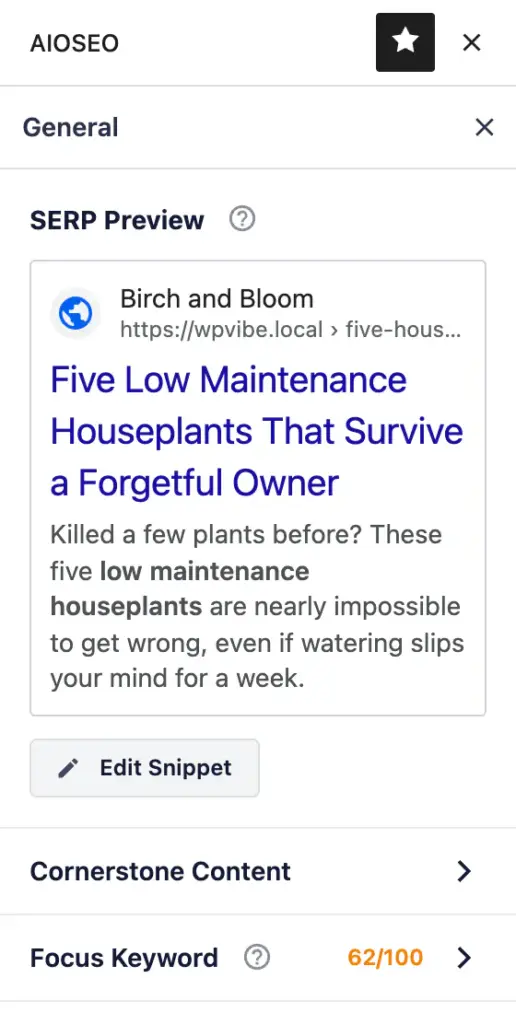
With AIOSEO, I asked it to write the SEO title, meta description, and focus keyphrase for a post. A few seconds later they were done and saved, the exact fields I’d normally fill in by hand.
WooCommerce was the one that made me sit up. I asked it to add a product to my store, a price and some stock.
It created the product, priced it at $15.75, and set 25 in stock. I never touched WordPress.

SeedProd flipped my whole site into coming-soon mode on command, then switched it back off when I asked. When I came back and asked for maintenance mode, it found no maintenance page existed and built one first.
Redirection was almost cheeky. The plugin wasn’t even set up yet, so the AI set it up first, then built a 301 redirect from an old URL to a new one. I went back later and gave it the real job: finding every 404 on the site and redirecting them.
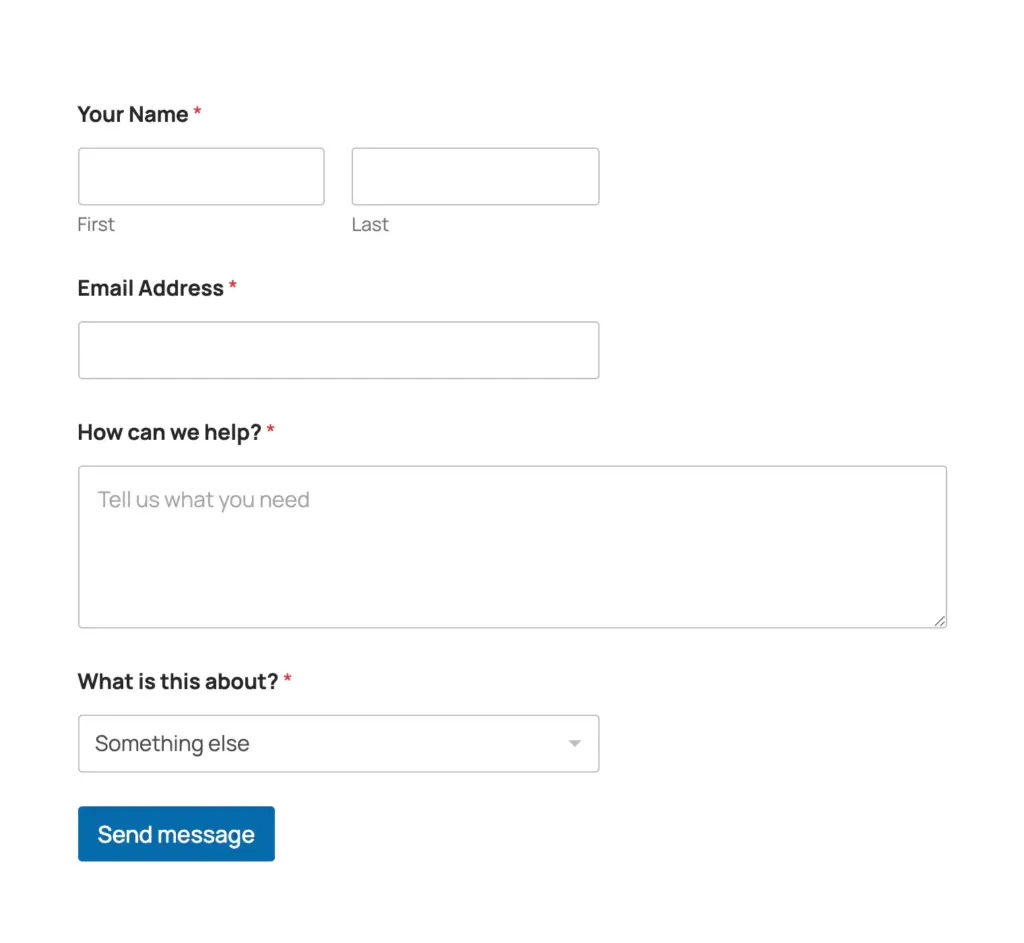
WPForms built me a working contact form from a single sentence, then added a field when I asked for one. (There’s one catch with this, which I’ll come back to.)
And UserFeedback, the quiet one, created and published a survey from scratch.
The thread tying all six together is WPVibe. It’s the remote server that connects my AI to the site, so it can read and write WordPress through plain conversation instead of me clicking around the dashboard.
Every one of those jobs ran through it.
The Three Failures That Tell the Real Story
The misses in my test probably taught me more than the wins did, and all three of them are worth talking about in more detail.
Contact Form 7 Said It Saved. It Didn’t.
I asked the AI to rename one of my contact forms in Contact Form 7. It said: done.
So I went to check. The old name was still sitting there, nothing had changed at all.
The AI wasn’t making it up. Contact Form 7 had told it the save worked, so it just passed that information on.
The form even has a full set of API routes that look exactly like something you could drive. But the change never actually reached the database.
That’s the one that stuck with me. A plugin can have a proper API and still be impossible to drive.
“Success” isn’t the same as “saved.” Now I always go back and check if the change actually stuck.
The Backup I Most Wanted, and Couldn’t Run
The job I most wanted AI to handle was backups. Running one before a risky change is the obvious safety net, the one thing I’d want a second pair of hands on.
UpdraftPlus, one of the more popular backup plugins out there, gave the AI nothing to work with. No way in at all.
The one task where I’d most want a hand is the one AI just can’t touch.
I think that’s temporary, though. As more plugins add a real way in, AI-run backups feel like a matter of when, not if.
For today though, it’s a flat no.
The Security Plugin That Locked AI Out of My Whole Site
This one I didn’t see coming. I switched on Wordfence, the security plugin, and my AI assistant instantly lost access.
Not just to Wordfence, but to the entire site.
Every request it made came back denied. It couldn’t even turn Wordfence back off for me.
In the end, I had to go fix it directly on the server.
The technical reason is above my pay grade, honestly. What I can tell you is what I saw, the moment Wordfence came on, the door to the whole site closed.
So if you’re locking your site down hard, know you might be locking AI out right along with the bad guys.
The Number Moved While I Was Writing This
When I started writing this article, the number on my test list was five, not six.
Halfway through, WPForms added proper AI write support. It went from something the AI could only read to something it could fully drive, building and editing real forms.
My tally jumped from five to six while I was still testing.
(That’s the catch I mentioned earlier. WPForms ships with AI writing switched off by default. It’s a single setting to flip on, but worth knowing it’s there.)
Then, right at the end, WooCommerce, the most-installed ecommerce plugin of them all, added native AI abilities of its own. Until then, that kind of built-in AI support lived mostly in specialist tools like AIOSEO, SeedProd, and WPForms.
WooCommerce is the first really mainstream plugin to join them.
What this tells me is the line is moving, and moving fast. Whatever number I publish today has a short shelf life, and that’s the most interesting thing about it.
So What Decides Whether AI Can Run Your Plugin?
After 25 plugins, the pattern was clear, and it wasn’t the one I expected.
It’s not about popularity, some of the biggest names on the list wouldn’t move an inch. And it’s not about having an API either, Contact Form 7 has one and still wouldn’t save a thing.
What actually decides it is whether a plugin gives AI a real, durable way in. A proper door that opens, and that keeps what gets done through it.
The plugins building that are pulling ahead. Most haven’t, yet.
So if you’re wondering whether AI can run a particular WordPress plugin for you, that’s the real question to ask. Not how popular it is, or whether it has an API.
Just whether it gives AI a genuine way in, and whether what comes through that door actually sticks.
Six out of twenty-five work with WPVibe today. Ask me again in a month and fingers crossed, that number will likely change.
What’s Changed Since June
I ran this test in June. Since then, a lot of the plugins on my list have added AI support of their own. Here’s where they stand as of October 2026.
| Plugin | In June | Now |
|---|---|---|
| Duplicator | Wouldn’t budge | Since version 5.0.2, AI can list your backups, start a new one, and check it finished |
| Easy Digital Downloads | Halfway | Version 3.7.1 added 25 AI actions. Anything that changes your store needs a switch turned on first, under Downloads, Tools, AI |
| Charitable | Halfway | Version 1.8.13 added 24 AI actions, with write access switched off until you turn it on |
| Rank Math | Halfway | The free plugin now has 29 AI actions, from version 1.0.279 |
| ACF | Halfway | Version 6.8 added AI actions, including building field groups. They’re switched on with one line of code |
| Elementor | Wouldn’t budge | Version 4.3 added Elementor MCP, with 20 AI actions for building and editing pages. They’re switched off until you turn on MCP access on its Elementor MCP page |
| WPCode | Wouldn’t budge | AI can now list your snippets and read the error logs |
| Sugar Calendar | Wouldn’t budge | AI can read your events, and version 3.14.0 added actions for creating and updating them |
| WP Mail SMTP | Wouldn’t budge | AI can read the email debug log. That’s all, for now |
| Smash Balloon | Wouldn’t budge | Instagram Feed Pro 6.14.0 added 13 AI actions. The free version doesn’t include them |
| Jetpack | Wouldn’t budge | Still nothing on your own site. Version 16.3 added MCP settings, but they connect AI through WordPress.com, so they need your site linked to a WordPress.com account |
The changelogs for UpdraftPlus, Redirection, UserFeedback, MonsterInsights, Site Kit by Google, Uncanny Automator, WPConsent and Envira Gallery show no new AI support since June.
So the backup I most wanted is possible now, just not through UpdraftPlus. The WPVibe team covered how it works in Your AI Just Learned Duplicator.
For the full re-check of all 25 plugins, including the ones that ship their AI support switched off, read Why AI Can Run Some WordPress Plugins and Not Others.