Manage multiple WordPress sites
Manage all your WordPress sites from one conversation.
Bulk update plugins, themes, and WordPress core across every site you manage by asking your AI. WPVibe runs it as a background fleet job that checks each site before every update, confirms the new version after, and keeps going when you close the chat.
Unlimited sites on every plan · Works with Claude, ChatGPT, Cursor · No server access needed
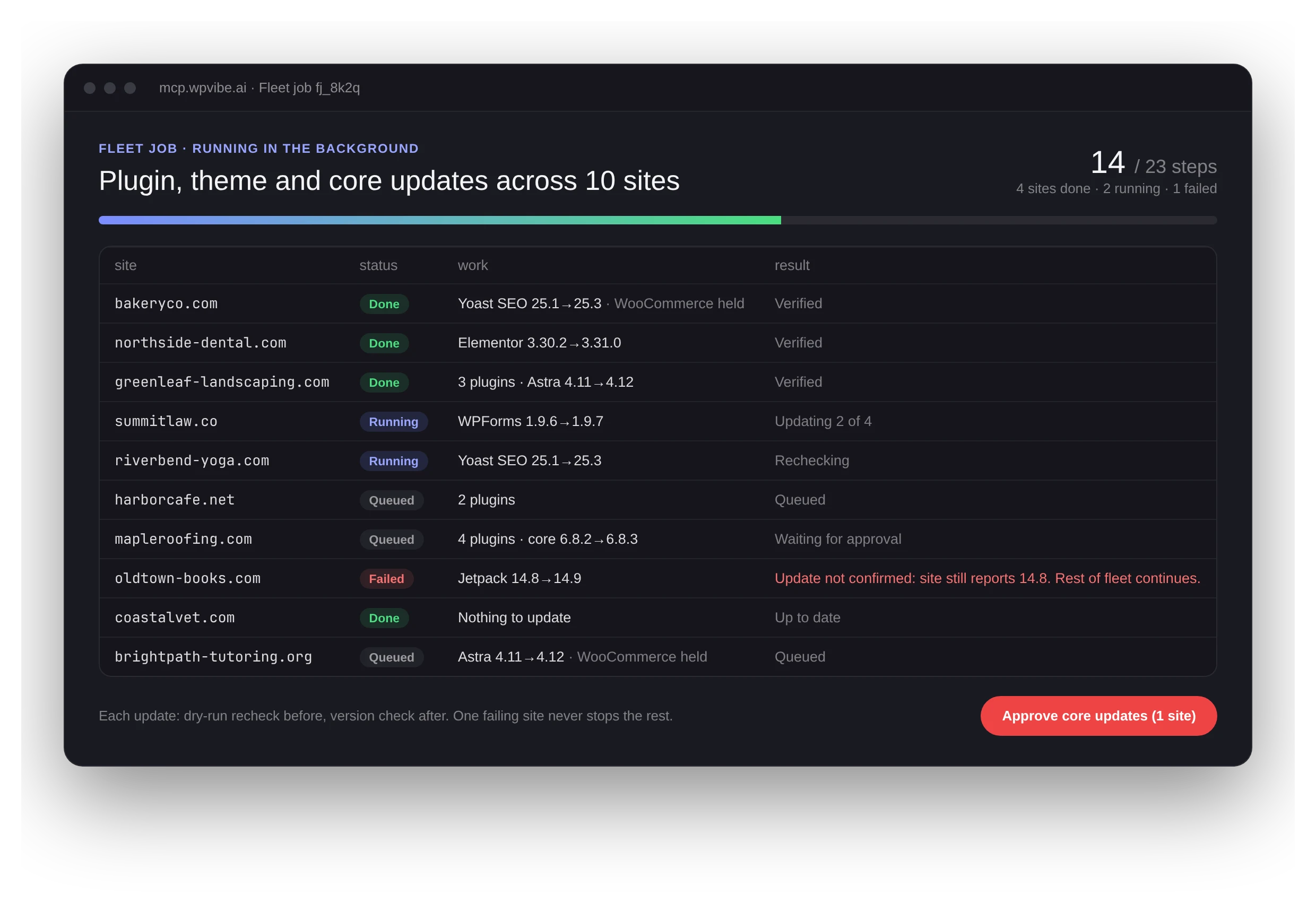
The live status page every fleet job gets. Illustration with sample sites.
3,000+
people use fleet jobs every week
300K+
fleet steps run each week
50
sites per job, as many jobs as you need
0
tabs you need to keep open
How it works
Ask in plain words. Approve the plan. Walk away.
Say what you want
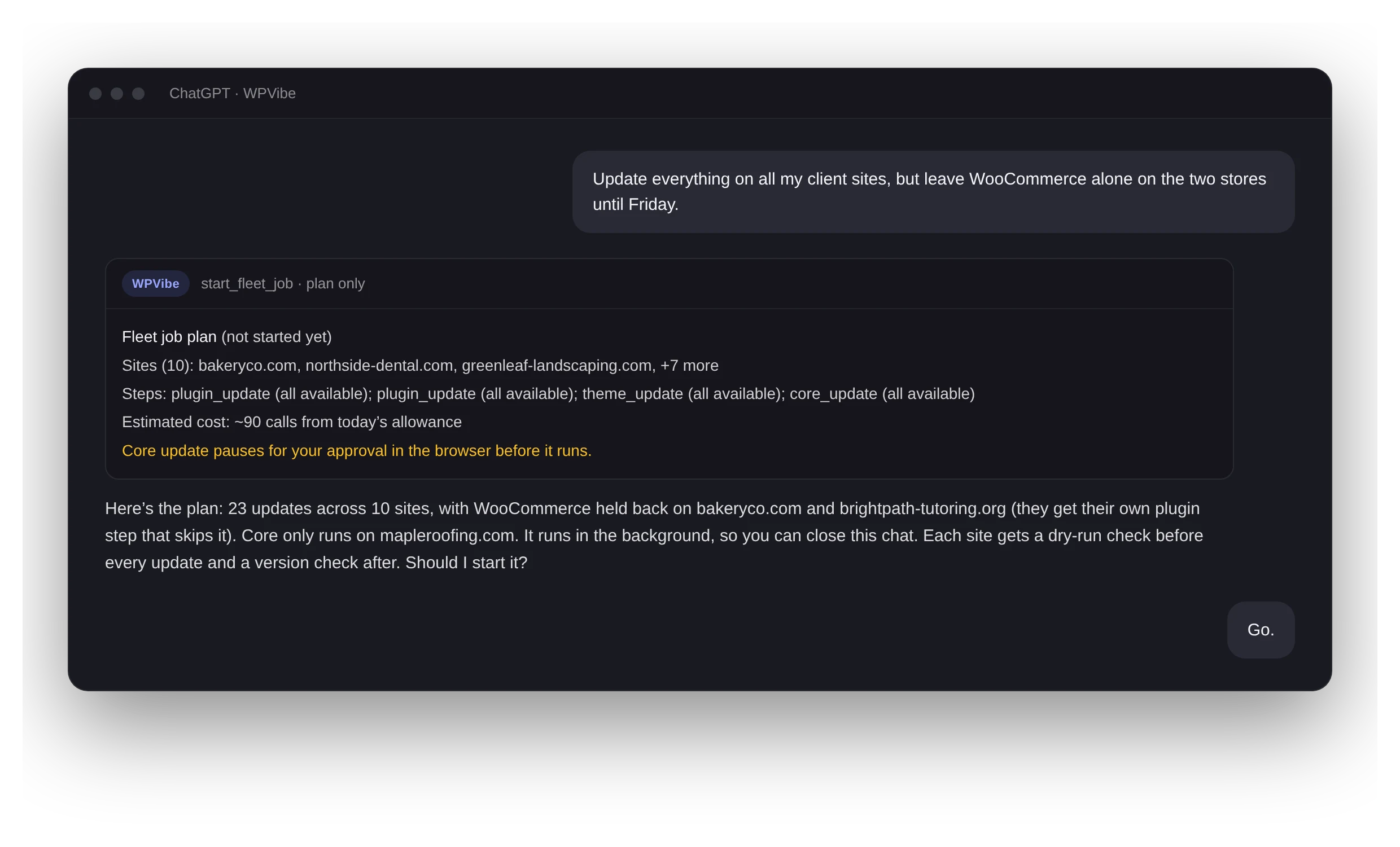
“Update everything on my client sites, but hold WooCommerce on the stores.” Your AI picks the sites, the steps, and the exclusions.
Review the plan and its cost
Nothing runs on the first call. You get the site list, the steps, and an estimate of how much of your daily allowance it will use. You say go.
It runs on our servers, not in your chat
The job works through each site one step at a time. Close the tab, end the conversation, go to lunch. It keeps going.
Check the receipts
Every job gets a live status page with each site’s result, old and new versions, and the reason for anything that stopped.
What a fleet job can do
The jobs that are too big or too slow to run one chat message at a time.
Plugin and theme updates
Everything with an update waiting, or only the slugs you name. Skip specific plugins per job, so the risky ones wait for a day you choose.
WordPress core updates
Opt-in, and scoped to the sites that need it. Before core is touched, the job pauses for your approval in the browser. Plugin and theme steps keep running meanwhile.
Spam and bulk cleanup
Clear every spam, trashed, or pending comment across many sites in one job. Remove thousands of spam users or old posts on a site without the request timing out. Bulk deletes always wait for your approval, with the count shown first.
Long command lists
Up to 2,000 WP-CLI commands on one site per job, within your daily allowance: SEO titles, meta fields, term assignments, product fields. Each command gets a receipt, and failures come back listed so the AI can retry just those.
Built to be boring
One broken site never stops the rest.
Updating 40 sites should feel as uneventful as updating one. These checks run on every step, whether you are watching or not.
Managing multiple sites: questions
Unlimited, on every plan including Free. A single job covers up to 50 sites; for a bigger fleet, your AI splits the work into several jobs.
Each background step uses your normal daily allowance of WordPress actions, the same as a chat request. The plan shows the estimated cost before anything starts. If it is more than you have left today, your AI can split the work into smaller jobs, and a running job that reaches your limit pauses and picks back up on its own. Plans never gate the fleet feature itself.
No. The job runs on WPVibe’s servers once you confirm it. Your AI gives you a status link you can check from any device, and the job finishes whether or not you come back to the conversation.
The job checks the site’s reported version after every update. If a step fails, that site stops and the status page shows why, while the other sites continue. Fleet jobs do not roll updates back automatically, so keep your usual backups; your AI can inspect a halted site right away and help you fix it.
No. Fleet jobs run through the WPVibe plugin on each site, so they work on shared hosting, managed WordPress hosts, and anything else that runs WordPress, as long as the host allows plugin and theme file changes.
Any client connected to WPVibe: Claude, ChatGPT, Cursor, and Claude Code. In Claude and ChatGPT the job can also show a live progress panel right in the conversation.
Connect two sites. Update both at once.
Setup takes about a minute per site. Your first fleet job takes one sentence.