WooCommerce MCP
Run your WooCommerce store from Claude or ChatGPT.
Connect your AI to WooCommerce and manage products, variations, prices, orders, and coupons by asking. Changes go through WooCommerce’s own API, so stock, prices, and caches stay in sync.
Works with your existing store · No developer setup · Free plan available
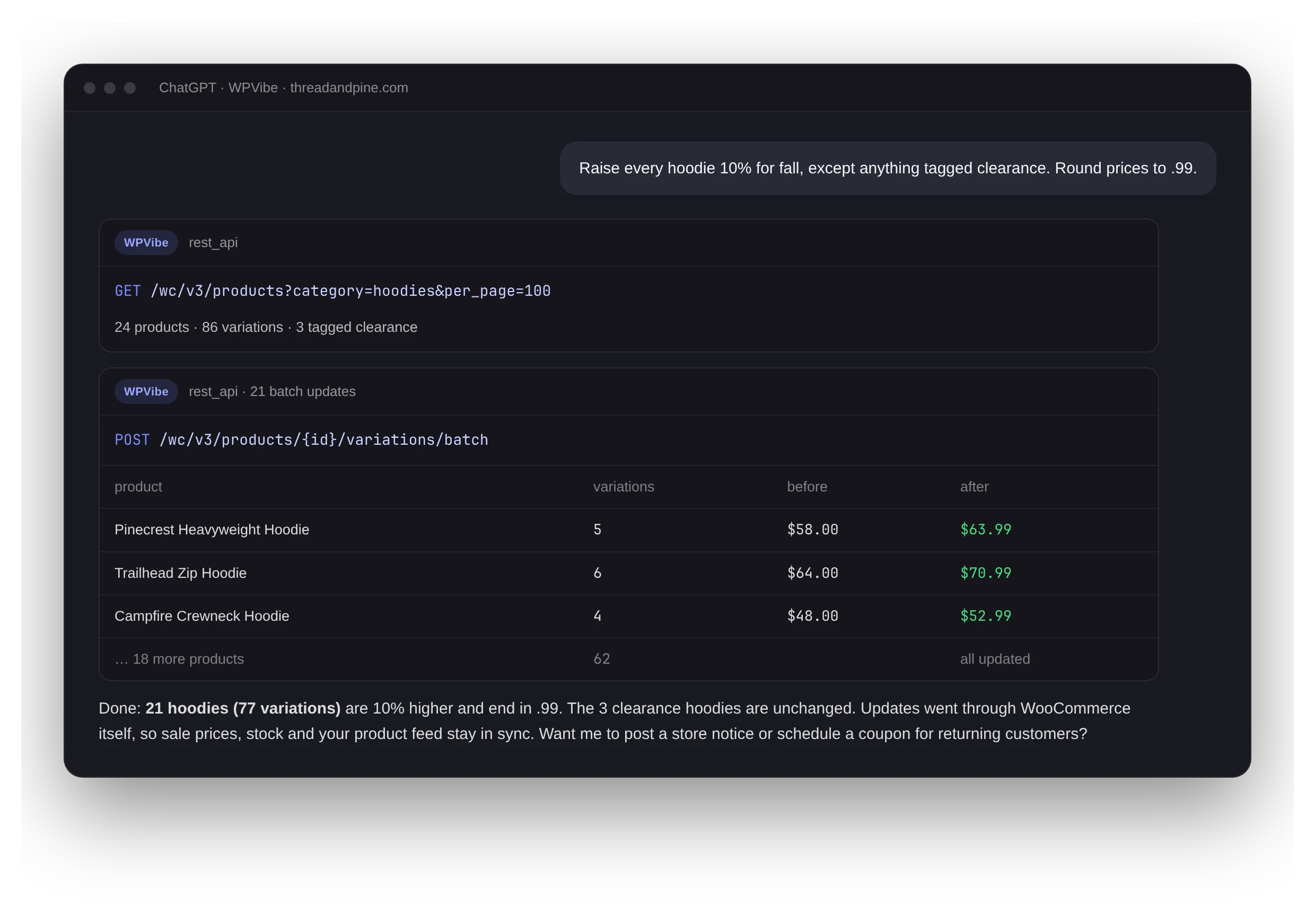
Illustration with a sample store.
5,000+
people manage WooCommerce with WPVibe each week
200K+
WooCommerce API calls a week
80%
of it is catalog work: products, variations, categories
30
WooCommerce recipes in the cookbook, free to use
What store owners actually do with it
Based on real WooCommerce activity through WPVibe, most common first.
Bulk edit products
Prices, stock, descriptions, categories, and sale dates across the whole catalog, sent through WooCommerce’s batch API.
Variations and attributes
Add sizes and colors, update every variation’s price in one pass, and keep attribute terms consistent across products.
Categories, tags, and SEO
Reorganize categories in bulk, write product descriptions, and fill SEO titles and meta for products your SEO plugin flags.
Orders and customers
Look up orders, export them to CSV, find card-testing fraud, and pull customer segments from order history.
Store settings
Coupons, tax rates, shipping zones, payment gateways, and order emails, configured by asking instead of clicking through tabs.
Find out what went wrong
Stuck sale prices, missing products, a slow orders screen: your AI reads product data, cron, and the database to find the cause before it changes anything.
More than products and orders
Your store is more than its catalog.
A WooCommerce-only connector stops at products and orders. WPVibe reaches the rest of the site your store runs on.
Start from a tested recipe
Step-by-step prompts for real store tasks. Paste one into your AI and adjust it to your catalog.
WooCommerce questions
Only the free WPVibe plugin on your store, then add WPVibe as a connector in Claude or ChatGPT (or as an MCP server in Cursor or Claude Code). No developer setup, no API keys to create, and no local server to run.
Yes. Your AI uses WooCommerce’s batch endpoints for products and variations, and very long lists of changes can run as a background job that keeps going after you close the chat. Each request counts toward your daily allowance of WordPress actions, and a batch request updates many products at once.
Yes. Variations are read and updated through WooCommerce’s variations API, including batch updates across every variation of a product.
No. Requests pass through WPVibe to your store and back to your AI; order and customer content is not retained on our servers. We keep a metadata log of each tool call (tool name, site, success or failure, timing) for billing and abuse prevention. Your conversation itself stays between you and your AI provider.
Yes. Connect every store to one WPVibe account, on any plan including Free, and run updates across all of them in one background job.
Ask your store a question.
Connect your store in about a minute, then ask which products are missing images or prices. Take it from there.