WordPress MCP server
The WordPress MCP server that does the work, safely.
WPVibe is a hosted MCP server plus a free plugin. Connect Claude, ChatGPT, Cursor, or Claude Code to any self-hosted WordPress site, and your AI can read, write, build, and fix, with your approval on anything risky.
No server to run · Sign in with one click · Free plan, unlimited sites
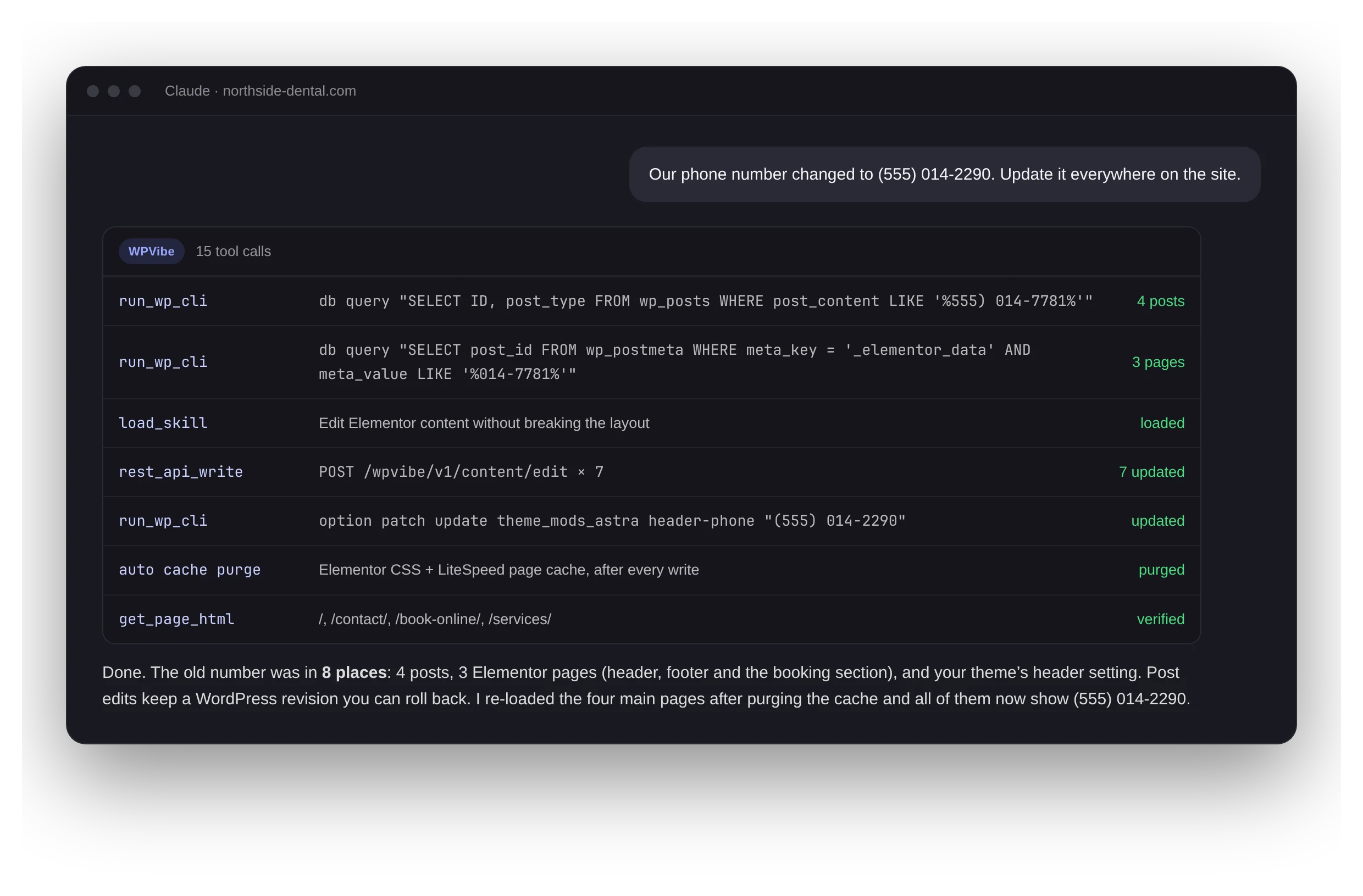
One request, fifteen tool calls, verified on the live pages. Illustration with a sample site.
23,000+
people use WPVibe every week
8M+
WordPress actions run each week
30+
MCP tools, plus 125+ WP-CLI commands
4
AI clients: Claude, ChatGPT, Cursor, Claude Code
An MCP server for the whole site
Many WordPress MCP servers stop at posts and pages. WPVibe covers the parts of a site where the real work is.
Read and write, not just read
Posts, pages, media, users, menus, settings, and plugin data through the full REST API and 125+ WP-CLI commands. Your AI can fix what it finds.
Learn morePage builders that stay editable
Tested skills for Elementor, Divi, Bricks, Breakdance, Beaver Builder, SeedProd, and the Block Editor, so edits land where the builder expects them and caches get purged.
Themes in a safe draft
Build or change a classic theme in an isolated draft, preview it on a private URL, then publish with an automatic backup.
Your plugins, through their own code
Discover and run plugin abilities through the WordPress Abilities API, so writes go through the plugin’s own validation and hooks.
Every site you manage
Connect unlimited sites and run updates, cleanups, and long command lists as background jobs across up to 50 sites at a time.
Learn moreWooCommerce stores
Products, variations, categories, orders, and coupons through WooCommerce’s own API, including bulk changes across a whole catalog.
Learn moreHosted, not self-hosted
No server to run. No keys to paste.
Many self-hosted MCP setups need Node, a local process, and credentials pasted into a config file. WPVibe is one URL your AI client already knows how to add.
Safe by default
Write access, with guardrails built in.
WordPress MCP questions
MCP (Model Context Protocol) is the standard AI apps use to call outside tools. A WordPress MCP server gives your AI a set of WordPress tools, like reading a page, editing a post, or updating a plugin, so it can work on your site directly instead of handing you instructions to copy and paste.
The MCP Adapter is an open-source building block that exposes a site’s registered abilities, and you host and configure it yourself. WPVibe is a hosted service that works out of the box: it uses those same abilities where plugins provide them, and adds the REST API, WP-CLI, page builders, themes, fleet jobs, and approvals on top. See the full comparison.
Claude, ChatGPT, Cursor, and Claude Code, each with a step-by-step setup guide. It works on the free tiers of those apps too.
A self-hosted WordPress site where you can install plugins: shared hosting, managed WordPress hosts, a VPS, or a local install. WPVibe connects through its free plugin, so there is nothing to install on the server itself.
There is a free plan with unlimited sites and every feature. Paid plans only raise how many WordPress actions you can run per day. WPVibe never charges for AI usage; you keep using the AI subscription you already have.
Give your AI a real WordPress toolkit.
Install the free plugin, add one connector, and ask your AI what it can do on your site. Setup takes about a minute.