WP-CLI emulator
WP-CLI for your AI. No server required.
AI models already know WP-CLI inside out. WPVibe runs those commands through the plugin on your site, so they work on shared hosting with no SSH and no WP-CLI install. Anything risky stops for your approval first.
Works on any host · 125+ commands · Every plan, including Free
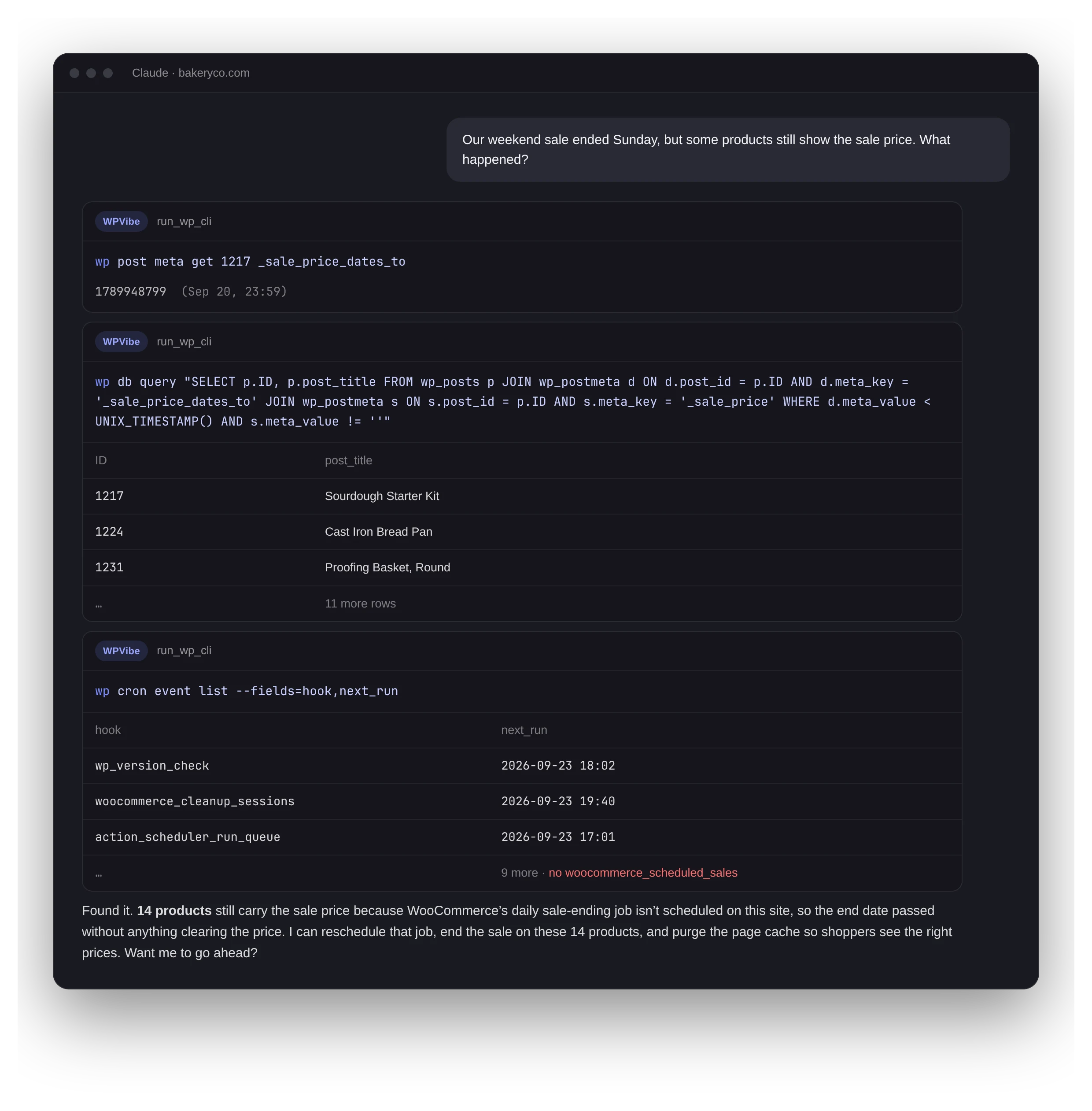
Illustration with a sample site.
2.4M
WP-CLI commands run last week
16,000+
people use it every week
99%
of the commands AI sends are supported
125+
commands across 20+ command groups
Why your AI reaches for WP-CLI first
It is the most-used part of WPVibe, and not because we push it. Models pick it on their own.
Models already speak it
WP-CLI has years of docs, tutorials, and answers online, so the AI gets commands right the first time instead of guessing at an unfamiliar API.
One call instead of ten
“Which plugins need updates?” is one command. The same answer through the REST API takes several requests and more of your daily allowance.
Works where SSH doesn’t
Commands run in PHP inside the WPVibe plugin. Shared hosting, managed hosts, client sites where you never got a shell: if WordPress runs, WP-CLI works. (Installs and updates need a host that allows file changes.)
The commands you actually use
Same syntax as WP-CLI. We add commands based on what AI sends in real sessions, so coverage follows real work.
wp plugin · theme
List, install, activate, update, delete, verify checksums, theme mods.
wp post · post meta
Create, update, and delete posts; read and write meta; set terms.
wp user · user meta
Create and update users, change roles, manage capabilities and meta.
wp option · transient
Get, update, and patch options, including one key inside a serialized array.
wp comment
List, approve, unapprove, spam, trash, and delete comments.
wp menu · widget
Build menus, add items, assign locations, list sidebars and widgets.
wp term · taxonomy
Create, update, and delete categories, tags, and custom terms.
wp core
Check the version, look for updates, verify core file checksums, update.
wp search-replace
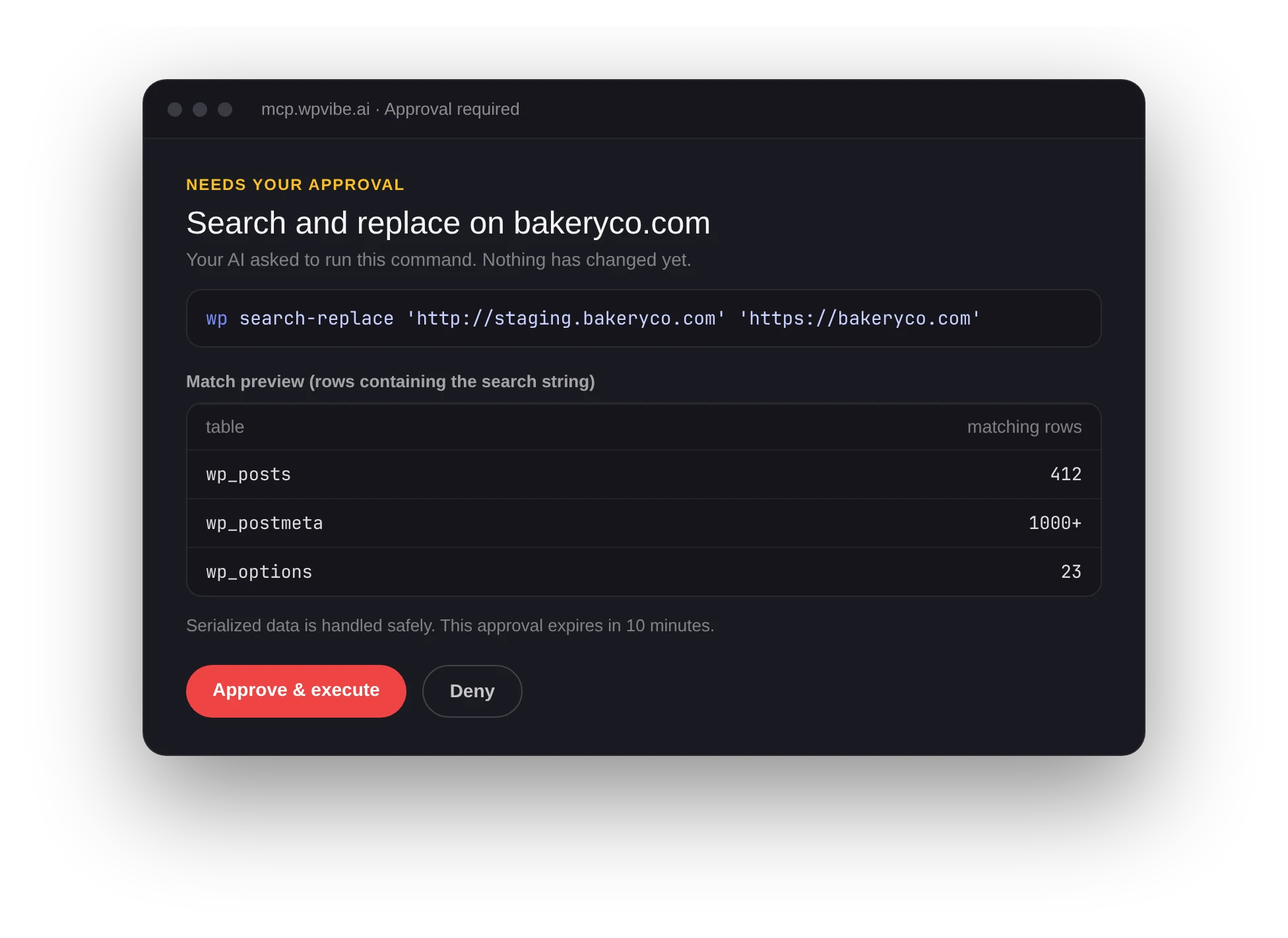
Serialization-safe search and replace, with a dry-run preview first.
wp db query
Read-only SQL runs freely. Anything that writes waits for your approval.
wp cache · rewrite · cron
Flush caches (LiteSpeed, WP Rocket, SiteGround and more), rewrite rules, and cron events.
wp role · cap · config
Inspect and change roles and capabilities, read wp-config values.
Approval gates
Reads run freely. Risky writes wait for you.
Everyday commands run straight away. The ones that are hard to undo stop and send you to an approval page that shows exactly what will run, with a dry-run preview when there is one.
eval is blocked on every site, always. PHP snippets go through WPCode, need your approval, and are saved switched off.
WP-CLI questions
It is an emulator built into the WPVibe plugin. It accepts the same syntax and the common flags, and calls the same WordPress functions, but it does not need the WP-CLI binary or shell access on your server. That is what lets it work on hosts that never give you SSH.
If every site you run gives you a shell, keep it. WPVibe adds what raw SSH does not: approval gates on destructive commands, an audit log, no server keys on every laptop, and the same workflow on the client sites where you have no shell at all.
The AI gets a clear answer and the right alternative: another command, the REST API, or the plugin’s own tools. Commands added by other plugins vary. About 99% of the commands AI sends through WPVibe run today, and we track the rest to decide what to add next.
Yes. Updates, bulk cleanups, and long lists of commands can run as a background fleet job across up to 50 sites per job. See managing multiple sites.
No. WP-CLI is included on every plan, including Free. Each command counts as one WordPress action toward your daily allowance.
Ask your site a question.
Connect a site in about a minute, then ask what needs updating. Your AI will take it from there.