WPVibe Now Speaks GeneratePress, Elements Included
GeneratePress users picked their theme for a reason: it is fast, it stays out of the way, and it never surprises you. The trade is that the interesting parts live in GP Premium’s Elements module, the theme builder that powers custom headers, footers, and hook banners. Elements is genuinely good, and most GeneratePress sites never use it, because an Element only works when several invisible settings line up, and when one is missing it fails without a word. You publish it, nothing appears, you move on.
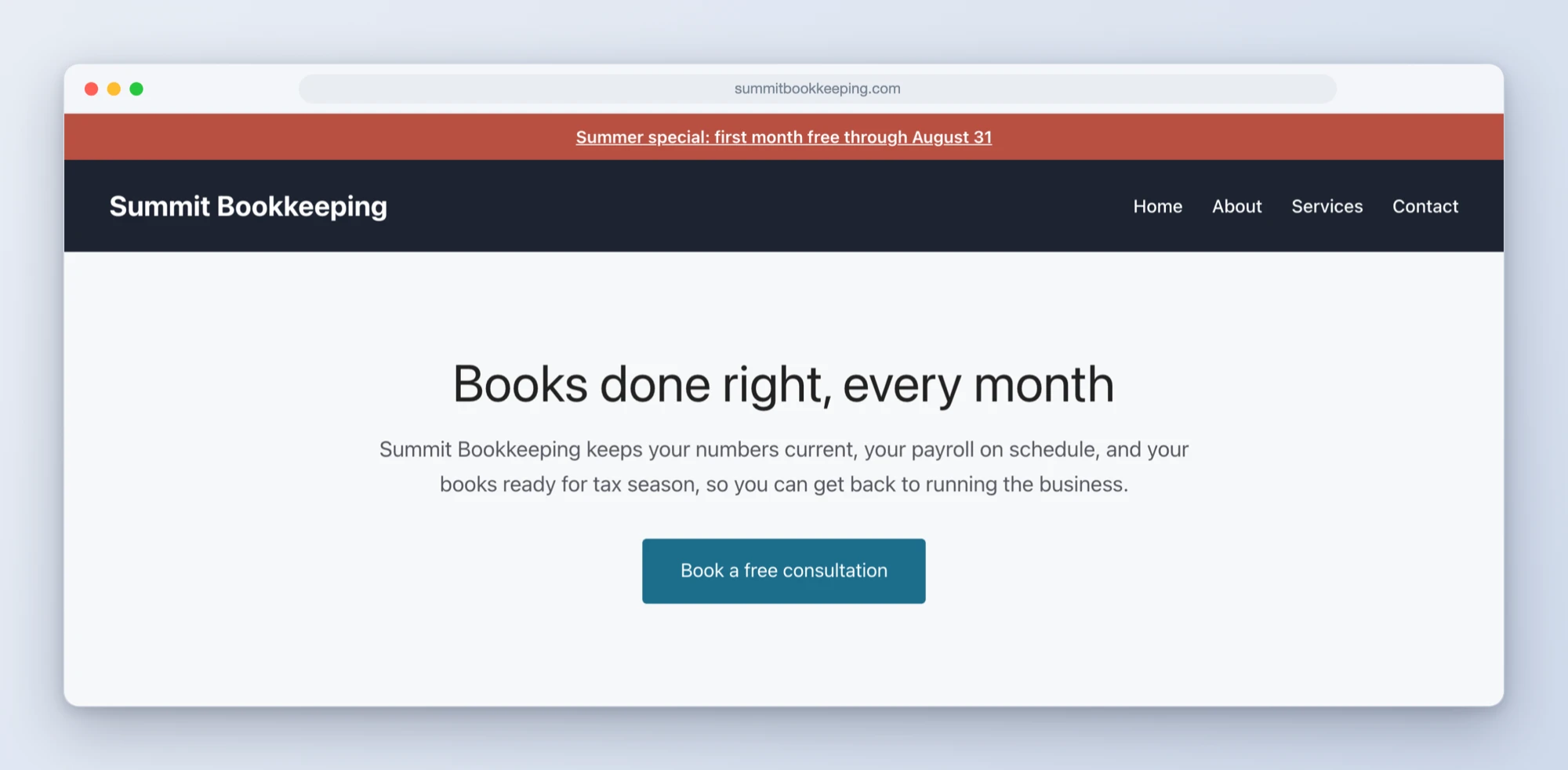
WPVibe now speaks GeneratePress, and Elements is the headline. Your AI can build a custom site header and footer, hang an announcement bar above every page, and set the per-page layout options that most tools drop on the floor.
The silent-failure problem, solved
Here is the part we sweated: the settings that make an Element function are exactly the ones that standard WordPress automation loses. Create an Element the generic way and the API reports success while the settings that wire it up are quietly discarded. The Element sits there, published and inert. The same thing happens with GeneratePress’s per-page layout options: we caught a case in testing where a full-width setting was stored in a format the theme does not read, so the page reported success and stayed boxed. WPVibe writes all of it the way GeneratePress actually reads it, then checks the live page to confirm, instead of assuming.
What that unlocks:
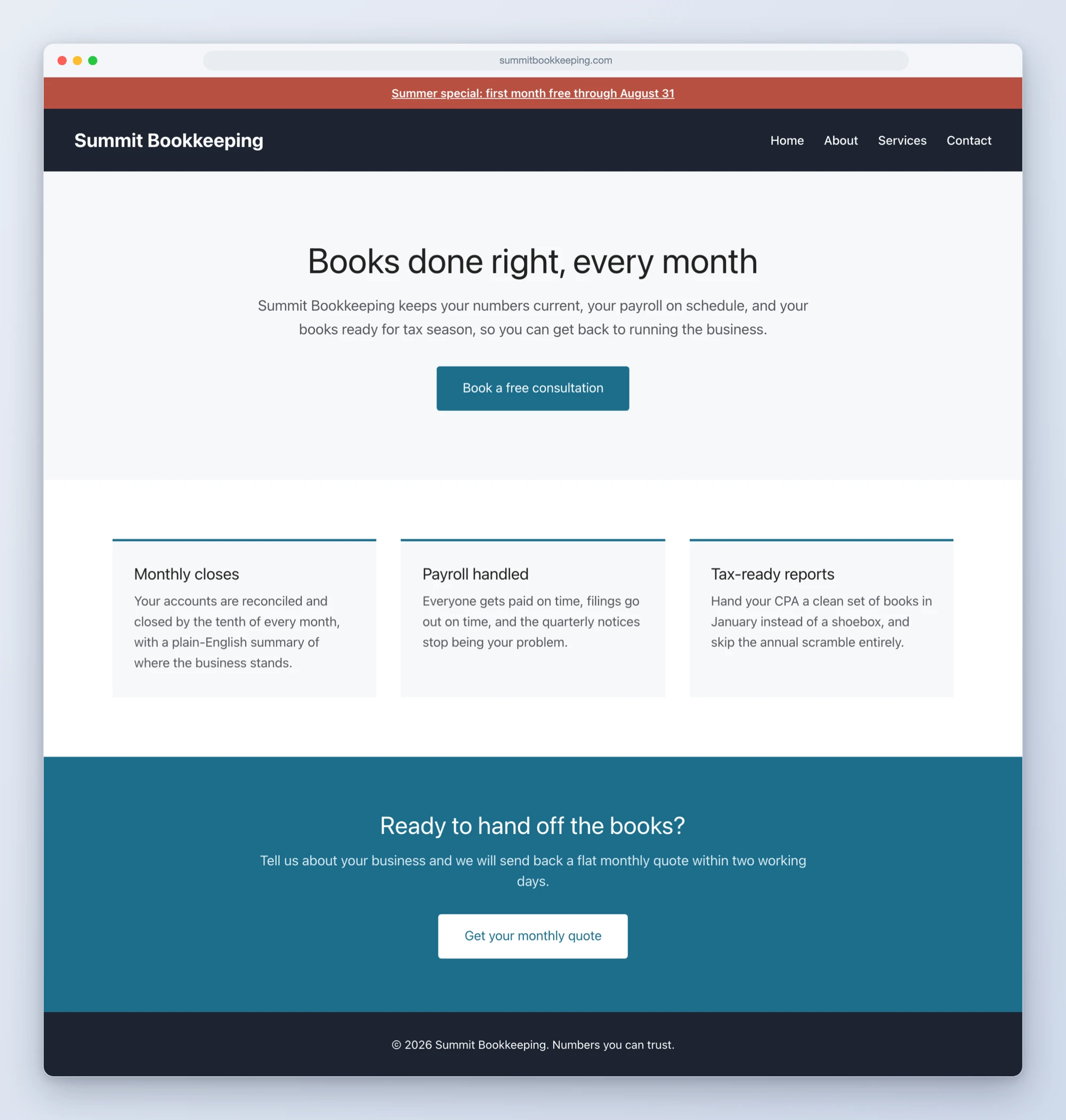
- Custom site headers and footers. “Give my site a dark header with my logo and menu links” comes back as a published GP Element, with your existing menu carried over. Your theme’s own header returns instantly if you ever delete the Element, menu and all.
- Announcement bars without a plugin. A sale banner above the header is a native hook Element: no extra plugin to install, update, or slow the site down, and turning it off is one click.
- True landing pages. Full width, no title, no sidebar, set through GeneratePress’s own page options and verified on the rendered page.
- GenerateBlocks fluency. If your site runs GenerateBlocks, WPVibe writes native GB markup with the compiled styles GenerateBlocks expects. If not, it uses core blocks. Either way the result opens in your normal editor.
Three recipes to start from
We shipped three tested cookbook recipes alongside this release, each one a copy-paste prompt:
- Create a GeneratePress header and footer with AI
- Add a sitewide announcement banner to GeneratePress with AI
- Build a GeneratePress landing page with AI
How to get started
Step 1: Connect your site. About 30 seconds at wpvibe.ai/start, on any host.
Step 2: Ask for the thing you have been putting off. “Add an announcement bar for our summer sale” is a one-liner now. So is “build me a proper header.”
Step 3: Approve before it is visible. Pages arrive as drafts, and for site-wide Elements the AI tells you exactly what will change and how to undo it before it builds.
Tested against the real thing
Before shipping, we pointed AI agents with no documentation at a live GeneratePress Premium site and told them to build a header, a footer, a banner, and a landing page from nothing but the prompts above. Where they stumbled, we fixed the product. One example from that run: replacing a header used to sound scarier than it is, so the AI now reads your menu first, carries every link into the new header, and confirms the one-click way back before anything changes.
If you run GeneratePress, start with the announcement bar. It is a five minute win on a feature you already own.
Thanks for building with us.
John and the WPVibe team
P.S. GeneratePress support is free, like every WPVibe feature. The Elements features need GP Premium, since Elements is a GP Premium module; everything else works on the free theme. Connect at wpvibe.ai/start, or install the WPVibe plugin from WordPress.org.