Your AI Just Learned Duplicator
Everyone agrees on the rule. Back up before you change anything. Then the moment comes, a plugin update is waiting, the AI has a fix ready to apply, and the backup is four clicks and a progress bar away, on a screen you have not opened since the day you installed it. So the change goes in first and the backup stays a good intention. Most of the time that is fine. The rest of the time is why the rule exists.
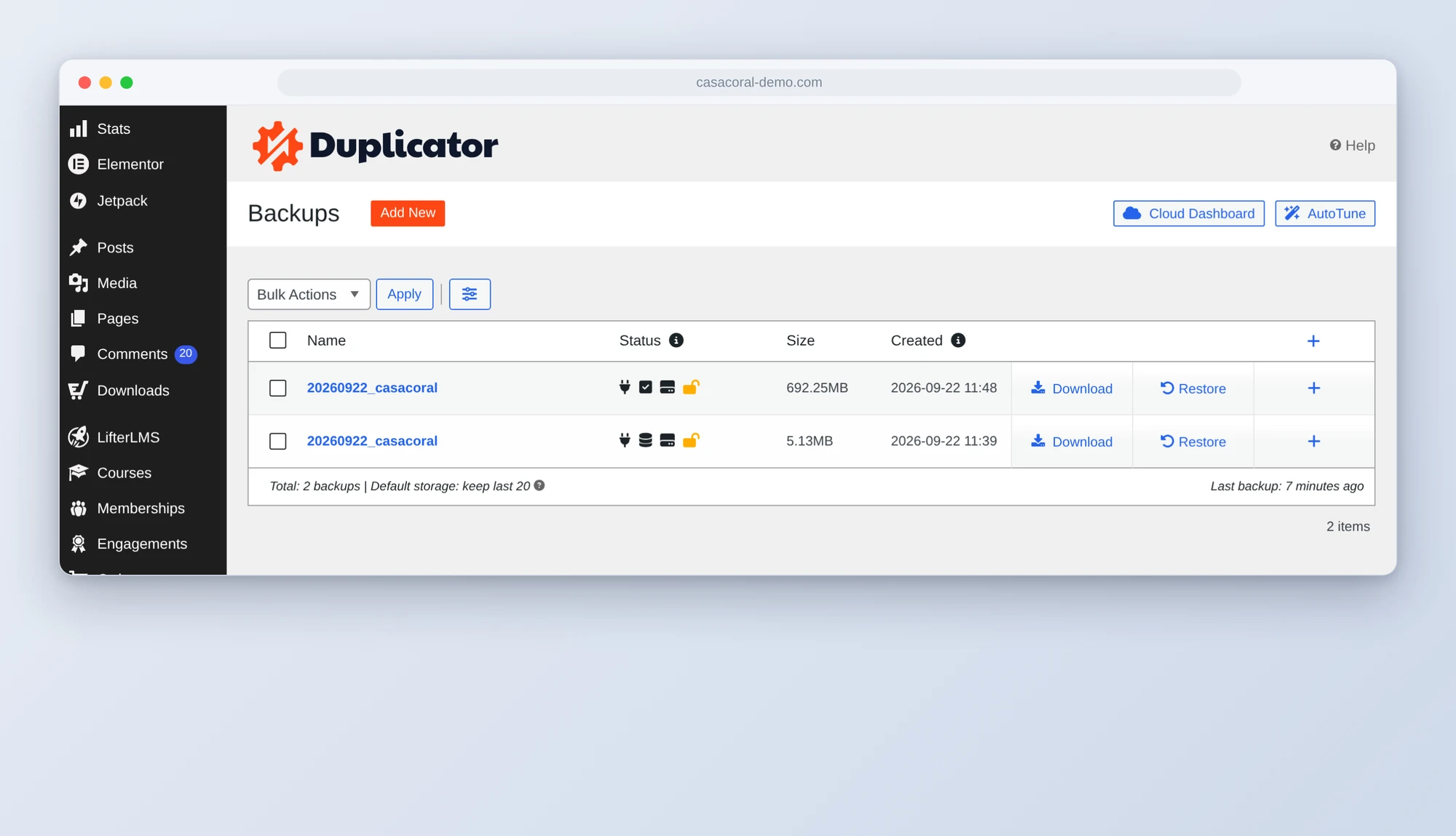
Duplicator 5.0.2 changes the shape of that. It now tells AI assistants what it can do, in a language they understand, using the WordPress Abilities API. Three operations: list your backups, start a new one, and check whether it finished. That is a short list, and it is the right short list, because it puts the backup in the same conversation as the change. So today WPVibe ships three tested Duplicator recipes and a verified Works with AI page. All three work with the free version.
What you can ask for
Every one of these is a copy-paste prompt we ran against a live Duplicator install before publishing it:
- Back up your site before a plugin update, and have the AI refuse to touch the plugin until Duplicator reports the backup complete
- Check your backups: when the last one ran, whether any failed, and whether you have a full one or only a database copy
- Take a database backup before bulk edits, the fast kind, before the AI rewrites sixty posts or runs a search and replace
Picture the Tuesday afternoon a plugin update lands. You tell your AI to update it. It starts a full Duplicator backup first, with the reason written on it, waits until the status comes back complete, tells you the archive size and that nothing was excluded, and only then runs the update. If the update breaks the page, you have a restore point that is ten minutes old and named after the thing that broke it.
Who this is for
- Anyone letting an AI make changes. If the AI can edit content, snippets, and settings, it should be able to take the backup that comes first. Now it can.
- Site owners with a scheduled backup they have never checked. The health check takes a minute and tells you whether the last one is from yesterday or from March.
- Freelancers and agencies. A backup before every client change is a promise you already make. This makes it the AI’s job to keep it.
How to get started
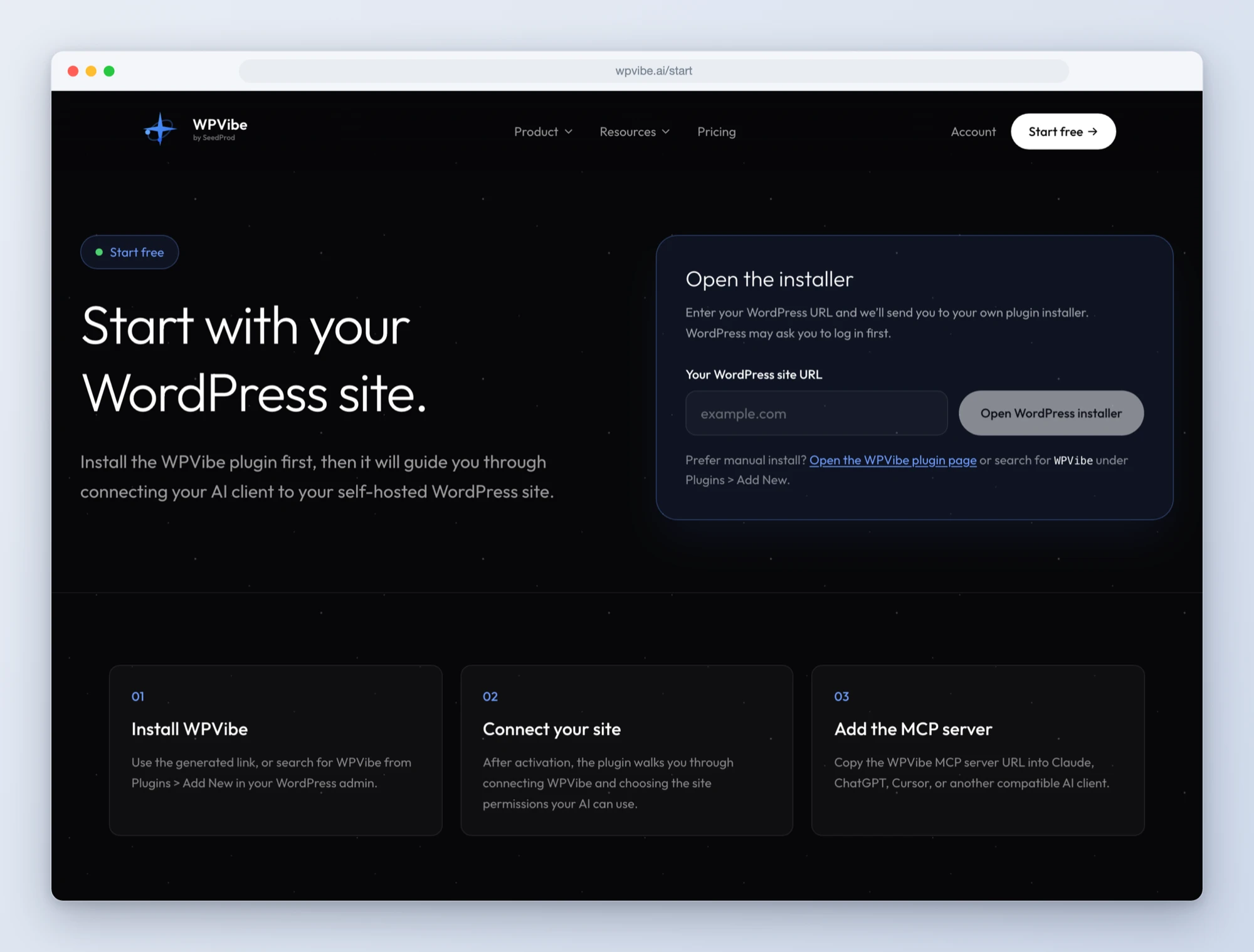
Step 1: Install the free WPVibe plugin
Add the WPVibe plugin to the site running Duplicator, and make sure Duplicator is on 5.0.2 or newer and WordPress is on 6.9 or newer. The free version of Duplicator is enough for all three recipes.
Step 2: Connect the AI you already use
Claude, ChatGPT, Cursor and others. One click to authorize, about thirty seconds, and no passwords ever go in the chat.
Step 3: Ask for what you want
Open a Duplicator recipe, paste the prompt, fill in your own details. Start with the backup check. It is read-only, so there is nothing to undo.
Why these are worth trusting
We connected a test site running Duplicator 5.0.2 and ran every recipe through it. The first thing we did was ask for the list of backups, and the answer was a count of zero. That is the honest starting point for a lot of sites. Then we asked for a database-only backup, polled the status while it exported, and got back a complete backup with an admin link to its details page in under a minute. A full-site backup of the same install took a few minutes longer and came back with the archive size and a flag that nothing had been excluded.
That flag is the detail we like most. Duplicator’s status report includes a field that says whether the backup is a full one, and a list of exclusions when it is not. A database-only backup says, in plain words, that site files are not included. So the recipes make the AI read that back to you before it calls the job done. A backup you think is complete and is not is worse than no backup, because you stop worrying.
Each backup also carries a reason. When the AI starts one, it writes down why, and Duplicator stores that with the backup as attribution, along with the fact that an AI requested it rather than a person. The recipes fill that in with the job at hand, “Before updating plugins” or “Before the September content rewrite”, so the record of why a backup exists is kept where the backup is.
About what the AI cannot do
Duplicator lets an AI create a backup, and that is the only thing it lets it change. There is no restore, no delete, and no download in what Duplicator exposes to AI today. We think that is the right first release. Creating a backup is the action you want to happen more often; restoring is the one you want a person’s hand on. Both of those still happen in the Duplicator dashboard, and the status report gives your AI the direct link to the right page.
Two more honest limits while it is fresh. The AI backup always uses your default Duplicator template, so if you have a custom set of exclusions on it, that is what you get, and the recipes ask the AI to read the exclusions back for that reason. And the list ability returns your twenty most recent backups, which on the free version is also the default number it keeps. As Duplicator adds abilities, we will update the recipes to match.
All three recipes live on the Duplicator page, along with every ability and what we found while testing. If you have ever asked an AI to change something on your site without a backup first, start with the plugin update recipe. It is the rule you already agree with, kept for you.
John and the WPVibe team
P.S. WPVibe is free to start and works with the AI plan you are already paying for, so there is no second AI subscription to buy. Connect your site and ask it when your last backup was.