Your AI Just Learned PixelYourSite
Tracking breaks quietly. The store keeps selling, the ad account keeps spending, and nobody notices that Meta stopped seeing checkouts after the last redesign. In PixelYourSite each WooCommerce event has a main switch and a switch for each platform, and the platform switches sit inside each event’s collapsed card. So one event can be on for Google and off for Meta, and checking means opening every card or clicking through the store with a browser helper for each platform. It rarely happens.
PixelYourSite, on 400,000+ sites by WordPress.org’s count, is the plugin that puts the Meta pixel and Google Analytics on a WordPress site, with Meta’s Conversions API in the free version too. PixelYourSite 11.4.4 gives AI assistants abilities to audit your tracking, read and change WooCommerce events and build custom events. WPVibe now has a verified PixelYourSite page and five tested recipes, so the AI you already use can check that your pixels and WooCommerce events are set to send to Meta and Google, turn on what’s off, track leads from a thank-you page and walk you through the Conversions API. One catch up front: PixelYourSite keeps these abilities closed until you turn on one switch. Step 1 below shows which.
What you can ask for
All five are copy-paste prompts built on calls we ran against a live PixelYourSite install before publishing them:
- Check your PixelYourSite tracking: which pixels are on, which WooCommerce events are set to send to Meta and Google, and what’s missing, in one plain list. Read only
- See which PixelYourSite events fire on a page: give it a page on your site and get the events that page sends, per platform and pixel ID. Read only, and it works before you turn on the switch
- Turn on a missing WooCommerce event: find the switch that keeps an event from Meta or Google and turn it on after your yes
- Track leads from a thank-you page: a custom event that sends Lead to Meta and generate_lead to Google Analytics when someone reaches the page, checked in the page’s source
- Set up Meta Conversions API: the right kind of Meta token, where it goes in PixelYourSite and a check that it’s saved and switched on. You paste the token yourself
In practice it sounds like this. You tell the AI that Meta shows no checkouts. It reads PixelYourSite’s WooCommerce events platform by platform and finds that Track the Checkout Page is on, but the InitiateCheckout switch for Meta inside that card is off. It asks PixelYourSite to turn it on, and PixelYourSite answers with a preview (off now, on after) and saves nothing. The AI tells you that in plain words and waits. You say yes, it sends the same change back with the preview’s id, then reads the settings again to confirm PixelYourSite is now set to send InitiateCheckout to Meta.
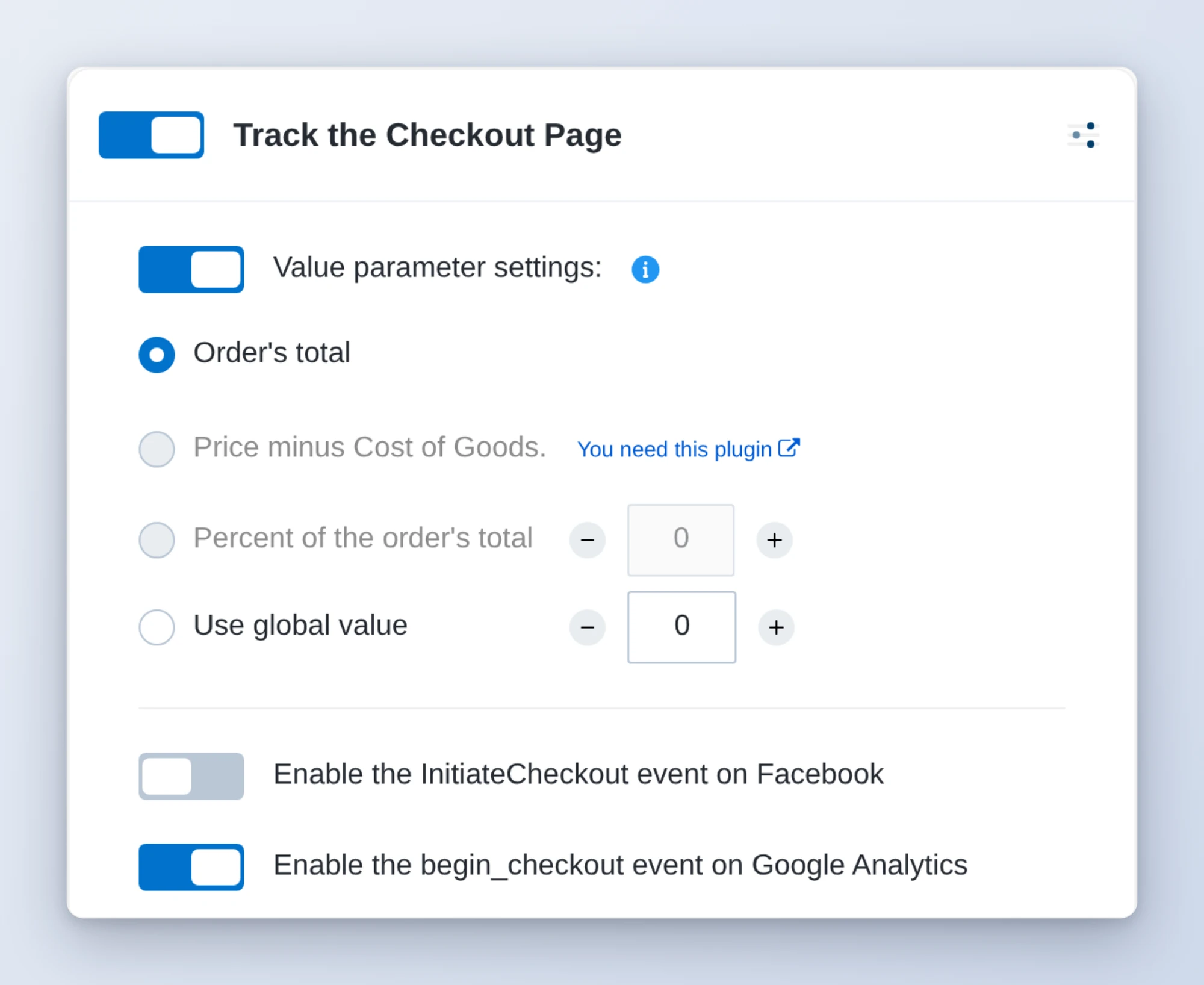
That’s the card from our test store, set up the way the story goes: main switch on, Meta off, Google Analytics on. PixelYourSite’s own health check reported the WooCommerce events and flagged only the remove from cart event. It said nothing about Meta’s checkout event. The per-platform read caught it, which is why the tracking check recipe runs it on every WooCommerce store.
Who this is for
- WooCommerce store owners running Meta or Google ads. One read-only check tells you whether every event is switched on for each platform before you spend more.
- Anyone with a contact form and a thank-you page. Send leads to Meta and Google Analytics from that page, set up and checked in one chat.
- Agencies looking after client tracking. Run the same check after every redesign or plugin update and get one plain list per site.
How to get started
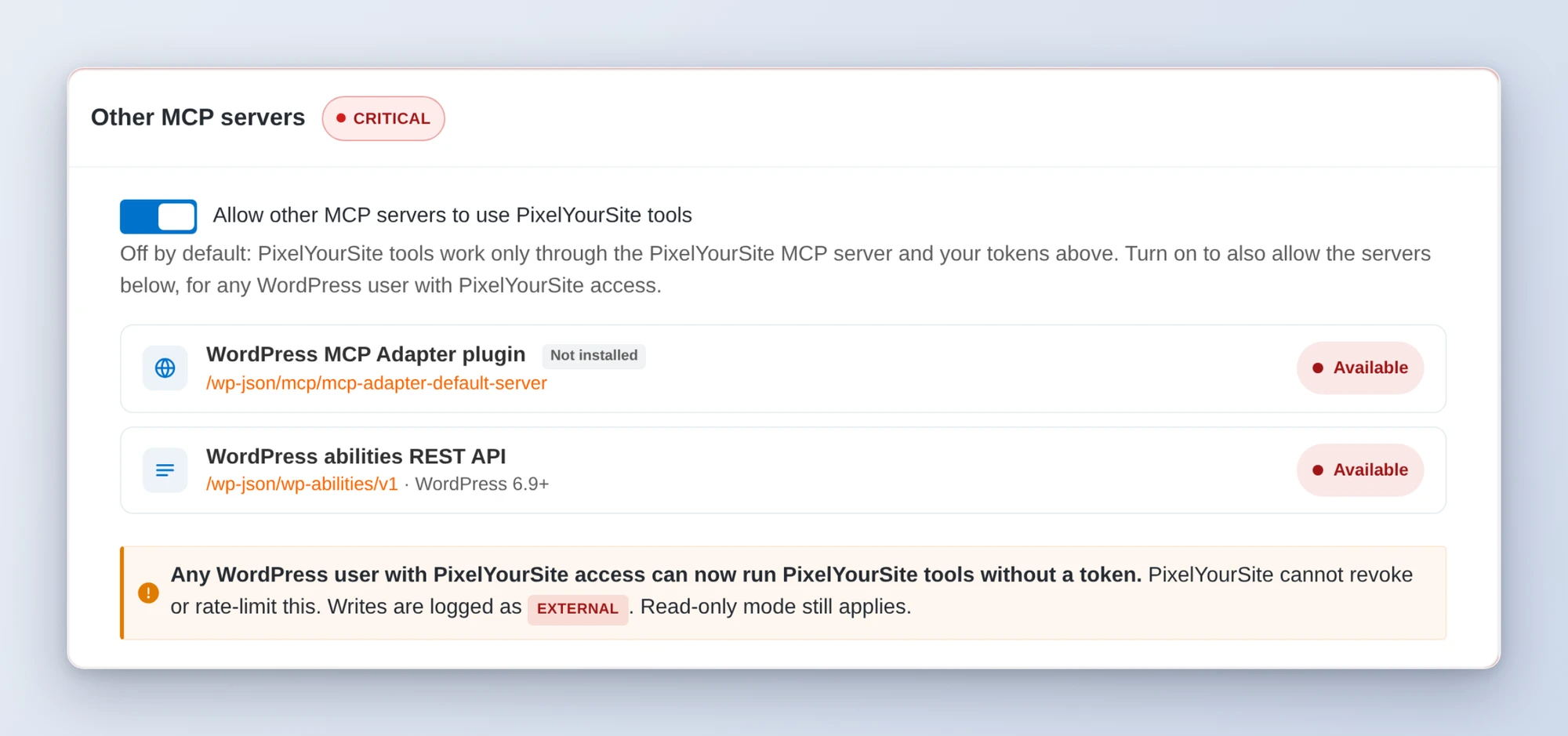
Step 1: Install or update PixelYourSite and turn on its AI switch. The recipes need PixelYourSite 11.4.4 or newer (the free version is enough) on WordPress 6.9 or newer, with an administrator account. Out of the box WPVibe sees only one PixelYourSite ability, the one that says whether the others are open. To open them, go to PixelYourSite, then MCP, and turn on Allow other MCP servers to use PixelYourSite tools. Once it’s on, PixelYourSite marks that switch Critical and tells you why: it opens the PixelYourSite tools to any WordPress user with PixelYourSite access, not just your AI, and PixelYourSite can’t revoke or rate-limit that access. If you only want the checks, turn on read-only mode on the same page too, and every change is refused.
Step 2: Install WPVibe and connect the AI you already use. WPVibe is an MCP server that connects the AI you already use to your WordPress site. Install the free WPVibe plugin from WordPress.org. Its settings screen has buttons to add it to Claude or ChatGPT, plus a server address for other AI apps. Sign in with a free WPVibe account when your AI asks, then paste the connect line from the same screen into your AI, open the link it replies with while logged in to your WordPress site, and approve. No passwords ever go in the chat.
Step 3: Start with the tracking check. It only reads, so it’s safe on a live store. If it finds an event that’s off, the WooCommerce event recipe turns it back on with your yes.
Why these are worth trusting
We installed PixelYourSite 11.4.4, the free version, on a test site running WooCommerce, gave it a test Meta pixel and a test Google Analytics ID, and called its abilities through WPVibe. 14 of its 16 abilities ran and are verified. The other two are for Easy Digital Downloads, which our test site doesn’t run, so they weren’t tested and aren’t on the page. We wrote down what would have sent an AI the wrong way:
- PixelYourSite previews every change itself. Its change abilities save nothing on the first call. They return a preview and an id, and the change only goes through when the AI sends it back with that id within 10 minutes. The recipes show you the preview in plain words and wait for your yes. Deleting a custom event also goes through WPVibe’s approval page; the recipes never delete anything.
- The health check reads only each event’s main switch. An event can be on there and still off for Meta or Google, as in our test. It can also report pixels ok while the Meta or Google Analytics pixel is switched off. The recipes read the per-platform switches and the pixel list instead.
- A saved Conversions API token isn’t proof it works. The health check marks any saved token ok, and in our test a dummy one passed. It doesn’t check the token with Meta, so the recipe ends with a test event in Meta Events Manager. You also paste the token yourself: the free PixelYourSite doesn’t let an AI save it.
- The free plugin allows one trigger per custom event. The thank-you page recipe uses a page visit trigger on text only that page’s address has, and checks first that no other page’s address contains it. It also looks for an existing lead event on the page so you don’t count leads twice.
- The custom events list can leave Google Analytics out. For an event made through these abilities, the list can skip Google Analytics even though the event fires there. The recipes read the single event, and the page’s source, before saying it isn’t sent to Google.
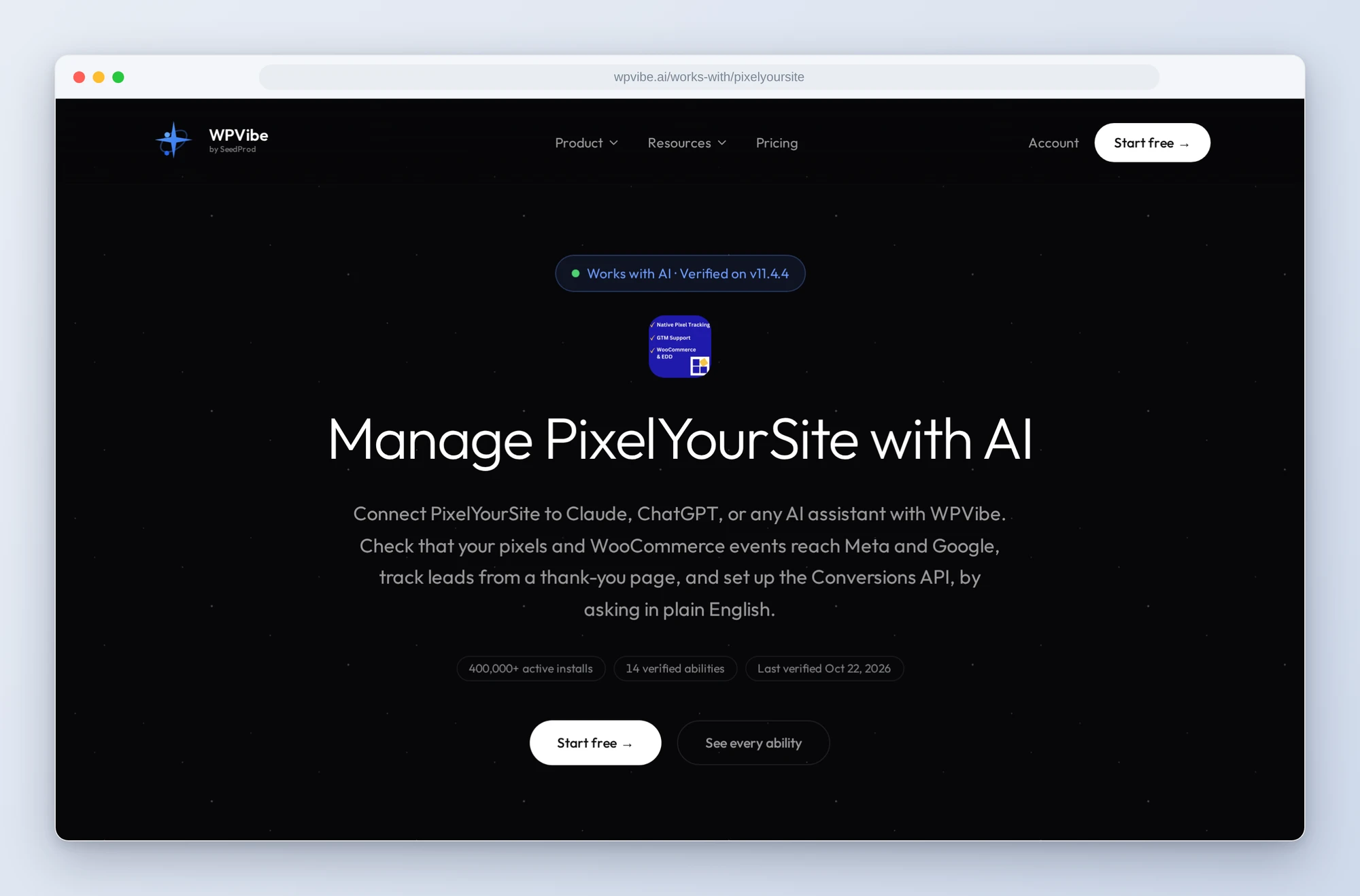
The PixelYourSite page has every ability we verified and the gotchas we found. If you only try one, make it the tracking check. It changes nothing and tells you, platform by platform, which events PixelYourSite is set to send.
John and the WPVibe team
P.S. WPVibe is free to start and works with the Claude or ChatGPT account you already have, so there is no second AI subscription to buy. Connect your site and find the switch that’s off before your next campaign.