More Than a Speed Test: Your AI Can Now Run the Full Site Checkup
A site can score a green 95 on speed and still be quietly turning people away. A contrast problem that makes your menu unreadable in sunlight. A buy button that a screen reader can’t name. A stray noindex tag left over from launch day, hiding your best page from Google.
None of that shows up in a speed test. It shows up in the three audits almost nobody runs.
Last week we introduced page audits in Ask Your AI Why Your Site Is Slow. That post sold the tool short. Performance is only one of the four checks it runs. WPVibe’s page audit covers the full set of Google Lighthouse audits, the same checks behind Google’s own PageSpeed tools:
- Performance: what’s actually slow on the page and what’s blocking it, including real visitor data from Chrome where Google has it.
- Accessibility: whether everyone can read and use your site. Color contrast, missing alt text, unlabeled form fields, links a screen reader can’t make sense of.
- Best Practices: the problems you’d never spot from the front end. Insecure requests, errors piling up in the browser console, deprecated code, images served at the wrong size.
- SEO: the technical basics search engines require before they’ll rank you. Crawlability, titles and meta descriptions, descriptive link text, a mobile-friendly viewport.
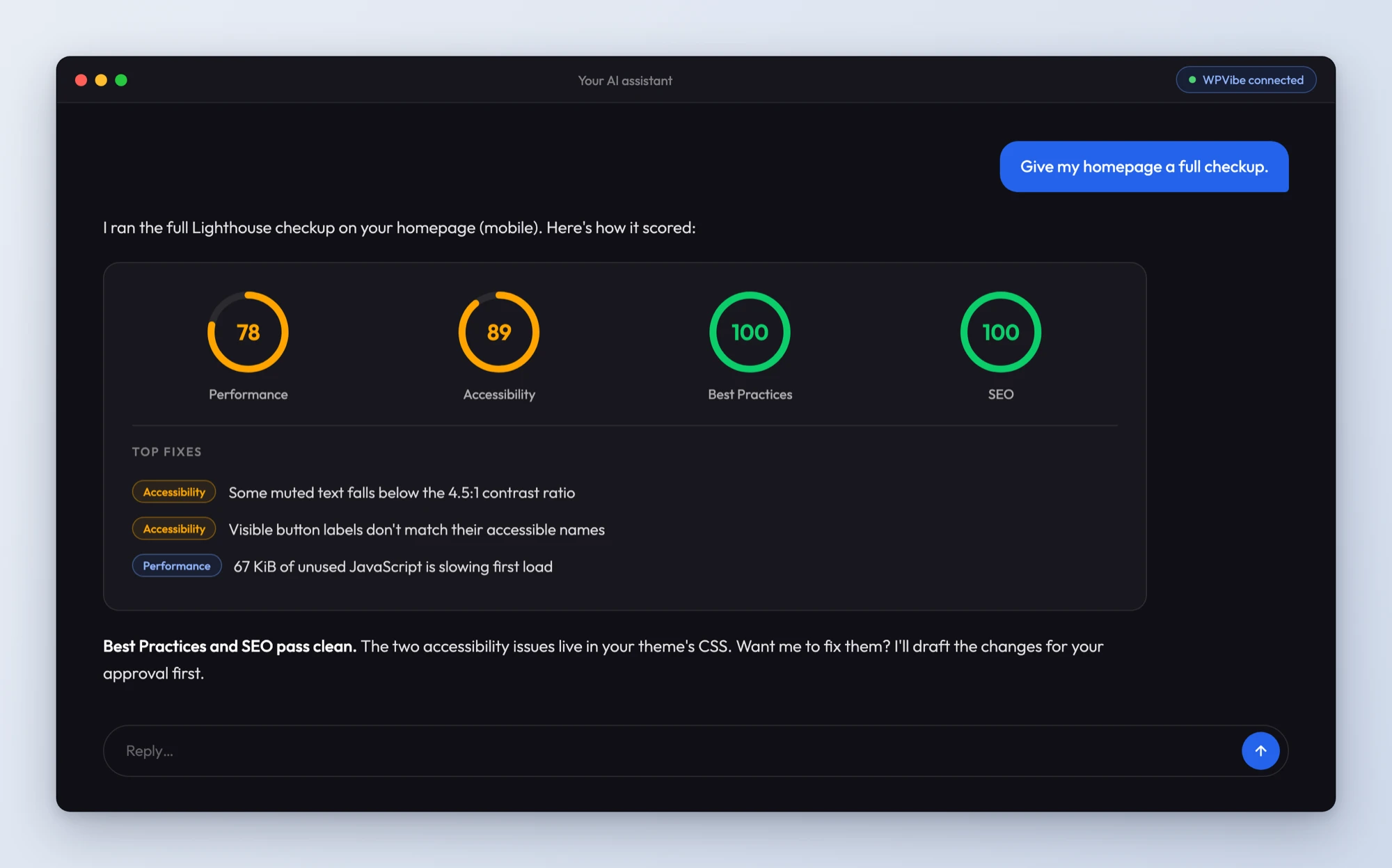
You don’t pick categories from a menu. You just ask. “Is my site accessible?” runs the accessibility audit. “Give my homepage a full checkup” runs all four and comes back with a score for each, plus the specific issues under every score.
The report was never the point
Any audit tool can hand you a list of failures. Then you become the middleman: copy the finding, search for what it means, figure out which plugin or template it lives in, fix it, re-run, repeat.
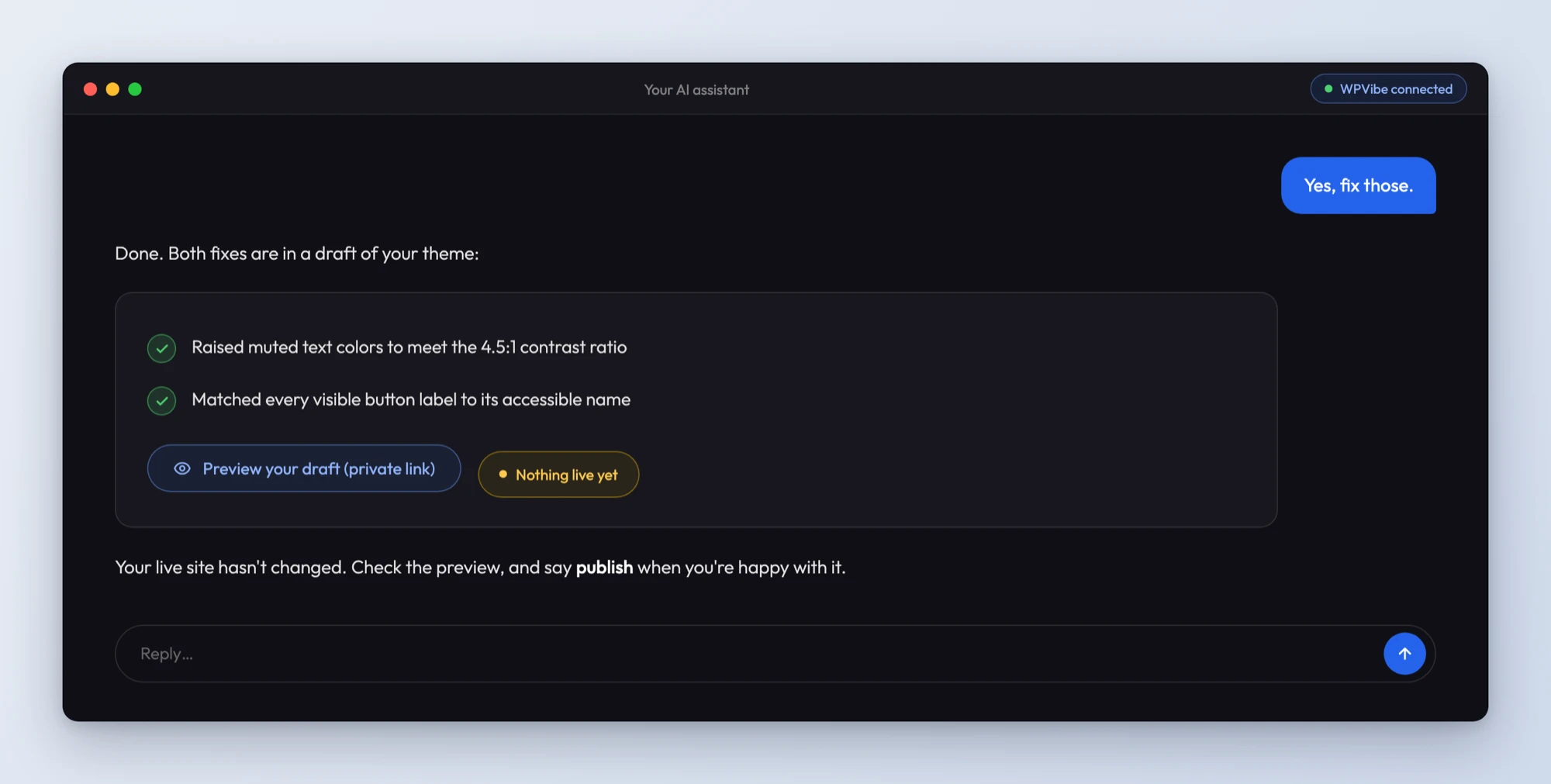
Here the AI reading the audit is the same AI connected to your site. Missing alt text on twelve images? It can write the alt text and save it. No meta description on your services page? It drafts one and shows you before it goes in. A form field with no label in your theme? It can patch the template as a draft you preview first. Every change runs through WPVibe’s normal safety rails: drafts, approval gates, and nothing on your live site without your go.
Audit tools produce reports. This one produces fixed websites.
What a full checkup catches
WPVibe’s four-part audit earns its keep in moments like these:
- The monthly once-over. “Audit my homepage and my top three landing pages, all four categories” catches rot before your visitors or your rankings do.
- After a redesign or a new plugin. New themes and page builders love to ship low-contrast text and unlabeled buttons. Audit before and after, and you’ll know exactly what changed.
- Client hand-offs. If you build sites for others, a before-and-after audit is the tidiest proof of work there is. Run it, fix the findings, send both sets of scores.
- Pages that earn money. Your pricing page and top landing pages deserve all four scores, not just a speed number.
How to get started
The whole thing takes about a minute.
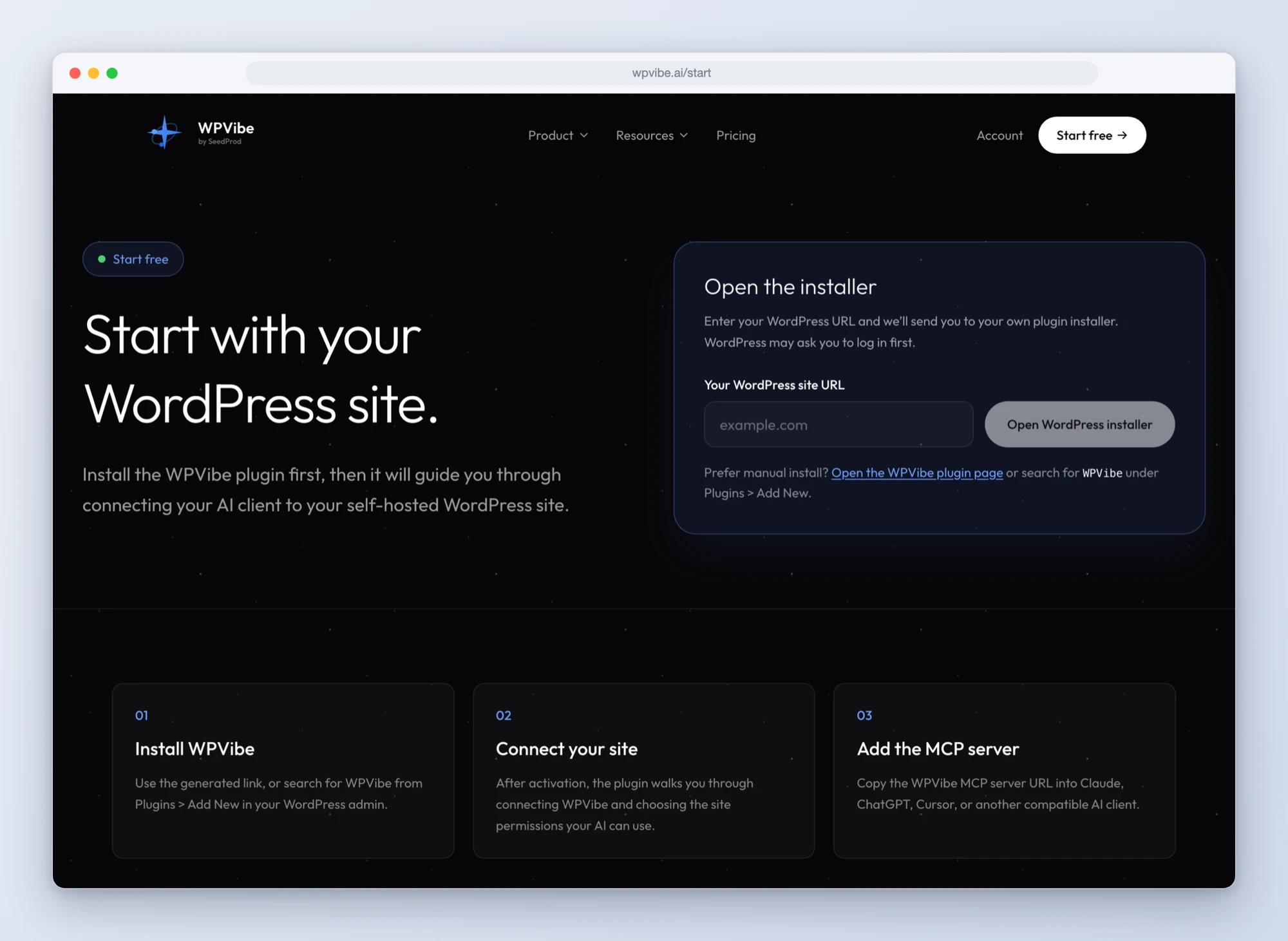
Step 1: Connect your site. Head to wpvibe.ai/start. It takes about 30 seconds on any host, and the free plan includes audits.
Step 2: Ask for the checkup. “Run a full audit of my homepage” is a complete request. Mobile is the default; ask for desktop if that’s where your traffic lives.
Step 3: Let it fix what it found. Point at any finding and say “fix that.” You approve anything that touches the live site.
One good thing to know: audits run against your live, public pages, because that’s what Google measures. Password-protected and local development sites can’t be audited yet.
Why this beats the usual audit routine
The scores come from Google PageSpeed Insights, powered by Lighthouse. That matters for one simple reason: it’s the same measurement Google itself uses, not our opinion of your site. When the accessibility score goes from 74 to 96, that’s a number you can put in front of a client or a boss.
And unlike the browser-extension version of this workflow, there’s nothing to install and no technical report to translate into a to-do list. The AI you already use reads the results and does the work, with your approval.
Give your site the full checkup. If you find something surprising in your scores, tell us about it. We read everything.
John and the WPVibe team
P.S. If speed is the score you care about most, the performance deep-dive from our last post covers it, including the cache purging that makes your fixes actually reach visitors. Not connected yet? Start free and run your first audit today. The WPVibe plugin works on any host.