Introducing Agency and Scale: WPVibe Plans Built for Client Work
Agencies have been running client sites through WPVibe since the week we launched. We could see it in the data: one account, a dozen connected sites, usage that spikes when client work lands. What we did not have was a plan built for that shape of work. The ladder stopped at Power, clients and agencies shared one bucket awkwardly, and if you wanted to give a client their own WPVibe access you had two bad options: hand them your account, or make them buy their own and hope they never saw an upgrade prompt you would rather explain yourself.
That changes today. We just shipped two new plans, and the bigger one comes with something agencies have been asking us for by name: client sub-accounts.
The new ladder
WPVibe now has five plans, and the shape is simple: every step up roughly doubles the price and more than doubles the room.
- Free: 100 tool calls a day, every feature, as many sites as you want
- Pro: 5x Free (500 a day) at $19/mo or $99/yr
- Power: 20x Free (2,000 a day) at $49/mo or $299/yr
- Agency: 50x Free (5,000 a day) plus the client toolkit at $99/mo or $599/yr
- Scale: 100x Free (10,000 a day), everything in Agency, at $149/mo or $899/yr
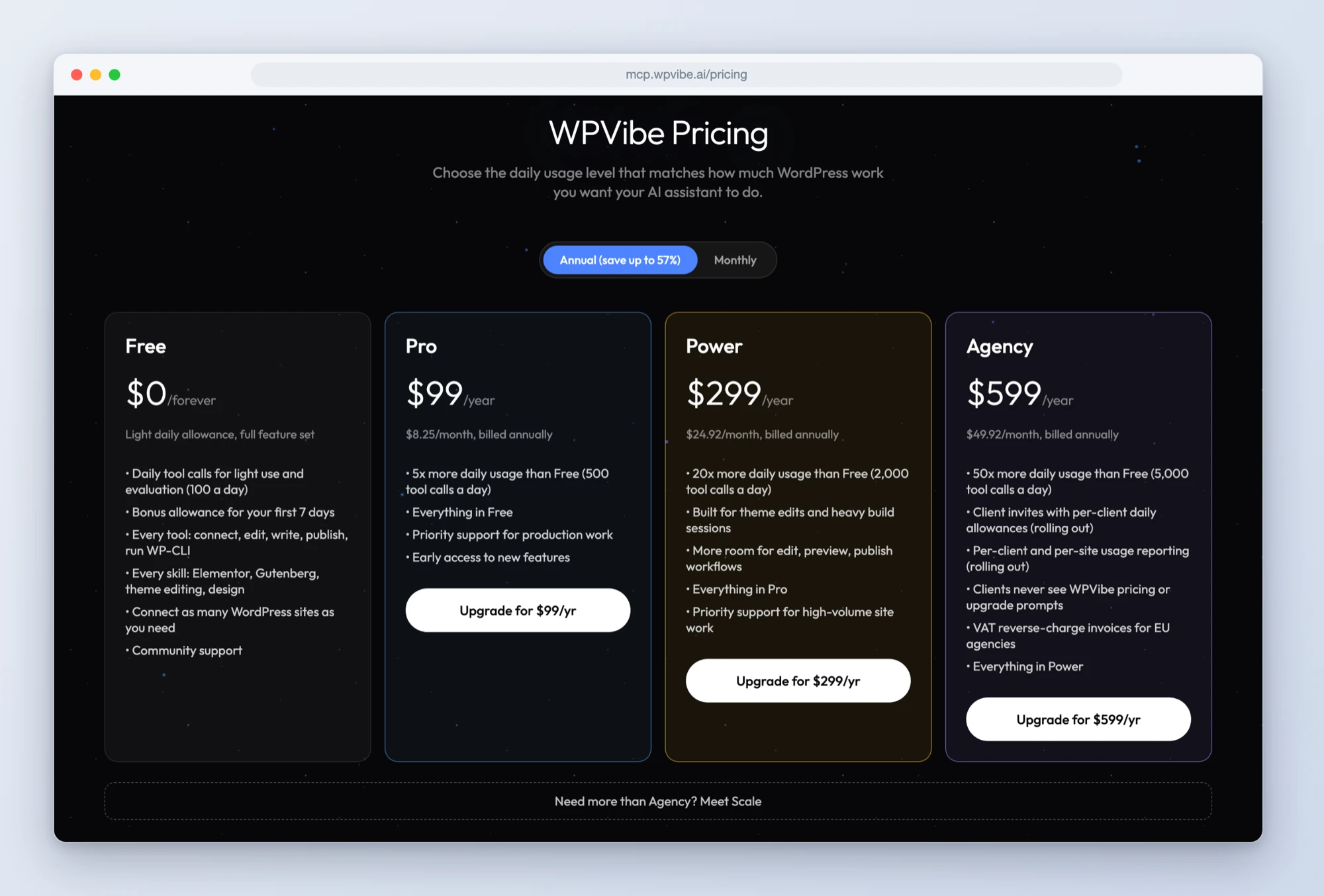
Two things stayed exactly the same, because they are the point of WPVibe. Every plan includes every feature: the free plan runs the same tools, the same skills, and connects as many sites as any paid plan. And limits still work on a rolling 24-hour window, so usage frees up continuously instead of resetting at some midnight you have to look up.
Upgrades prorate and apply the moment you switch, which means a mid-build upgrade unblocks you on the spot. Downgrades are self-serve from your account page. If your workload spikes for a launch week, step up for the week and step back down after. You only ever pay the difference for the time you used.
Client sub-accounts: sponsor your clients without handing over your keys
The Agency plan’s headline feature is sponsorship. You invite a client by email from your account page. They keep their own WPVibe account and their own AI assistant. What changes is the billing relationship: their daily usage draws on your plan’s shared pool instead of their own limits, up to a per-client allowance you control.
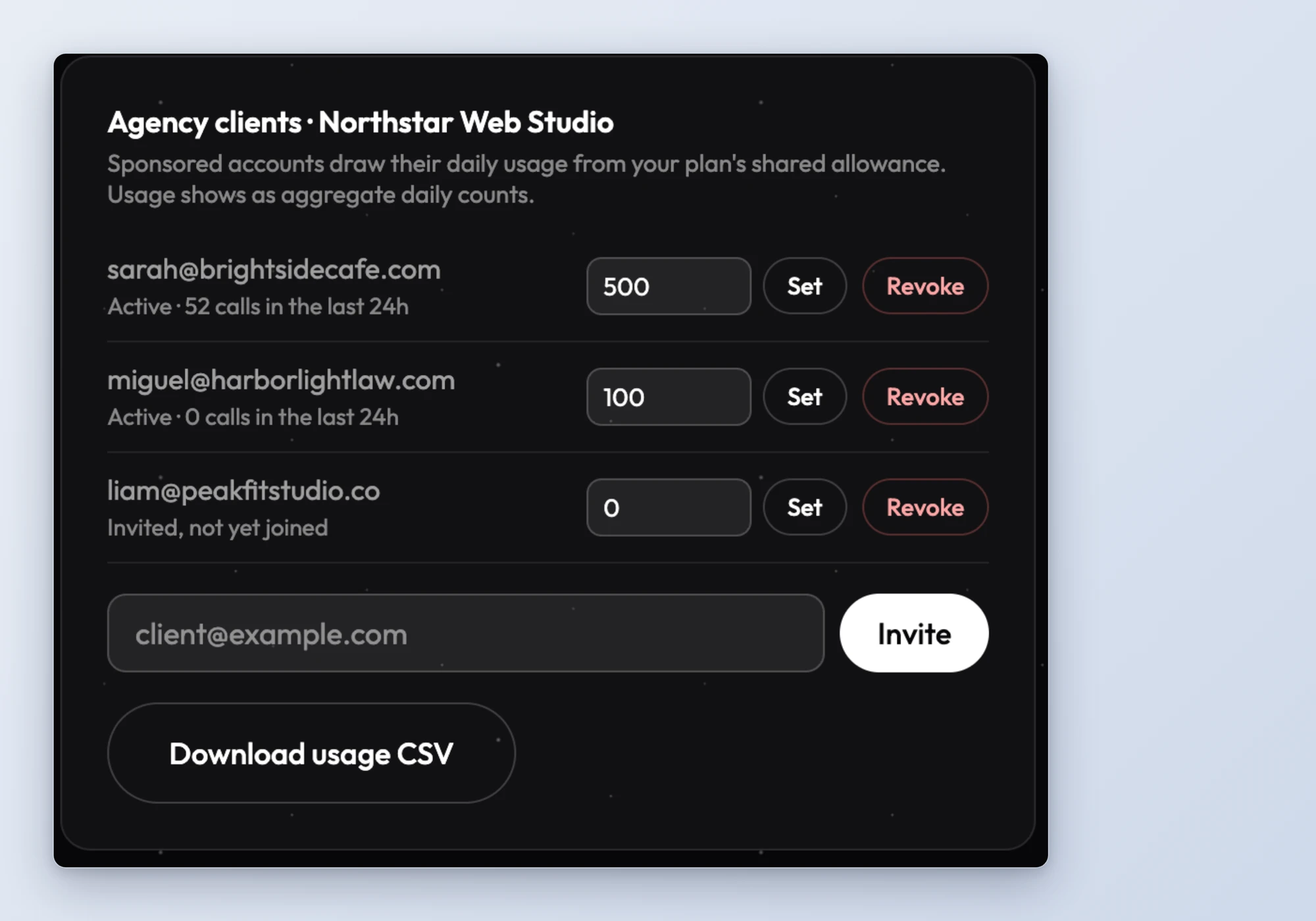
Here is what that looks like in practice:
- You set each client’s daily allowance. A casual client might get 100 calls a day, an active one 500. Change it anytime; it applies immediately.
- Your pool only funds the overflow. A client’s allowance kicks in after their own free limit, so light clients cost your pool nothing.
- Clients never see pricing. No upgrade prompts, no checkout links, no plan pages. If they hit their allowance, WPVibe tells them to talk to you.
- You see usage, not work. Your dashboard shows each client’s daily usage as aggregate counts, with a CSV export you can re-bill from. WPVibe never shows you what a client built or asked their AI to do.
- Offboarding is one click. Revoke a client and their account unlinks instantly. They keep their sites, their history, and their independence.
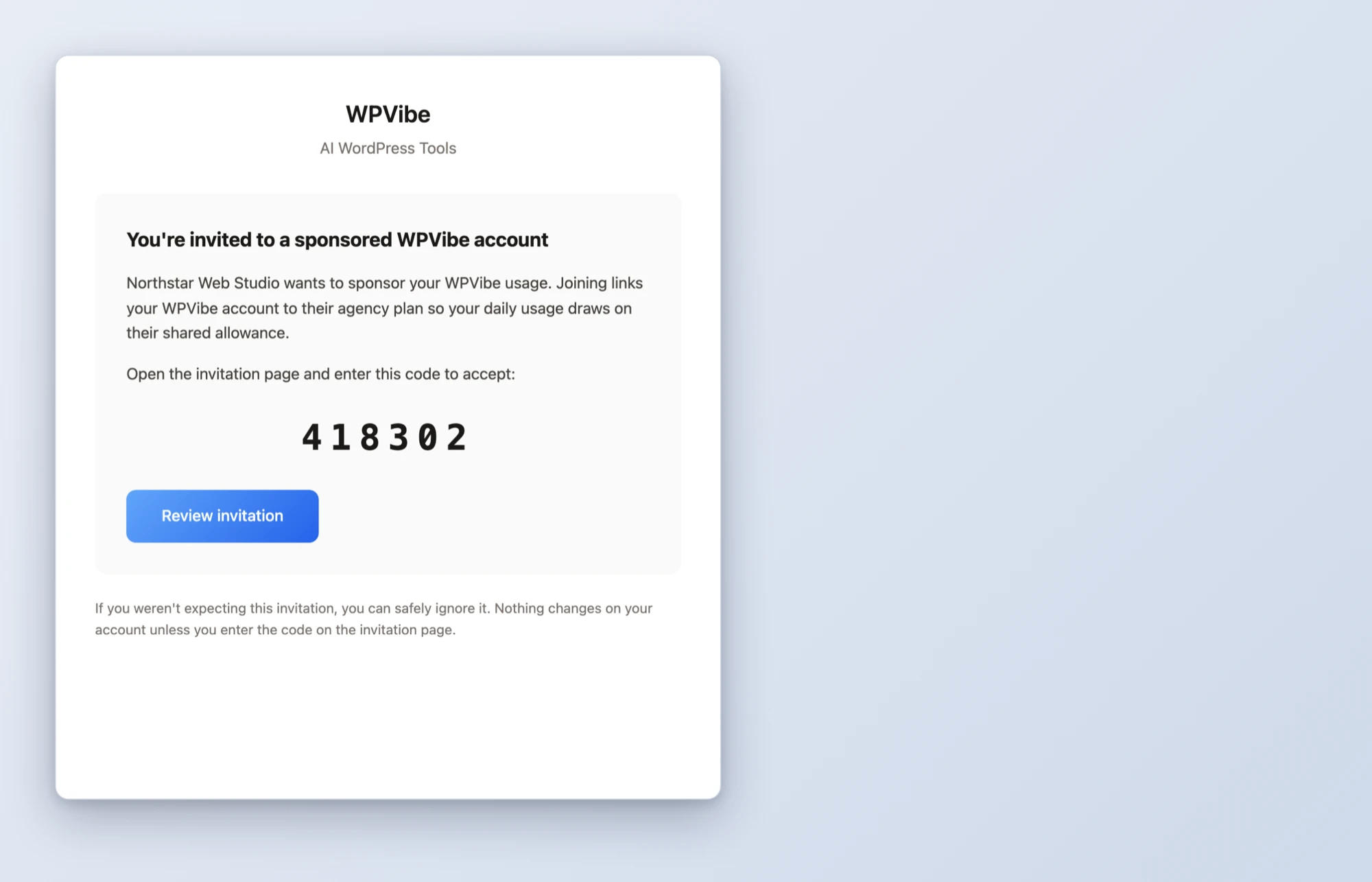
Consent is built in, and we were fussy about it. An invitation only takes effect when your client types a 6-digit code from the invitation email. A forwarded link, an email scanner, or a stray click can never join someone to your agency. Before accepting, the client sees exactly what you will and will not be able to see.
Your client’s dashboard, your call
White label mode ships today in plugin 1.11.0, and like every WPVibe capability, it is free on every plan. One click on the WPVibe admin page, or one ask to your AI, hides WPVibe from that site’s WordPress dashboard: no admin menu, no dashboard widget, no entry in the plugins list, no WPVibe branding in the editor. Your client sees a clean dashboard. You keep full management through your AI, same as always.
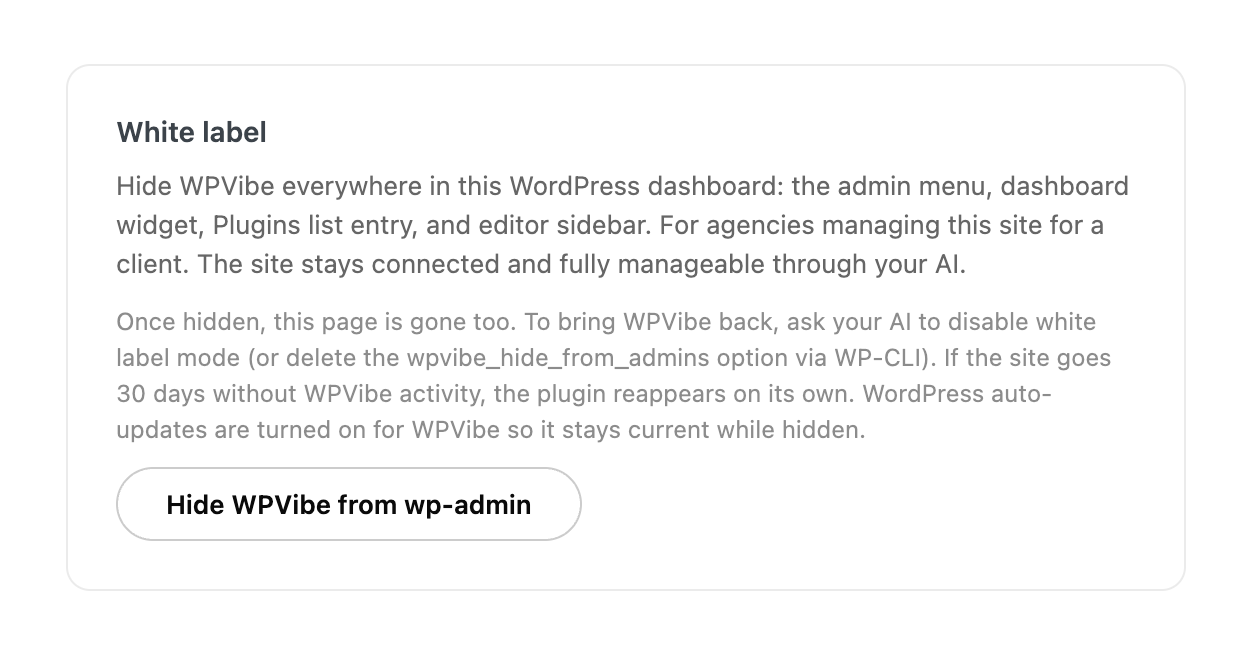
Hiding a plugin is the kind of feature you have to build carefully, so three rails ship with it. Enabling it from chat requires an explicit approval click, so nothing can hide WPVibe without a human signing off. WordPress auto-updates switch on for the plugin automatically, so a hidden site never runs stale code. And if a site goes 30 days without any WPVibe activity, the plugin reappears on its own, so it can never be lost on a site you have stopped managing.
Plugin updates roll out through WordPress.org over about a day. If 1.11.0 has not reached your site yet, it is on the way, or you can update manually from the Plugins screen.
Which plan is for you?
If you build and maintain your own sites, nothing changes: Free is genuinely useful, Pro covers steady work, and Power covers heavy build weeks. If you manage sites for clients, Agency is the plan we built by watching how you already use WPVibe. There is a whole page on running client work through WPVibe: WPVibe for Agencies. And if your team pushes past five thousand calls in a day, Scale exists so you can stop thinking about the ceiling.
One honest note on limits, because we would rather set expectations than surprise you: every plan has one. Scale’s is high enough that no account in WPVibe’s history would have reached it, but it is there. If you ever press on it, reply to any email from us and we will figure out what your team needs.
Get started
The new plans are live now on the pricing page, and client invitations are on your account page today if you are on Agency or Scale. The full walkthrough lives in the docs: Agency Plans: Invite Clients and Manage Sub-Accounts.
New to WPVibe? Connect your first site free, or grab the WPVibe plugin to unlock the full toolkit. Your AI already knows WordPress. WPVibe hands it the keys, with you holding the ledger.