WPVibe Now Speaks Beaver Builder, Themer Included

Beaver Builder has been the quiet workhorse of WordPress for a decade. It doesn’t chase trends or break your site on update day, and agencies trust it precisely because it’s boring in the best way. But ask a general-purpose AI for help with a Beaver Builder page and you get HTML soup that has nothing to do with your builder. Your pages live in Beaver Builder. The AI’s answers don’t.
As of this week, they do. WPVibe now speaks Beaver Builder, and that includes Beaver Themer.
What “real Beaver Builder pages” means
When WPVibe builds a page, the result is a native Beaver Builder layout. Open it in the builder and everything is there: rows, columns, modules, your brand colors, each piece individually editable, exactly as if you’d built it by hand. That was the hard part. Beaver Builder stores layouts in a format of its own, and a near-miss doesn’t produce an error, it produces a page that renders blank. WPVibe saves through Beaver Builder’s own pipeline, so what you get is exactly what the builder itself would have saved.
Here’s what that unlocks:
- Full pages from a conversation. “Build a landing page with a hero, three feature blurbs, and pricing” comes back as a page you can preview, then refine in chat or in the builder. Your choice.
- Your actual modules. WPVibe reads the module list from your install, so it builds with what your site really has, third-party module packs included, instead of guessing from a stale manual.
- Edits to existing pages. Recolor a row, rewrite a heading, drop a testimonials module under the hero. WPVibe reads the existing layout, changes only what you asked, and the page stays fully editable in the builder.
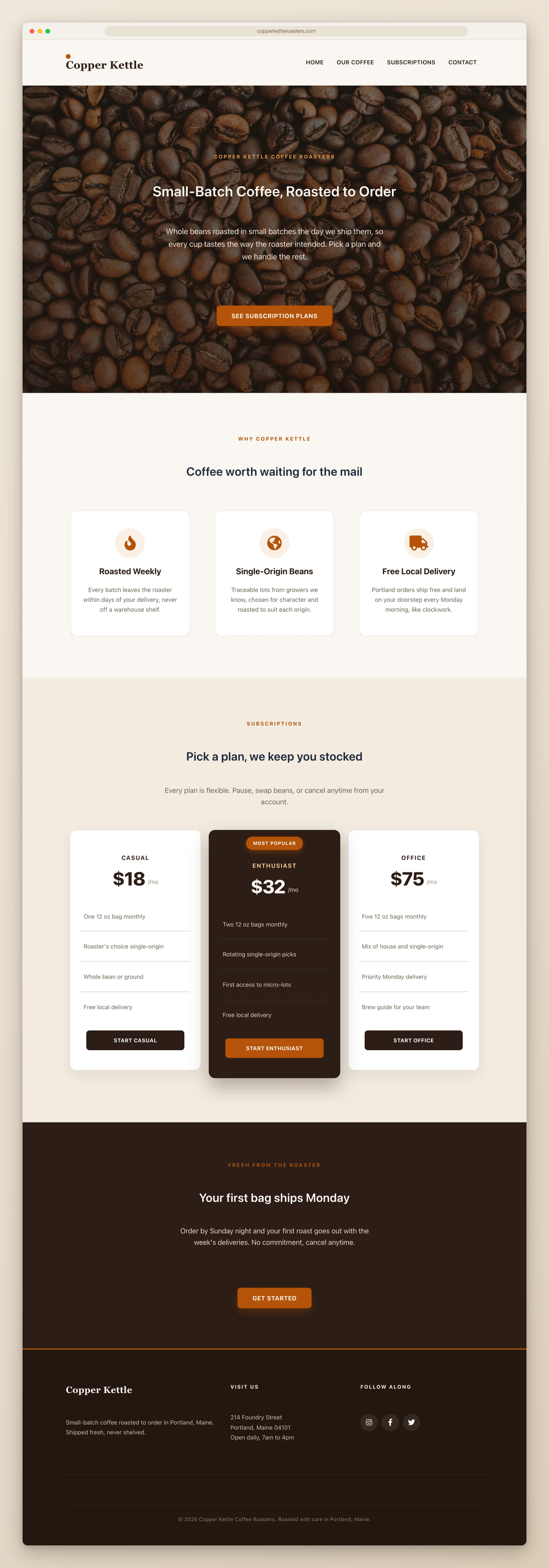
- Beaver Themer support. Site-wide headers and footers, navigation menu included, plus archive, 404, and single-post layouts, each wired to the right location rules so they show up exactly where they should.
Headers and footers, the whole site at once
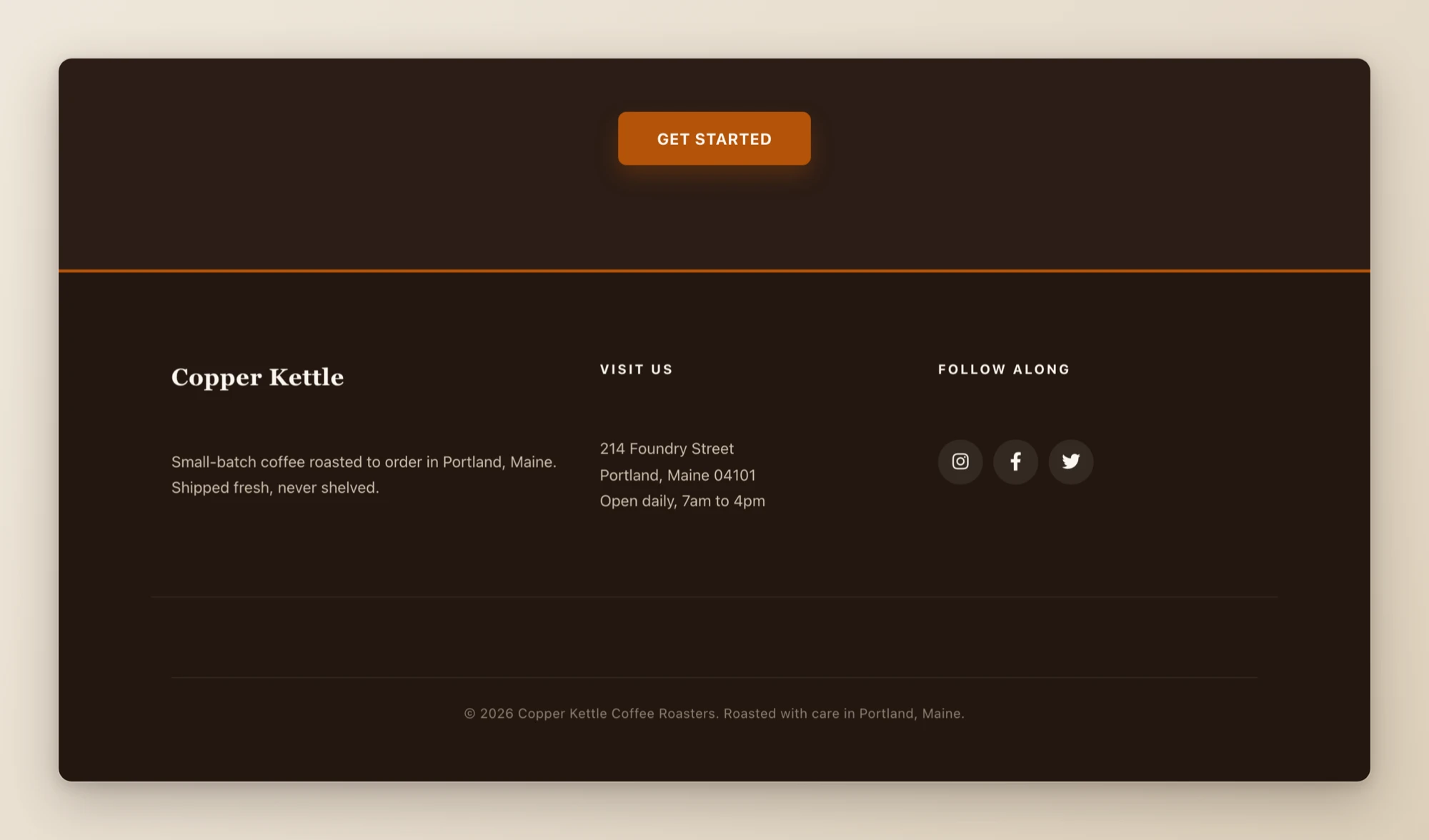
Beaver Themer is the part most people set up once and never want to touch again. Now it’s a conversation: “give my site a proper header with navigation and a dark footer with social icons” comes back applied site-wide, with a report of exactly what was created so you can adjust it in Themer whenever you like.
One honest caveat: Themer headers and footers hook into your theme, so they need a Themer-compatible one (the Beaver Builder Theme, Astra, GeneratePress, Kadence, and friends). If your theme isn’t compatible, WPVibe tells you up front instead of leaving you with a layout that renders nowhere.
Three recipes to start from
We shipped three tested cookbook recipes alongside this release, each one a copy-paste prompt:
- Build a Beaver Builder landing page with AI
- Create a global Beaver Builder header and footer with AI
- Edit an existing Beaver Builder page with AI
How to get started
Step 1: Connect your site. About 30 seconds at wpvibe.ai/start, on any host.
Step 2: Ask for a page. Specific works: “a pricing page with three tiers and an FAQ.” So does vague: “make me something for my coffee roastery.”
Step 3: Preview it. WPVibe builds drafts first, so nothing touches your live site until you’ve seen it.
Step 4: Polish wherever you prefer. Keep going in chat, or open Beaver Builder and adjust by hand. It’s a normal Beaver Builder page either way.
Tested against the real thing
Builder integrations rot fast, so this one is exercised against a live Beaver Builder install, building and verifying real pages end to end. Before shipping, we turned AI agents loose on it with no docs and no help, and told them to build pages, headers, footers, and a 404 layout. Where they stumbled, we fixed the product, not the agents. One example: a typo in a module name used to save “successfully” and render as blank space. Now the save is rejected, along with the list of modules your site actually has.
If you run a Beaver Builder site, start with the page you’ve been putting off. Everyone has one.
Thanks for building with us.
John and the WPVibe team
P.S. Beaver Builder support is free, like every WPVibe feature, and works with both the free Lite plugin and the paid one. Connect at wpvibe.ai/start, or install the WPVibe plugin from WordPress.org.