WPVibe Now Speaks Kadence, Blocks and All
Kadence sites age well. The theme is fast, the blocks are real Gutenberg blocks, and nothing about a Kadence page is locked into a proprietary format. Which makes it a little embarrassing that AI tools still fumble it: they hand-guess Kadence’s block markup, miss the attributes that make row layouts render, and produce pages that look broken on the front end and flag as invalid in the editor. The format was never the problem. Discipline was.
WPVibe now speaks Kadence, blocks and all.
Native blocks, zero lock-in
Everything WPVibe builds on a Kadence site is ordinary block content in your page, written in the exact shapes Kadence’s own editor produces. We did not bolt on a special format or a side channel. That is the whole point: open the result in the normal block editor and it is just your page, every row and heading editable, nothing extra to maintain, nothing to migrate away from later.
The discipline lives in the details WPVibe now gets right for you:
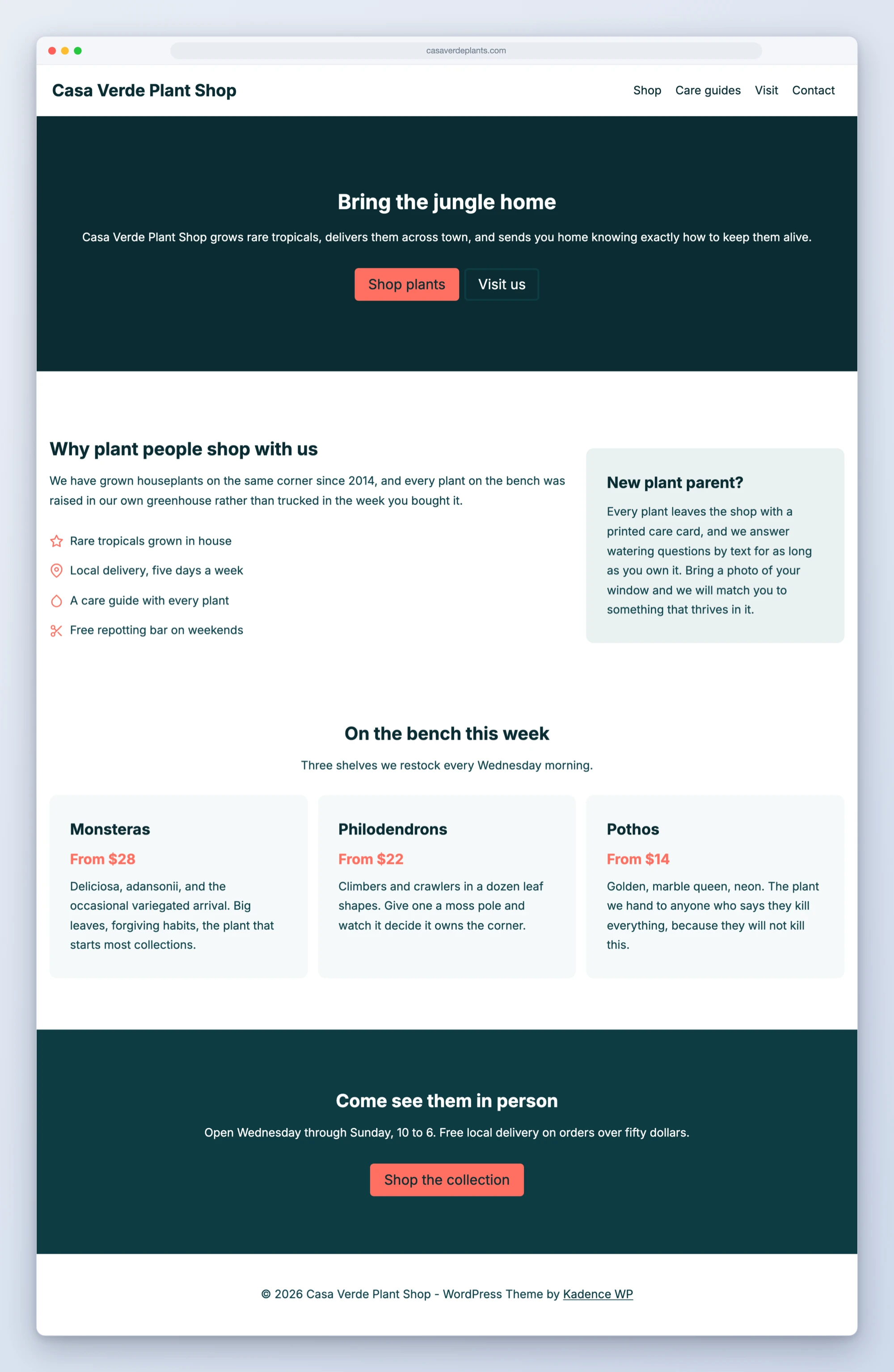
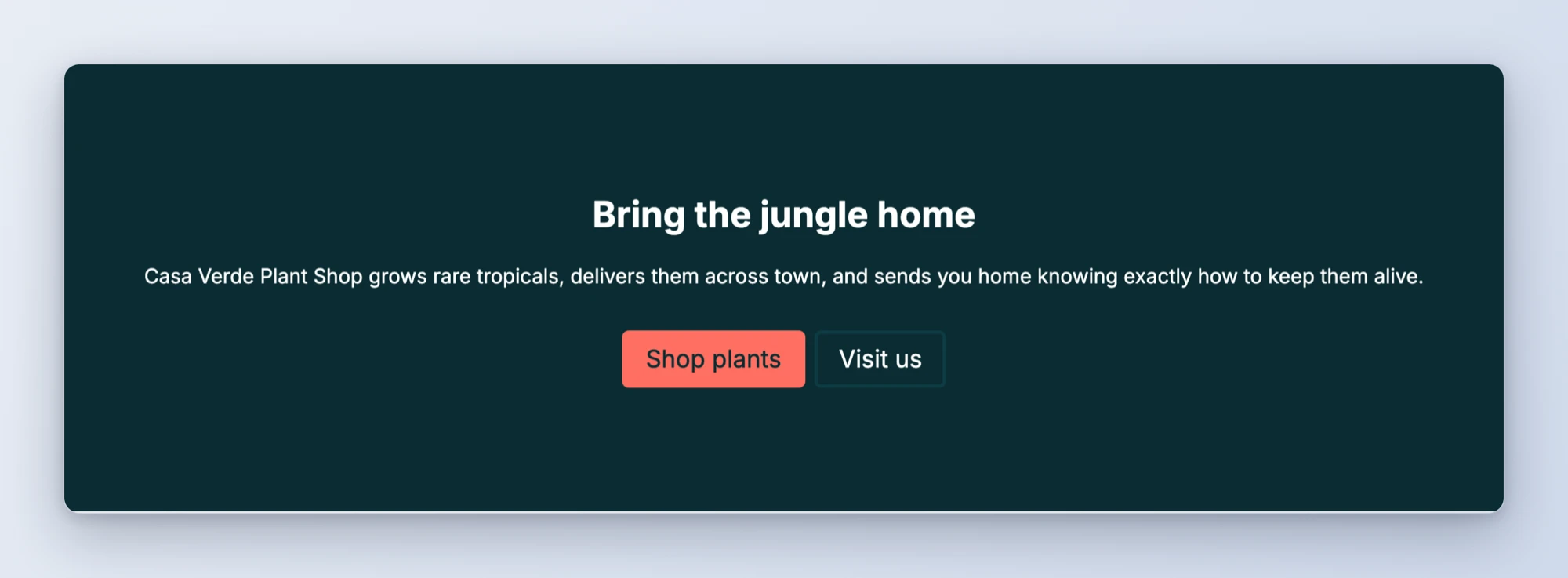
- Row layouts that actually render. Kadence row layouts fail silently when one required attribute is missing. WPVibe writes the verified shapes, so heroes, multi-column sections, icon lists, and buttons come out styled on the first save.
- Landing pages with the right page settings. Full width, hidden title, no sidebar, set through Kadence’s own page options in the same call that creates the page.
- Your palette, everywhere. Colors reference your theme’s global palette slots instead of hard-coded hex, so new pages match your site automatically, and keep matching if the palette ever changes.
- Site-wide rebrands, done correctly. The palette is one global setting stored in a format strict enough that writing it the wrong way can take a site down. WPVibe reads your current palette, shows you the proposed mapping, waits for your approval, and writes it in the exact format Kadence expects. Because every block references palette slots, the whole site updates at once.
That last pair compounds nicely: build your pages against palette slots today, and the day you rebrand, they all follow in one approved change.
Two recipes to start from
Both tested, both copy-paste:
How to get started
Step 1: Connect your site. About 30 seconds at wpvibe.ai/start, on any host. Kadence support works with the WPVibe plugin you already have; there is no new component to install.
Step 2: Ask for a page. “Build me a landing page that matches my site” is the whole prompt. Drafts first, always.
Step 3: Edit like you always do. The block editor, the Customizer, chat. Pick per task; they all see the same page.
Tested against the real thing
Every block shape WPVibe writes was harvested from Kadence’s own editor and verified to round-trip through it byte for byte, because hand-guessed markup is exactly how other tools end up with “this block contains unexpected or invalid content.” Before shipping, we pointed AI agents with no documentation at a live Kadence site and told them to build a landing page and rebrand the whole site using nothing but the prompts above. The rebrand run is also where we hardened the scary part: the AI now backs up the current palette mapping, preserves every color slot it is not changing, and checks your key pages for readability after the switch.
If you run a Kadence site, ask for the landing page first. It will match your brand without you saying a word about colors.
Thanks for building with us.
John and the WPVibe team
P.S. Kadence support is free, like every WPVibe feature, and works with the free Kadence theme and Kadence Blocks. Connect at wpvibe.ai/start, or install the WPVibe plugin from WordPress.org.