Your AI Just Learned Charitable

At a small nonprofit, the person running the fundraiser is also the person doing everything else. The cause is the hard part, and it should be. But the week goes to the other part. Building the campaign page. Typing in the cheques from the gala one form at a time. Pulling numbers together for Thursday’s board meeting. Meaning to write a personal thank-you to the donor who gave two thousand dollars, and sending the standard receipt instead.
Charitable Pro 1.8.18 changes the shape of that. It now tells AI assistants what it can do, in a language they understand, using the WordPress Abilities API. Campaigns, donations, donors, reports, payment gateway status. Close to thirty operations, described by the plugin itself instead of guessed at from the outside.
So we built on it. Today WPVibe ships six tested Charitable recipes and a verified Works with AI page, which means the AI you already use can help run your fundraising by being asked. With giving season a couple of months out, the timing is not an accident.
What you can ask for
Every one of these is a copy-paste prompt we ran against a live Charitable install before publishing it:
- Launch a fundraising campaign from a few sentences, built on one of Charitable’s templates and saved as a draft
- Get a fundraising report for any dates, with top campaigns and progress against each goal, written so you can read it out at a board meeting
- Record offline donations from an event in one pass, matched to the donors you already have
- Find your top donors and draft thank-you notes that mention what each person actually gave to
- Match a campaign to your brand colors without opening the design panel
- Run a pre-launch check on gateways, test mode, and campaign end dates before a big push
Picture the Monday after your gala. The cheques are in a pile and the pledges are on a clipboard. You paste the list into a chat, the AI flags the two names that look like they were already entered, you confirm the rest, and the campaign’s progress bar finally tells the truth. Then you ask who gave the most this quarter and have five thank-you notes drafted before lunch.
Who this is for
- Small nonprofits with one person doing everything. The campaign page should not be the reason the campaign goes up a week late.
- Anyone who reports to a board. The numbers exist. Turning them into three sentences and a table is the monthly chore.
- Teams getting ready for Giving Tuesday. Giving days are won or lost in a few hours, usually over something dull like a gateway still in test mode.
How to get started
Step 1: Install the free WPVibe plugin
Add the WPVibe plugin to the site running Charitable, and make sure you are on Charitable Pro 1.8.18 or newer and WordPress 6.9 or newer.
Step 2: Connect the AI you already use
Claude, ChatGPT, Cursor and others. One click to authorize, about thirty seconds, and no passwords ever go in the chat.
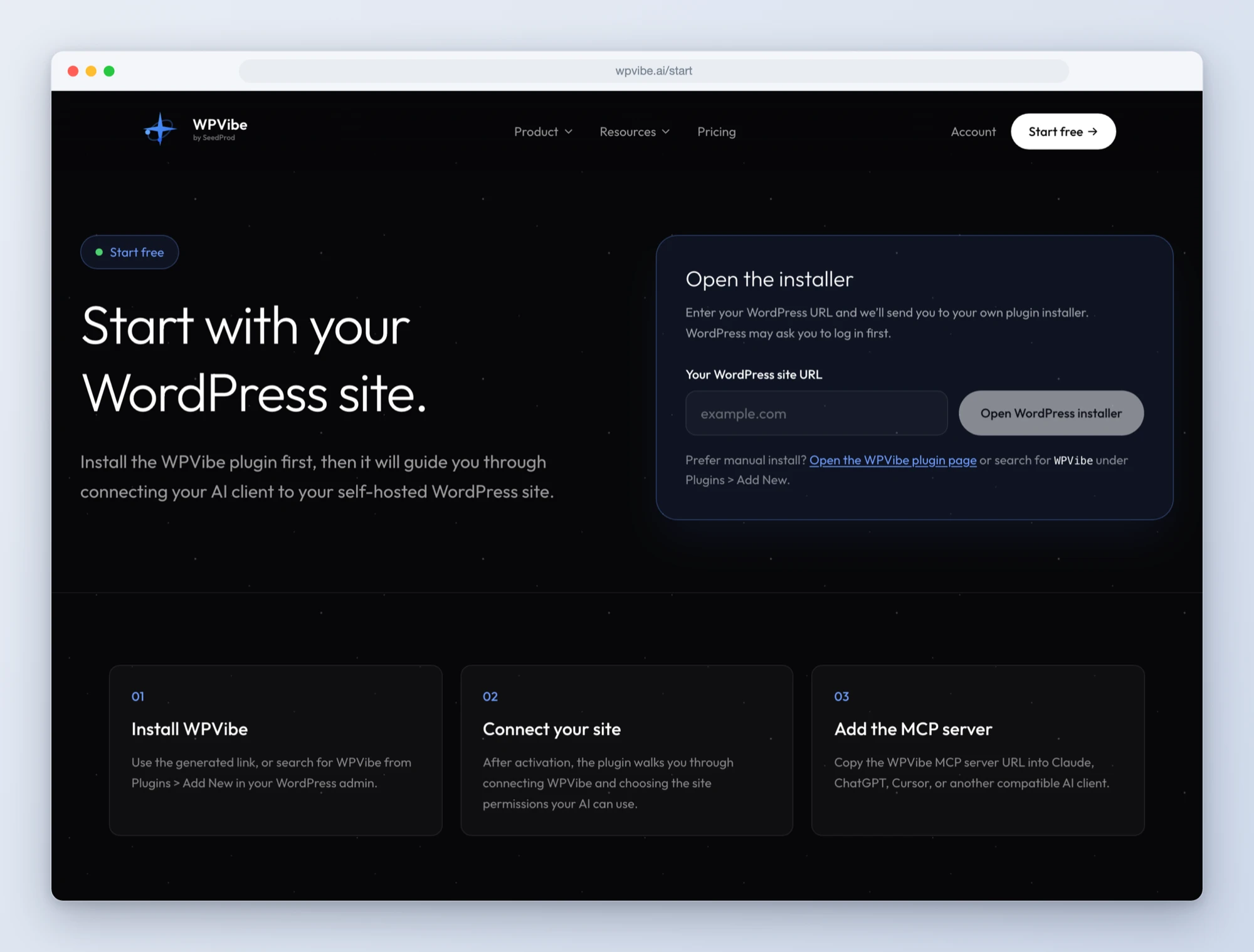
Step 3: Ask for what you want
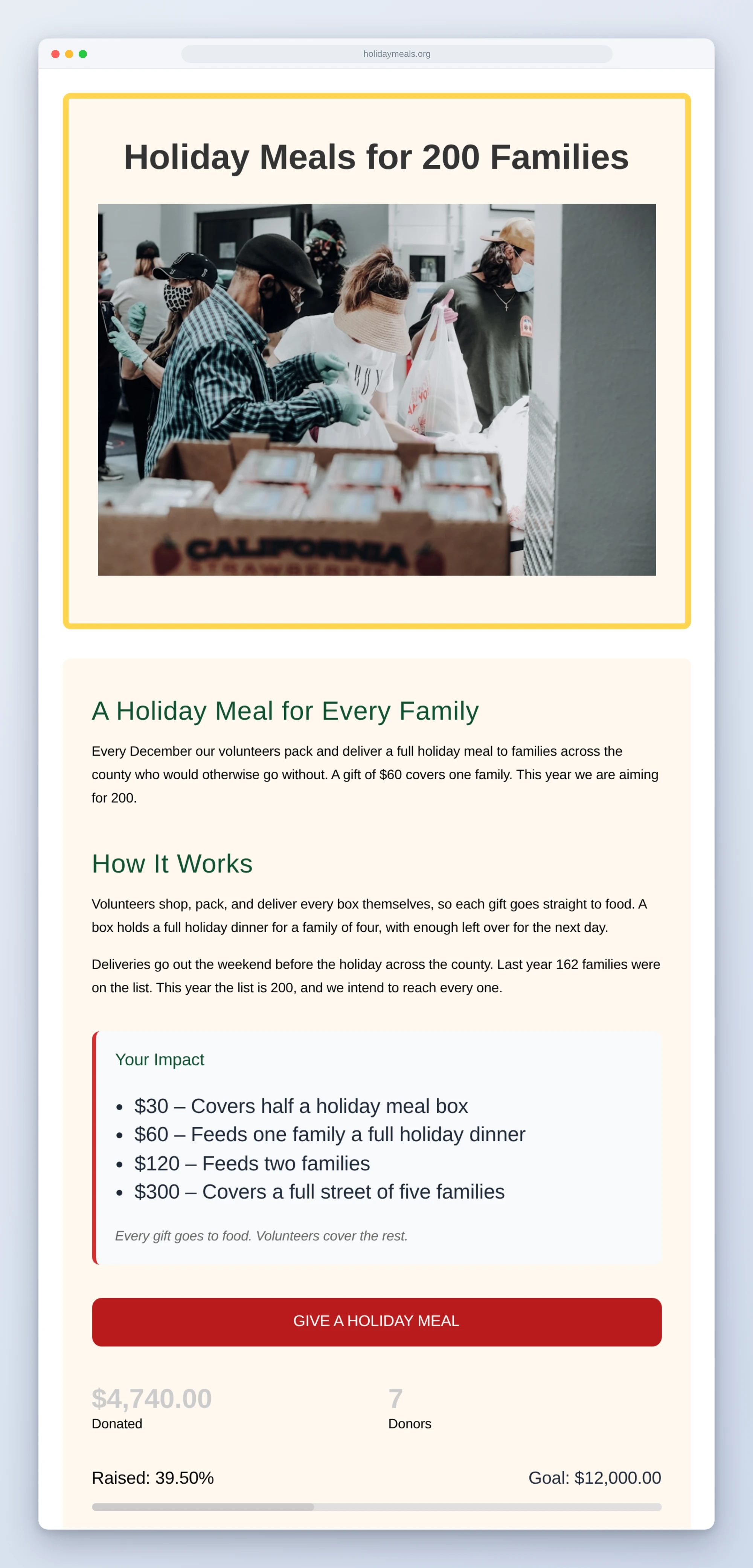
Open a Charitable recipe, paste the prompt, fill in your own details. Campaigns are created as drafts, so nothing reaches your donors until you have read it and published it yourself. This one started as three sentences about holiday meals and a set of brand colors:
Why these are worth trusting
A recipe that worked once on our machine is not a tested recipe. So we built a test site with known data, three campaigns and thirteen gifts from six donors across fifty days, and checked what came back against what we knew was true. When the report said $4,560 from ten donations in the last thirty days, that was the right answer to the dollar.
Then we wrote down everything that would have gone wrong quietly. Recording an offline gift twice looks exactly like two gifts, so the donations recipe checks each donor’s history first and tells you not to run the same list again. A campaign built from a template arrives with the template’s own sample story, photo, and giving levels sitting next to yours, so the campaign recipe says so plainly and sends you to replace them before you publish. We did exactly that for the page above. And the design and donation form tools only apply to campaigns made in the visual Campaign Builder, so the recipes create campaigns that way.
Every recipe that writes shows you a table first and waits. Every one reads the result back afterwards, so what you see is what Charitable saved and not what the AI meant to send.
Built with the Charitable team
Charitable joins LifterLMS and WPForms in Works with AI, our program for plugins that are verified to work well with AI assistants. Credit where it is due: their team treated donor data the way a nonprofit would want it treated. Donor lists never include email addresses, phone numbers, or postal addresses, whoever is asking, so one permitted lookup cannot turn into an export of your donor file. Contact details come back one donor at a time, and only for someone allowed to see sensitive data. Payment credentials are never readable, only whether a gateway is connected. Publishing a campaign needs more permission than drafting one. And every change an assistant makes is recorded under Tools, Logs.
One honest limitation while it is fresh: there is no way for an AI to permanently delete a campaign, and that is deliberate, because it would orphan the campaign’s donation history. Moving a campaign to the trash is reversible, and Charitable refuses even that for a campaign with donations unless you confirm.
All six recipes live on the Charitable page, along with every ability and the gotchas we found. If you fundraise on WordPress, start with the fundraising report. It takes a minute, changes nothing, and gives you something to bring to the next board meeting.
John and the WPVibe team
P.S. WPVibe is free to start and works with the AI plan you are already paying for, so there is no second AI subscription to buy. Connect your site and try the first recipe.