Your AI Just Learned MemberPress
Running a membership site is two jobs. One is the thing people pay for: the lessons, the templates, the community. The other is the machinery around it. Setting up the price levels. Remembering to lock the new lesson before you announce it. Making a coupon for the podcast you were just on. Answering the member who wants to cancel, and working out when their access actually ends. The first job is why you started. The second one eats the week.
MemberPress now tells AI assistants what it can do, in a language they understand, through its AI Foundation add-on and the WordPress Abilities API. Members, memberships, subscriptions, transactions, access rules, coupons, revenue and churn reports, courses. Twenty-seven operations, described by the plugin itself instead of guessed at from the outside.
So we built on it. Today WPVibe ships six tested MemberPress recipes and a verified Works with AI page, which means the AI you already use can help run your membership by being asked.
What you can ask for
Every one of these is a copy-paste prompt we ran against a live MemberPress install before publishing it:
- Set up your membership levels from a sentence per tier, with price, billing, trial, and pricing-page benefits, saved as drafts
- Lock members-only content by page, post, or category, with an optional drip delay, then checked as a logged-out visitor
- Create a launch coupon with limits and an expiry, plus a table of what members will actually pay
- Get a revenue and churn report by month and by membership, read-only
- Handle a cancellation request from a member’s email, with a reply drafted that tells them when access ends
- Audit your site before launch: gateways, memberships, rules, and coupons, with every protected page tested logged out
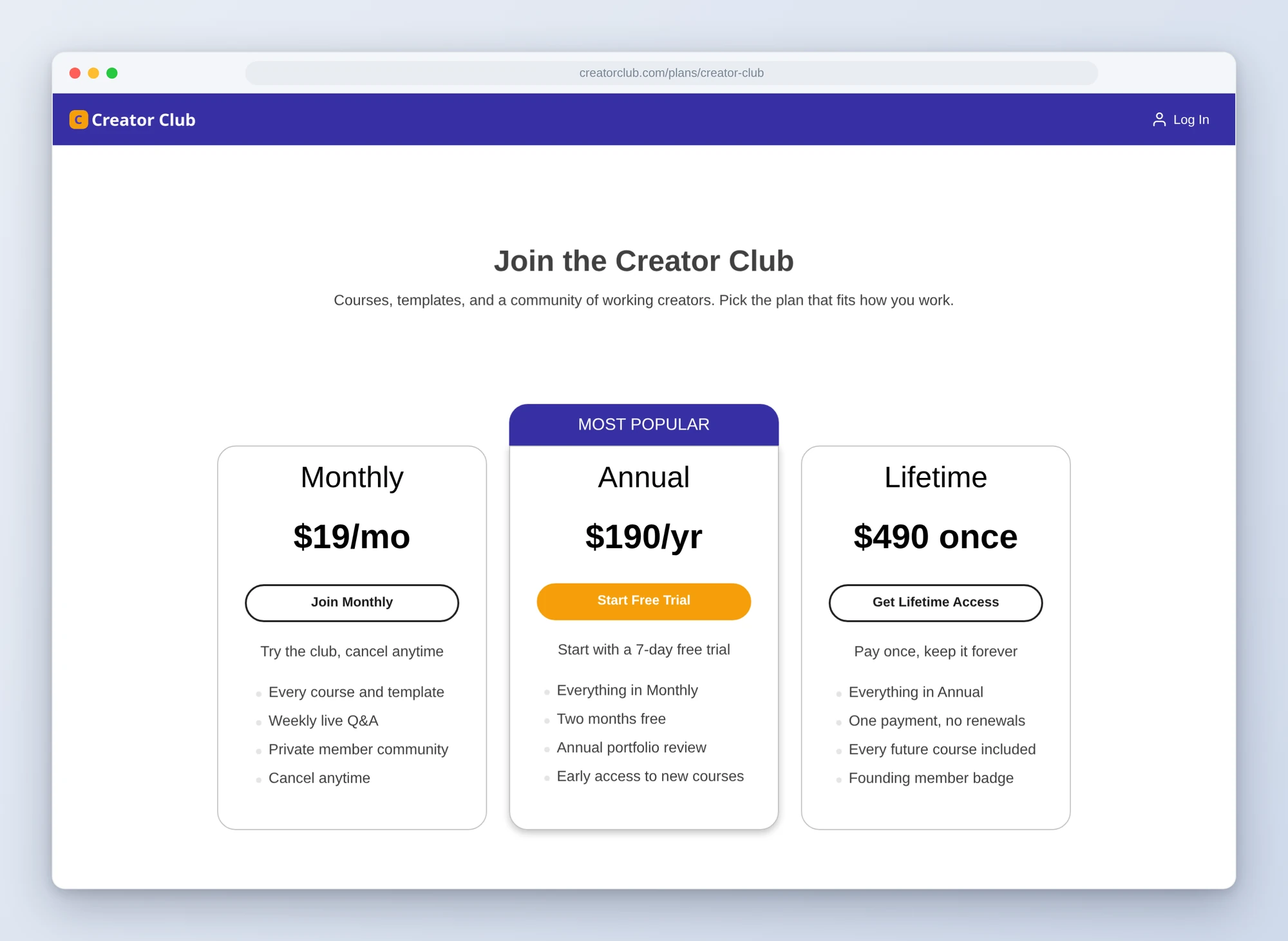
Picture the week before a launch. You tell the AI you want a monthly plan at $19 and an annual one at $190 with a week free. It shows you the table, you say yes, and the drafts are waiting in wp-admin. You list the pages that should be for members, and it locks them and loads each one logged out to prove it. Then you ask for a coupon for Thursday’s webinar and get the code back with the price each person will see.
Who this is for
- Creators and coaches running a membership on their own. You are the product, the support desk, and the admin. The admin part can be a sentence.
- Anyone about to launch. The mistakes that hurt are quiet ones: a lesson that is not locked, a gateway still in offline mode, a coupon that expired last month.
- Owners who want the numbers without the spreadsheet. Revenue, churn, and which membership is doing the work, in one answer.
How to get started
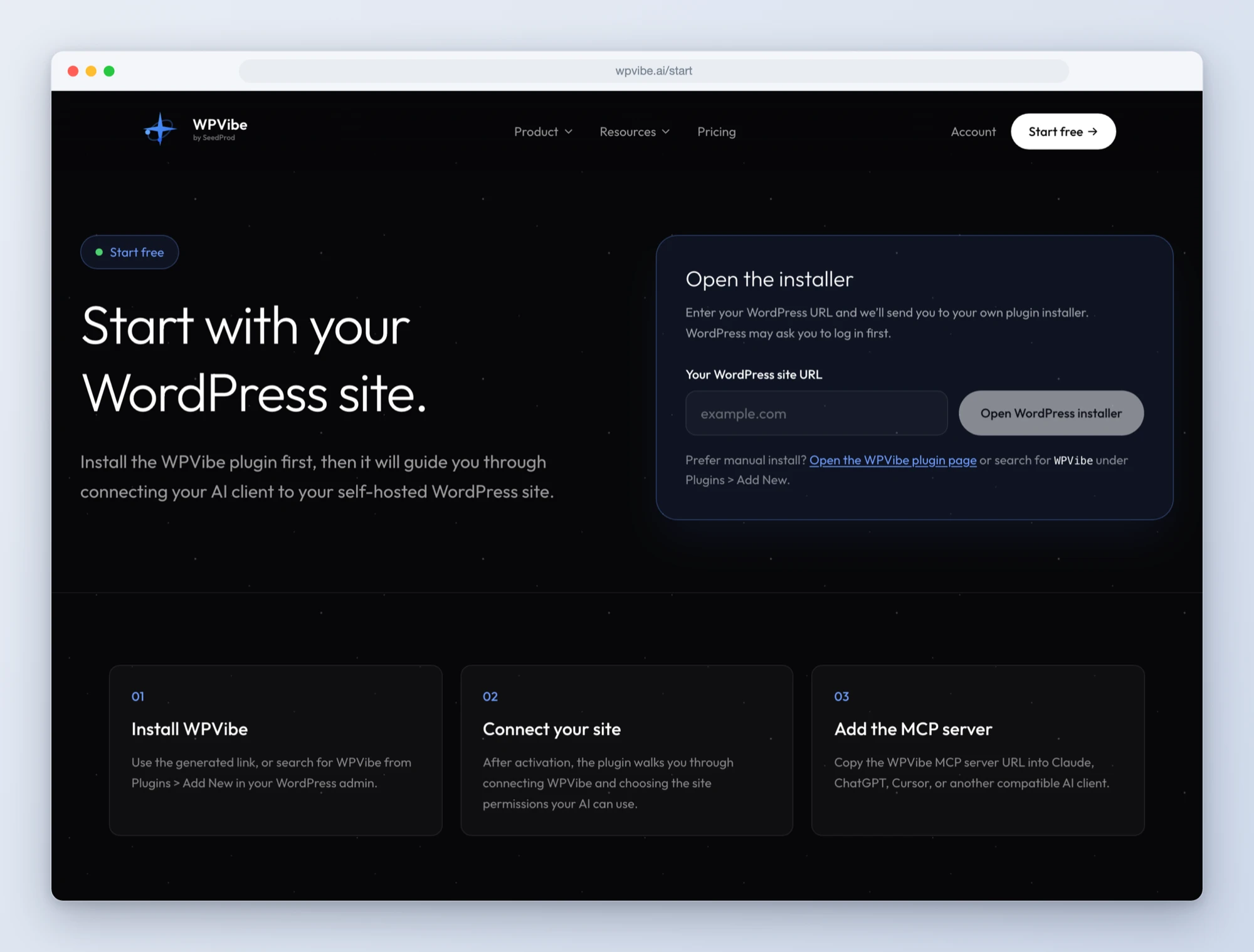
Step 1: Install the free WPVibe plugin
Add the WPVibe plugin to the site running MemberPress. You will want the AI Foundation and Developer Tools add-ons active, on WordPress 6.9 or newer.
Step 2: Connect the AI you already use
Claude, ChatGPT, Cursor and others. One click to authorize, about thirty seconds, and no passwords ever go in the chat.
Step 3: Ask for what you want
Open a MemberPress recipe, paste the prompt, and fill in your own details. New memberships are saved as drafts, so nothing goes on sale until you have looked at it and published it yourself. The three levels on this pricing page started as two sentences:
Why these are worth trusting
A recipe that worked once on our machine is not a tested recipe. So we built a test site with known data, two memberships, five members, and a cancellation across three months, and checked what came back against what we knew was true. When the report said $19 in July, $190 in August, and $228 in September with one cancellation out of four, that was the right answer to the dollar.
Then we wrote down everything that would have gone wrong quietly. MemberPress keeps a cached list of its access rules, and a rule created outside wp-admin is not enforced until that list refreshes, so a page can look locked in the settings and still be open to everyone. The content recipe refreshes it and then loads every page logged out, because what a visitor sees is the only check that counts. A coupon that only discounts the first payment needs its own discount fields filled in, or it is accepted at checkout and takes nothing off, so the coupon recipe sets them and shows you the math. And new memberships go on sale the moment they are created, so the setup recipe moves each one to draft straight away.
Every recipe that writes shows you the plan first and waits for your yes. Every one reads the result back afterwards, so what you see is what MemberPress saved and not what the AI meant to send. None of them issue refunds.
Built with the MemberPress team
MemberPress joins LifterLMS, WPForms, and Charitable in Works with AI, our program for plugins that are verified to work well with AI assistants. Credit where it is due: AI Foundation was built with real money in mind. Its write operations preview by default and only run when asked to. Refunds and cancellations take two steps, with a confirmation token in between. An administrator can pause its destructive AI writes across the site with one switch. That is the posture you want from anything that touches your members’ subscriptions.
One honest note while it is fresh: AI Foundation keeps connections made with a WordPress application password to reading, and that is how WPVibe connects today. So the recipes make their changes through MemberPress’s own Developer Tools API, and use AI Foundation for everything they read. We are working with the MemberPress team on the cleanest way to bring the two together.
Join us live
Later today, Thursday, October 1, MemberPress is hosting a live session where I walk through setting up and running a membership site with WPVibe, start to finish. Save your seat here. Stay to the end, there is something in it for people who do.
All six recipes live on the MemberPress page, along with every ability and the gotchas we found. If you run a membership on WordPress, start with the revenue and churn report. It takes a minute, changes nothing, and tells you which membership is really carrying the business.
John and the WPVibe team
P.S. WPVibe is free to start and works with the AI plan you are already paying for, so there is no second AI subscription to buy. Connect your site and try the first recipe.