Your AI Just Learned Easy Digital Downloads
Selling digital products is supposed to be the easy kind of selling. Nothing to pack, nothing to ship. And yet the week still fills up. A customer writes to say the download never arrived. A sale needs a code by Friday. Ten finished products sit in a folder because adding them to the store is the same form, ten times. Somebody wants to know how September went, and the answer is three report screens away. None of it is hard. All of it is clicking.
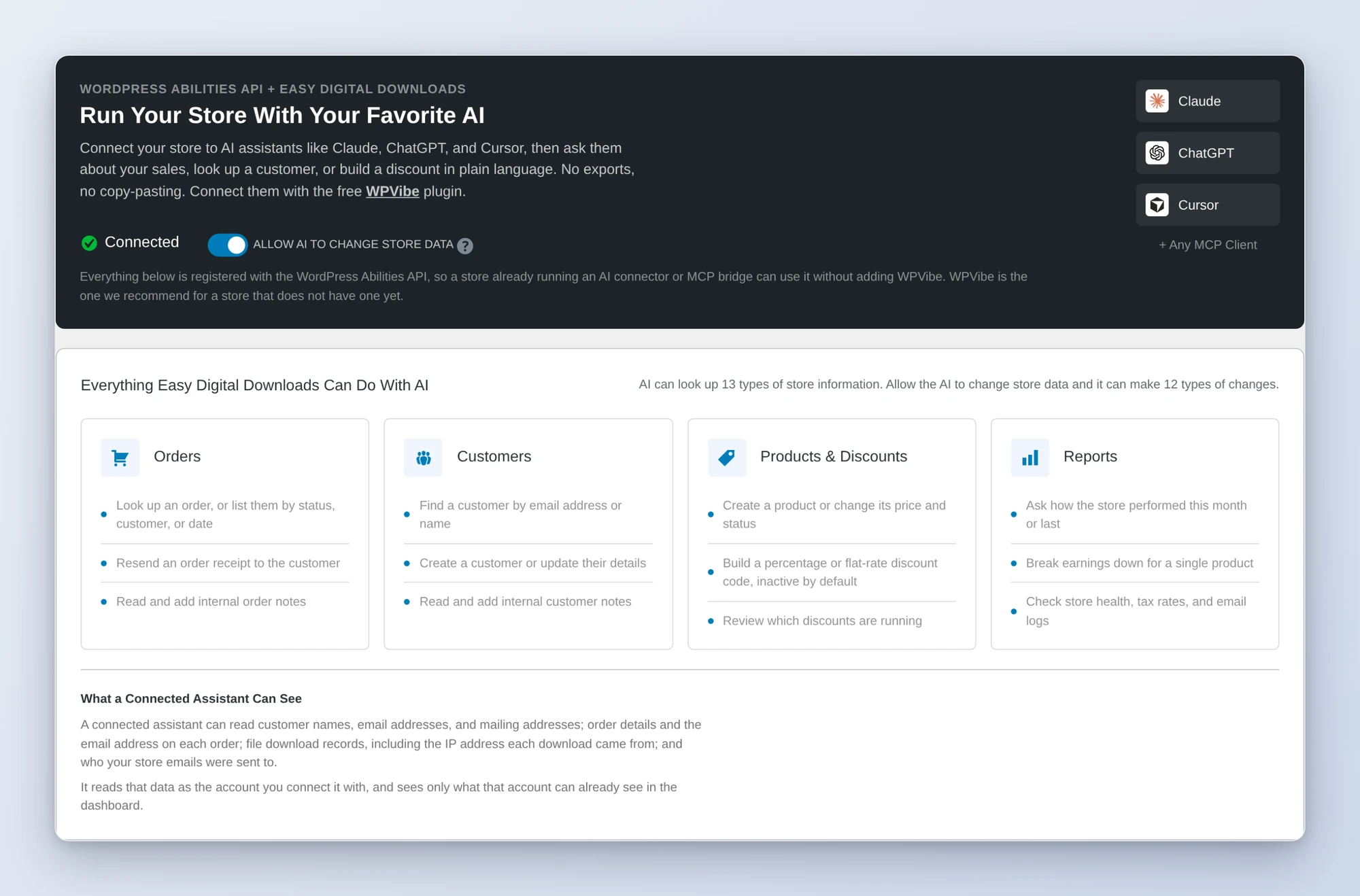
Easy Digital Downloads 3.7.1 changes the shape of that. It now tells AI assistants what it can do, in a language they understand, using the WordPress Abilities API. Orders, customers, products, discounts, sales reports, email and download logs, store settings. Twenty-five operations in total, described by the plugin itself instead of guessed at from the outside.
So we built on it. Today WPVibe ships six tested Easy Digital Downloads recipes and a verified Works with AI page, which means the AI you already use can help run your store by being asked.
What you can ask for
Every one of these is a copy-paste prompt we ran against a live Easy Digital Downloads store before publishing it:
- Get a sales report for any period, with earnings, refunds, average order value, and a product-by-product breakdown
- Create a sale discount code from one sentence, with dates, limits, and product rules, and have it stay inactive until you have checked it
- Add products from a list as drafts, with the descriptions written, ready for you to attach the files
- Resolve “I never got my download” tickets by looking up the order, the receipt log, and the download log in one pass, then resending the receipt
- Audit your store before launch for test mode, gateways, checkout pages, and taxes
- Clean up old discount codes, including the forgotten ones with no end date that still work
Picture the next support email that says “I paid and nothing arrived.” Instead of four screens, you paste the customer’s address into a chat. A minute later you know the order completed, the receipt went out on Tuesday, and the file was never downloaded, which usually means a spam folder. You say resend, it resends, and the order carries a note about what happened.
Who this is for
- Creators with a back catalog. The templates, presets, and ebooks exist. The product pages do not, because building them is an evening nobody has.
- Solo store owners who are also the support desk. The same five-minute lookup, several times a week, is a real cost when you are the only one paying it.
- Anyone running sales. A discount code is ten settings, usually set up the night before, which is exactly when mistakes get through.
How to get started
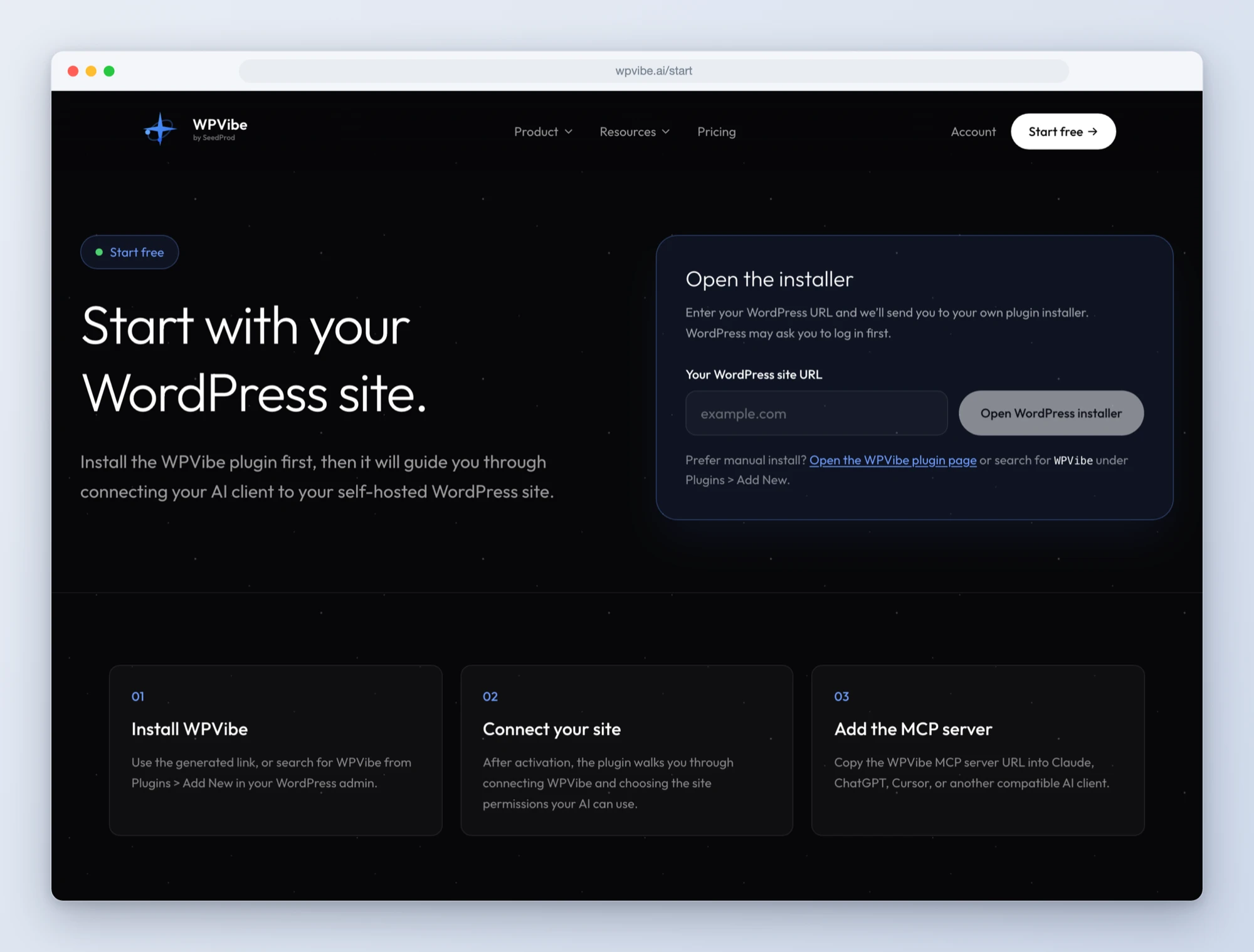
Step 1: Install the free WPVibe plugin
Add the WPVibe plugin to the site running your store, and make sure Easy Digital Downloads is on 3.7.1 or newer and WordPress is on 6.9 or newer.
Step 2: Connect the AI you already use
Claude, ChatGPT, Cursor and others. One click to authorize, about thirty seconds, and no passwords ever go in the chat.
Step 3: Decide whether your AI may change things
Out of the box, a connected assistant can only read: reports, orders, customers, logs, settings. To let it create products, build discount codes, or resend a receipt, turn on the switch under Downloads, Tools, AI. It is off by default, and you can turn it back off whenever you like.
Step 4: Ask for what you want
Open an Easy Digital Downloads recipe, paste the prompt, fill in your own details. Start with the sales report or the store audit. Both are read-only, so there is nothing to undo.
Why these are worth trusting
A recipe that worked once on our machine is not a tested recipe. So we built a store with known data, thirteen orders across five customers and sixty days, and checked what came back against what we knew was true. When the sales report said eight orders and $213 for the last thirty days, that was the right answer to the dollar. Same for the per-product numbers.
Then we wrote down everything that surprised us, because those are the places a prompt fails quietly. Our first attempt to create a product was refused, and it took a minute to work out why: the write switch. That is now the first line of every recipe that changes anything. Discount dates go in using your store’s timezone and come back in UTC, so a sale that ends on the 30th can look like it ends on December 1st. The recipe tells the AI to say so instead of “fixing” it. Order lists leave out the line items, so the support recipe looks up the single order before it tells you what was bought.
Every recipe that writes shows you a table first and waits. Every one reads the result back from the store afterwards, so what you see is what was saved and not what the AI meant to send.
Built with the Easy Digital Downloads team
Easy Digital Downloads joins LifterLMS and WPForms in Works with AI, our program for plugins that are verified to work well with AI assistants. Credit where it is due: their team built this carefully. Writes are off until the store owner turns them on. Creating an order, changing an order’s status, and deleting a discount are marked as destructive, so WPVibe stops and asks you to approve them in your browser before anything happens. New discount codes are inactive unless you say otherwise. And refunds are not available to AI at all. They stay on the order screen in the admin, on purpose.
Two honest limitations while it is fresh. Your AI can set a product’s name, price, and description, but download files and variable prices are still set on the product’s edit screen, so the products recipe hands you an edit link for each one. And licensing and subscriptions are not available to AI assistants yet. The Easy Digital Downloads team has told us those are next.
All six recipes live on the Easy Digital Downloads page, along with every ability and the gotchas we found. If you sell downloads on WordPress, start with the sales report. It takes a minute, changes nothing, and tends to change how people think about the rest.
John and the WPVibe team
P.S. WPVibe is free to start and works with the AI plan you are already paying for, so there is no second AI subscription to buy. Connect your site and try the first recipe.