Claude Code is the fastest way to give an AI real hands on a WordPress site: one command adds WPVibe, one sign-in connects your account, and from then on the site is something Claude Code can read, edit, build on, and verify from the terminal, with your approval on anything risky.
Before you start
- A self-hosted WordPress site where you can install plugins.
- Claude Code installed and signed in.
- One minute.
Step 1: Install the WPVibe plugin
Go to wpvibe.ai/start, enter your site address, and follow the installer. It installs the free WPVibe plugin from WordPress.org and opens a one-click authorization screen in your wp-admin. Approve it and your site is connected to your WPVibe account. (You can also skip this and ask Claude Code to walk you through connecting a site after step 3.)
Step 2: Add WPVibe with one command
claude mcp add --transport http wpvibe https://mcp.wpvibe.ai/mcp/claudeThat registers WPVibe for the current project. Add --scope user to make it available in every project on your machine. Teams can commit the equivalent entry in the project’s .mcp.json so everyone gets it:
{
  "mcpServers": {
    "wpvibe": {
      "type": "http",
      "url": "https://mcp.wpvibe.ai/mcp/claude"
    }
  }
}
Step 3: Sign in
Start Claude Code and type /mcp. Select WPVibe and choose to authenticate. A browser tab opens the WPVibe sign-in: enter your email, then type the 6-digit code from the email you receive. The code is in the subject line. Back in the terminal, WPVibe shows as connected and its tools are loaded.
Step 4: Try it
Use WPVibe to list my connected sites. If none are connected, help me connect one.Claude Code lists the site from step 1. From here, give it real work: “Audit the homepage for accessibility issues and fix the ones you can,” or “Create a child theme, move my custom CSS into it, and preview before publishing.” Turn on extended thinking for large builds so it plans the steps instead of stopping early.
Watch it done
What Claude Code can do once it is connected
- Build or rework a theme in an isolated draft, preview it at a private URL, and publish with an automatic backup of the previous theme.
- Read the rendered page or a screenshot to verify its own change.
- Run allowlisted WP-CLI commands: plugin updates, cache flushes, search-replace with a dry run.
- Everything in the cookbook: schema markup, sitewide analytics, copying pages between sites.
Safe by default
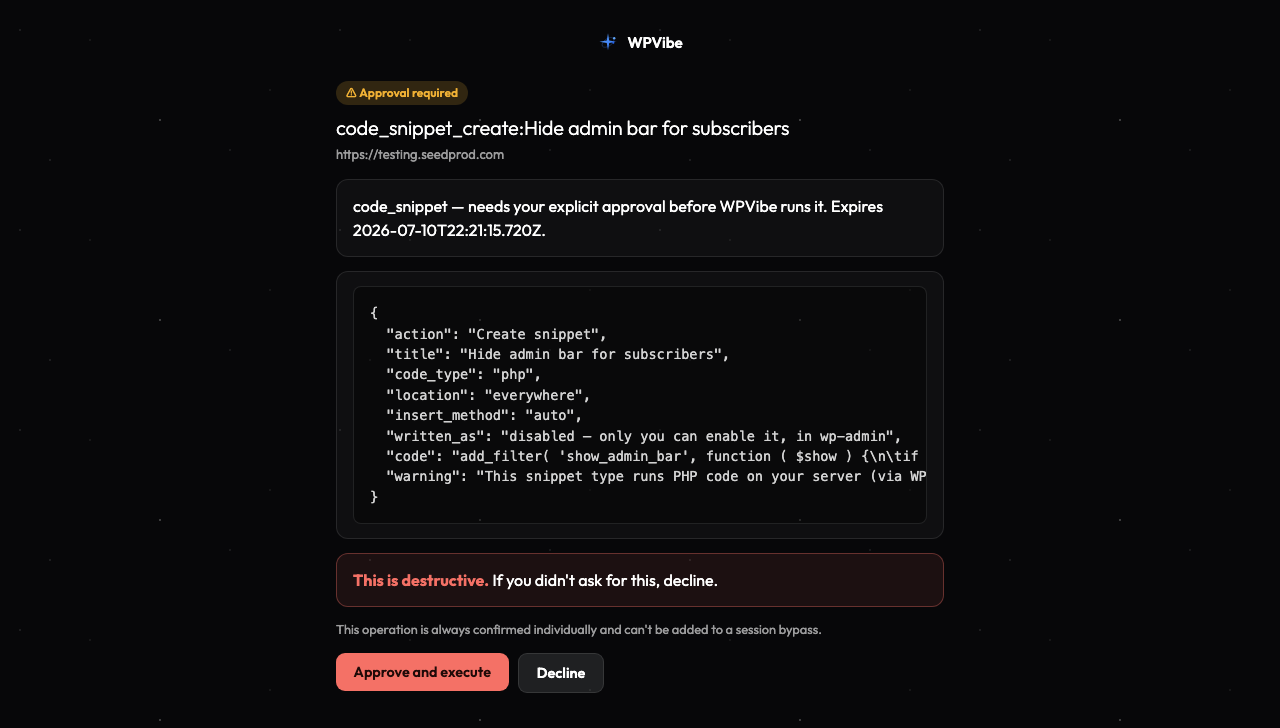
Claude Code works as the WordPress user you authorized and cannot exceed that user’s permissions. Theme changes happen in a draft with a private preview and an explicit publish. Bulk or destructive operations show a dry run and wait for your approval in the browser. Deleted content goes to the trash, not away. You can disconnect a site, or run claude mcp remove wpvibe, at any time. More on the security page.
Frequently asked questions
Do I need a WordPress skill or plugin for Claude Code?
No. WPVibe ships its own skills, loaded on demand, for page builders, WooCommerce, SEO, accessibility audits, and more. Claude Code discovers them through the connection. Nothing to install locally beyond the one command above.
Is it free?
Yes. The WPVibe free plan includes every tool, unlimited connected sites, and a daily allowance of actions. Paid plans raise the allowance. You use your own Claude subscription; WPVibe does not run the model.
Can I use this with Claude.ai or Claude Desktop too?
Yes, with the same WPVibe account and sites. Follow Connect Claude to WordPress for the connector setup.
The sign-in window never opened
Run /mcp again and pick WPVibe to restart authentication. If you are already signed in from earlier, no window appears and that is normal. The connection troubleshooting guide covers the rest.