I Asked AI to Build a Survey. It Checked Its Work Better Than I Did.
Most unhappy customers never tell you they’re unhappy. Qualtrics asked 20,001 people and found fewer than 1 in 3 now give feedback to a company directly, the lowest it has ever recorded. They just quietly spend less, or stop.
A survey is the obvious fix, and it’s also the sort of job that sits on a list for months. There’s a template to pick, questions to write, display rules to set, and none of it is ever urgent.
So I skipped all of that and asked Claude instead, in plain English, from a chat window. Two questions, live on the homepage of my plant shop, where a visitor would genuinely see them.
It worked first time, off a single request. So here’s what I asked for, and what it actually put on the page.
What You Need to Build a Survey From a Chat Window
To build a survey on your WordPress site with AI, you need 3 things:
- A WordPress feedback plugin, and it’s worth knowing not every plugin can be driven this way
- WPVibe, to connect your site to an AI client
- The AI client itself, which you almost certainly have already
The plugin I used was UserFeedback, which runs a website feedback survey as a small pop-up panel and gathers up the answers for you. Everything below ran on its free version.
WPVibe is a remote MCP server, which is the bit that lets an assistant reach your own self-hosted WordPress rather than a hosted platform’s API. The free WPVibe plugin is just the setup step rather than the product itself, and my assistant was Claude, though ChatGPT or Cursor would drive it the same way.
The site I ran this test on is Birch and Bloom, a plant shop that exists purely so I can break things on it.
Claude Built My Survey in One Request
The install was completely empty when I started, so there was nothing lying around to copy or reuse. I asked for a survey that would tell me whether people were finding the plants they came for, and whether anything was stopping them buying.
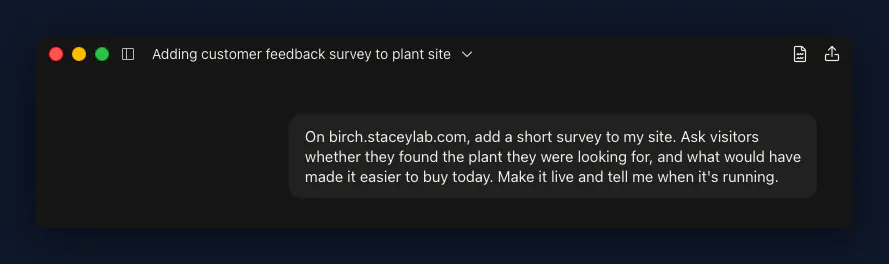
Claude turned that into two questions:
- Did you find the plant you were looking for? with Yes, No, and I was just browsing
- What would have made it easier to buy today? as an open text box
Then it set the panel to appear bottom right on every page, across desktop, tablet and mobile, with no end date, and wrote its own thank-you message reading Thanks for your feedback!
Neither question was compulsory, which I liked, because a survey that traps people on their way out isn’t collecting feedback so much as extracting it.
If you want to copy the request, it was near enough this:
Add a website feedback survey to my site asking visitors whether they found what they were looking for, plus an open question about what would have made buying easier. Show it on all pages and publish it.
You can read the answers back the same way, too. Claude returns the totals for each option and the full text replies, so checking your results doesn’t mean opening WordPress either.
Claude Checked the Page as a Visitor, Not the Dashboard
Claude didn’t stop at telling me the job was done. It opened the homepage as a logged-out visitor and confirmed the survey was really there, panel and all.
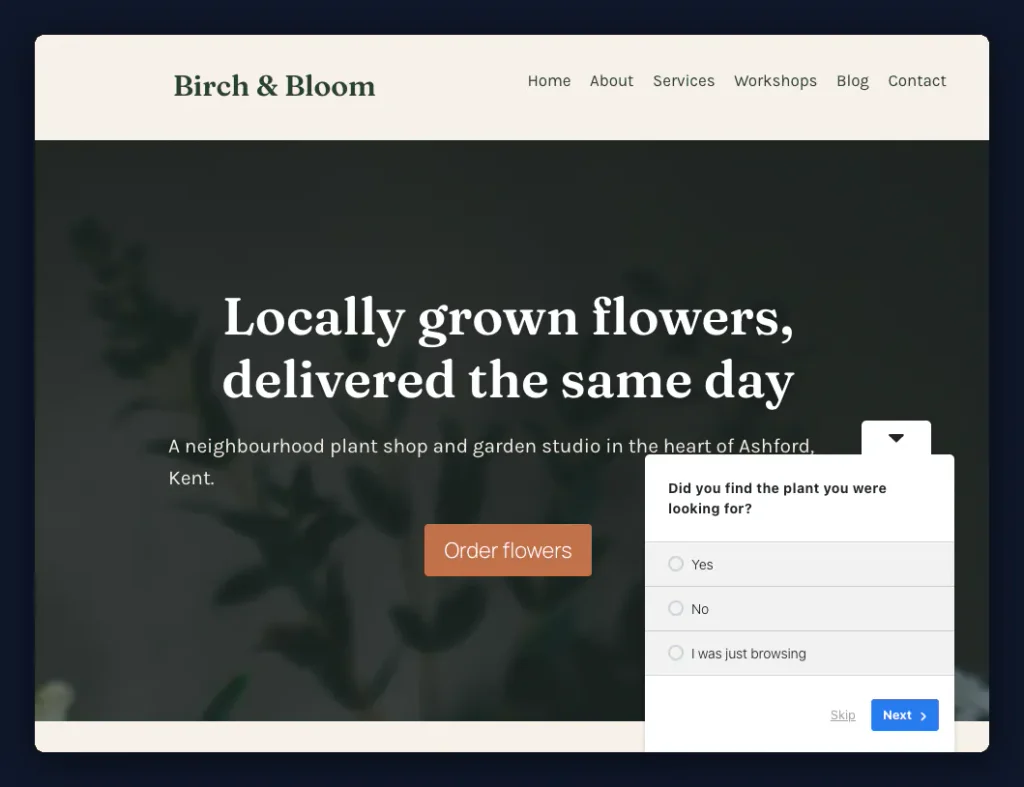
That matters more than it sounds, because you can’t check this the obvious way. UserFeedback hides surveys from logged-in admins, so your own browser shows you nothing whether it worked or not.
Claude Refused to Turn On a Paid Setting
There was one thing Claude wouldn’t do. I’d asked for the survey to be live, and the timing stayed on the default, which fires the panel the moment the page loads.
Claude explained that the delay and scroll triggers are a paid feature, and that it wasn’t going to write a paid setting into the database.
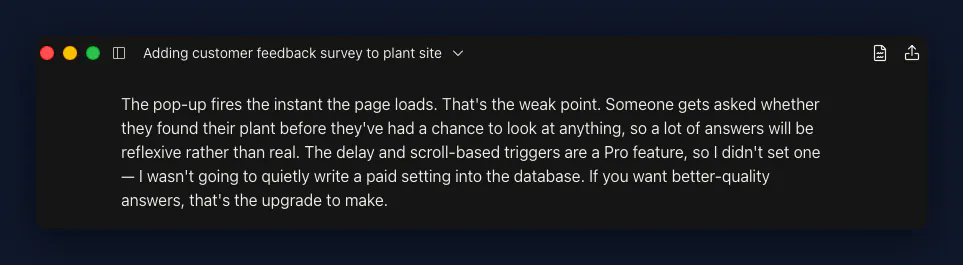
Left to my own devices I’d probably have shrugged and told it to go ahead. It didn’t offer me that option, and on reflection that was the better call.
It also flagged three things about my survey that I hadn’t asked it to look at, and all three were fair:
- A panel that appears the instant someone lands gets reflexive answers rather than considered ones
- My question about what would have made buying easier assumes the visitor was trying to buy at all, and the free tier can’t branch a question on the previous answer to fix that
- A free-text box collects whatever people type into it, which on a real site is a privacy-notice question as much as a survey one
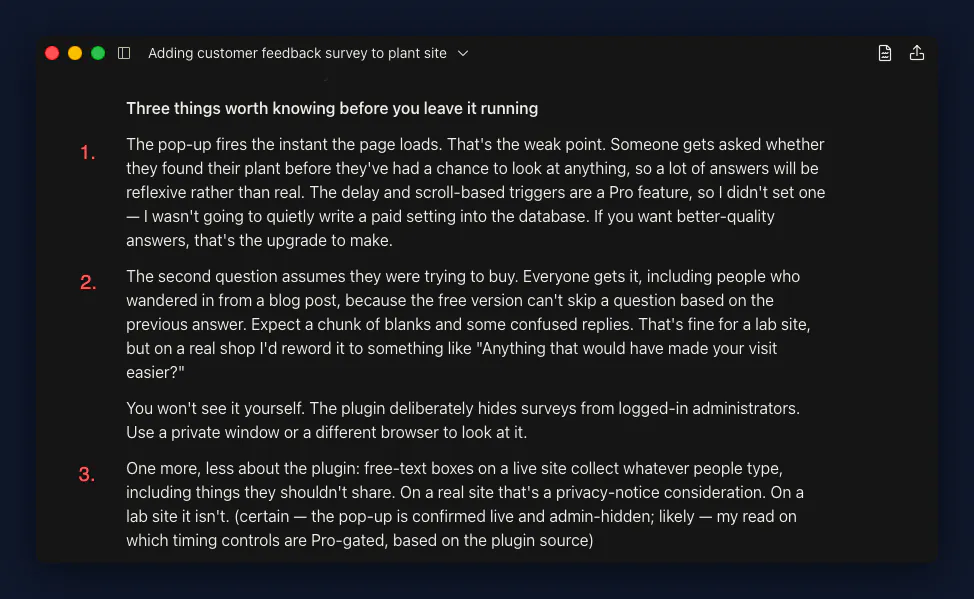
Not one of those had occurred to me, which is a slightly humbling thing to type. It read my own survey, found the weak parts, and said so before I’d got anywhere near noticing them.
Frequently Asked Questions
How do I create a survey in WordPress without AI?
Install a survey plugin and build the survey in its own screens, which means writing the questions, choosing where and when it appears, then publishing. That takes longer than a sentence in a chat window, though it does have one quiet advantage, since the plugin fills in the display rules for you rather than leaving them up to you.
How do I create a survey form in WordPress?
Decide first whether you want a pop-up survey or a form on a page, because they’re really different tools. A pop-up catches people mid-visit and suits one or two short questions, which is what I used here, while a form on its own page suits longer answers from people who came specifically to give you feedback.
Do I need a paid plugin to run a website feedback survey?
No. Everything in this post ran on the free version, including building the survey, publishing it and reading the answers back with per-option counts. The free tier gives you five usable templates to start from, and the paid tier is where the timing controls live, along with logic that branches a question on the previous answer.
Is it safe to let AI make changes to my WordPress site?
Nothing permanent happens without you approving it first, which covers most of what people actually worry about. The risk worth thinking about is much duller than that, and it’s believing a success message instead of opening your own site to check what visitors actually see.
Would I Trust It with This Again
Yes, without hesitation. Collecting feedback had been on my list for months, and it turned out to be one sentence in a chat window.
What I’d carry over to the next job like this is the checking rather than the building. Building is the easy part now, and I’ve had the same result fixing a pile of 404s from the same chat window. The only question worth asking afterwards is whether you’ve gone and looked at what your visitors actually see.
If you want to try it on your own site, WPVibe is the piece that connects your assistant to your WordPress, and you can connect Claude to WordPress for free.