Your AI Just Learned AffiliateWP and RewardsWP
Run affiliates and loyalty points on the same store, and two emails turn up sooner or later. An affiliate writes in: my reader bought last week and I got nothing. A customer writes in: my last order earned no points. Both answers are in WordPress, spread across the order, the referral or points ledger, and a settings screen you last opened months ago.
AffiliateWP and RewardsWP, its loyalty and refer-a-friend sister plugin from the same team, now ship their own abilities for AI assistants: 20 in AffiliateWP 2.37.1 and 42 in RewardsWP 1.6.0. Today WPVibe ships a verified AffiliateWP page and a verified RewardsWP page, with five tested recipes each, so the AI you already use can answer both emails, check what you owe before payday and report on both programs.
What you can ask for
Each of these is a copy-paste prompt built on calls we ran against a live store before publishing it. For AffiliateWP:
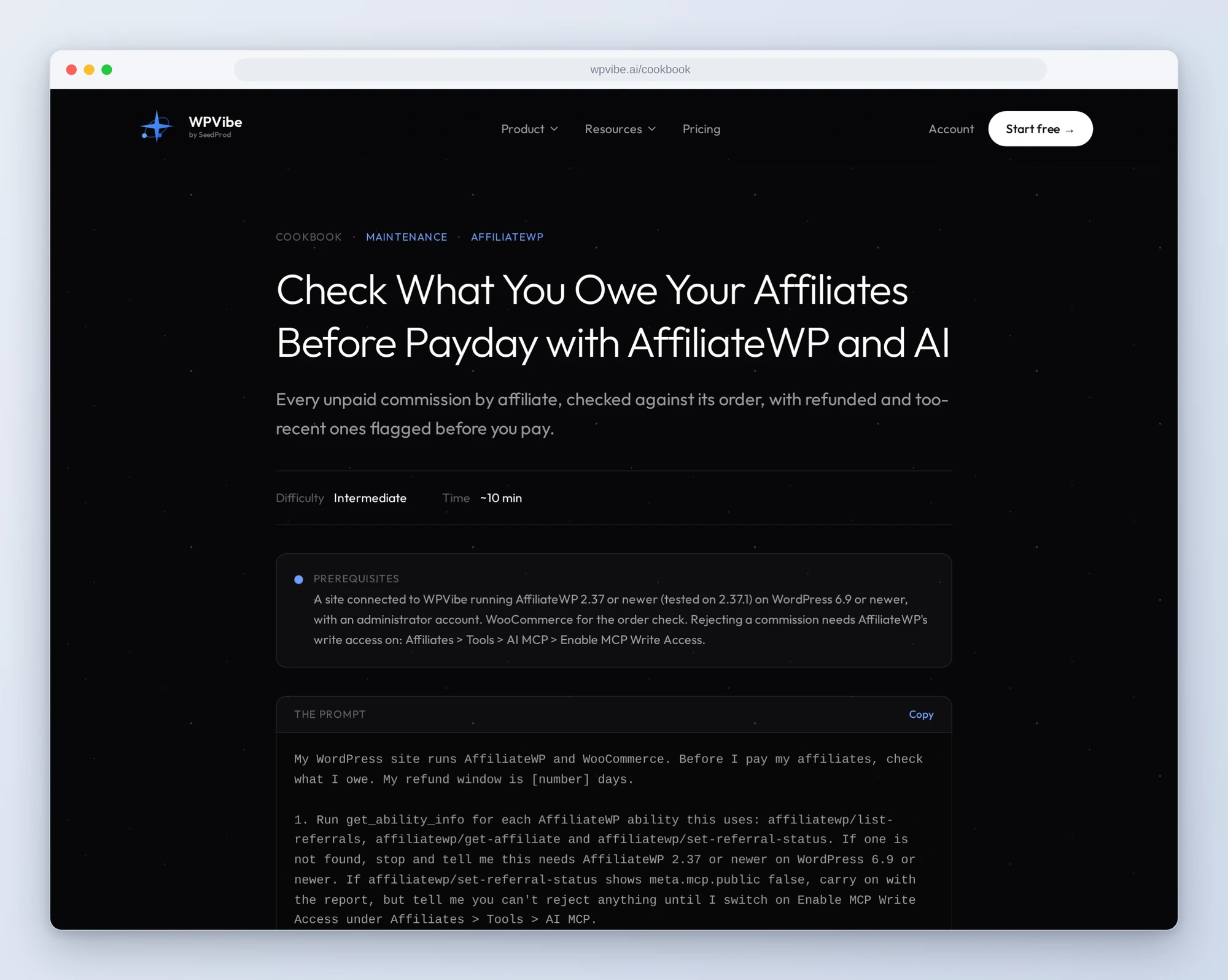
- Check what you owe before payday: every unpaid commission by affiliate, checked against its WooCommerce order, with refunded, partly refunded and too-recent ones flagged before you pay
- Credit an affiliate for a missed sale: reads the order, rules out a double credit, works out the commission from the affiliate’s rate and your tax and shipping settings (and tells you when a product rate would change it), and adds it as unpaid on your yes
- Review pending applications: each applicant’s website and answers with a suggestion, and approvals only on your word
- Give your top affiliates a higher rate: ranks affiliates by what they earned and raises the rate for the ones you pick, with group rates checked first
- See how your program did this month: this month against last, your top affiliates, and the campaigns that convert over their lifetime, without changing anything
And for RewardsWP:
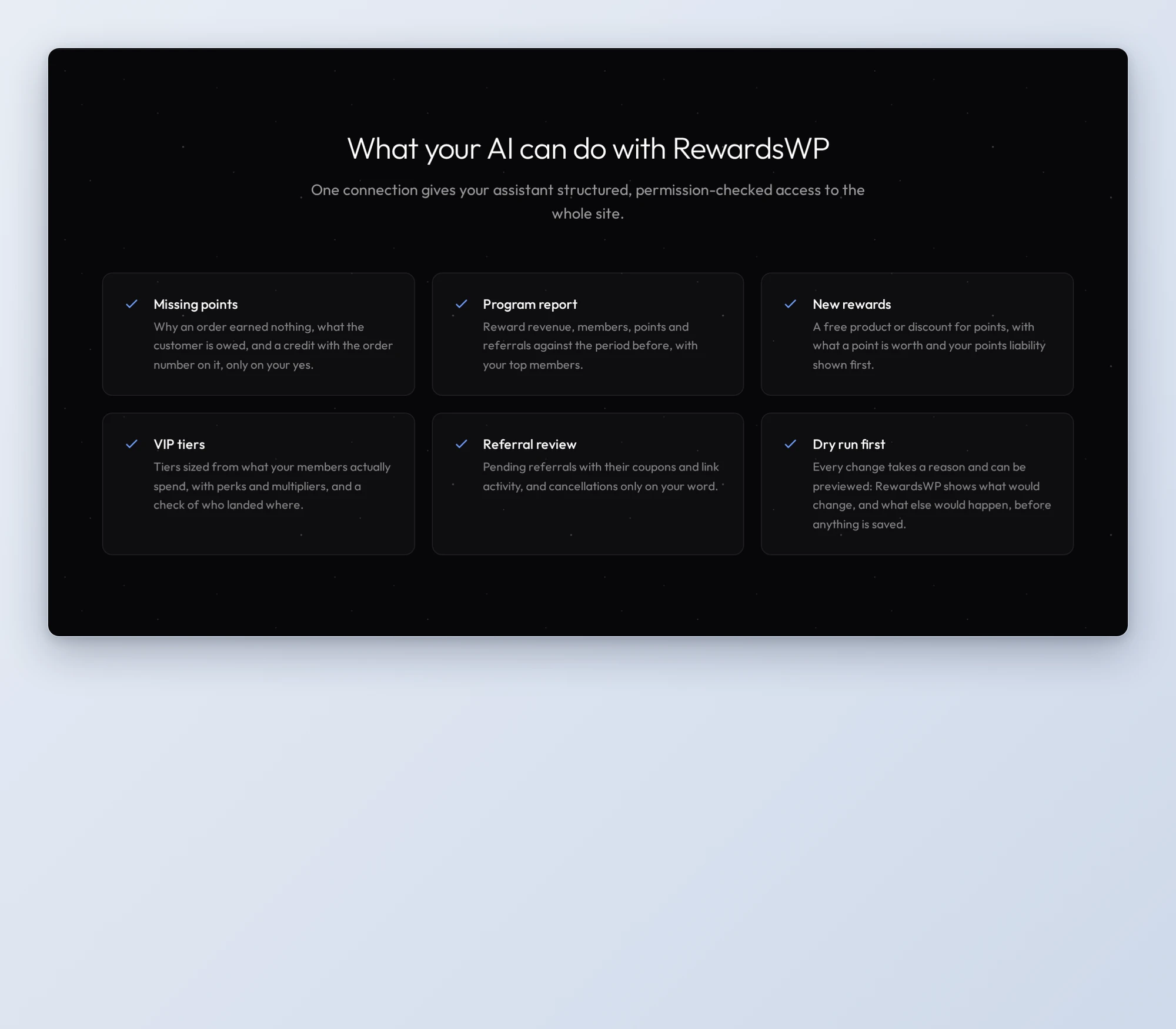
- Find out why an order didn’t earn points: RewardsWP’s own explanation for the order, what the customer is owed, and a credit with the order number on it, only on your yes
- Add a reward customers can redeem: a discount or free product for points, with what a point is worth and your points liability shown before you say yes
- Set up VIP tiers: tiers sized from what your members actually spend, and a count of how many members landed in each tier
- Review refer-a-friend referrals: pending referrals with their coupons and link activity, and cancellations only on your word
- See how your loyalty program did: reward revenue, members, points and referrals against the period before, without changing anything
In practice it sounds like this. Before you pay affiliates, you paste the payday recipe and give it your refund window. Following it, the AI lists every unpaid commission, reads the WooCommerce order behind each one (anything it can’t match is left for you to check by hand), and shows you per affiliate what to pay now, what to hold because the sale is newer than your refund window, and which commissions sit on a refunded or partly refunded order. It rejects only the ones you confirm, never marks anything paid, and leaves the payment itself to AffiliateWP’s Payouts screen, so every payout is recorded.
Who this is for
- Store owners who pay affiliates. A payday check that catches the commissions you’d rather not pay, before you pay them.
- Anyone answering “where are my points?” RewardsWP explains why an order earned nothing, and the AI shows you what the customer is owed before anything is credited.
- Owners growing a loyalty program. New rewards and VIP tiers sized from your own numbers, with what a point is worth and your points liability shown before a reward is added.
- Agencies running programs for clients. A monthly report on both programs in one prompt each.
How to get started
Step 1: Update AffiliateWP or RewardsWP. You need AffiliateWP 2.37 or newer, or RewardsWP 1.6 or newer (free on WordPress.org, or Pro), on WordPress 6.9 or newer, with an administrator account. RewardsWP runs on WooCommerce, and the order checks need it too. The AI can read your programs as soon as the plugin is active. Changes stay off until you switch on Enable MCP Write Access, under Affiliates > Tools > AI MCP or RewardsWP > Tools > AI MCP. Some RewardsWP features need a paid plan: by RewardsWP’s code, refer-a-friend needs Basic or higher, and VIP tiers and free-product rewards need Pro. We tested on Pro.
Step 2: Install WPVibe and connect the AI you already use. WPVibe is an MCP server that connects the AI you already use to your WordPress site. Install the free WPVibe plugin from WordPress.org. Its settings screen has buttons to add it to Claude or ChatGPT, plus a server address for other AI apps. Sign in with a free WPVibe account when your AI asks, then paste the connect line from the same screen into your AI and open the link it replies with while logged in to your WordPress site, and approve. No passwords ever go in the chat.
Step 3: Start with a report. The two monthly reports only read, so they work before you switch on write access. On RewardsWP’s free plan, reports cover the last 30 days with no comparison. Then try the payday check before your next payout.
Why these are worth trusting
We installed AffiliateWP 2.37.1 and RewardsWP Pro 1.6.0 on a test store with WooCommerce and gave them realistic data: affiliates with referrals tied to real orders, visits and campaigns, a pending application, loyalty members earning points from orders, friends who claimed referral codes, and three VIP tiers. Outgoing email was captured to a log, never sent. All 20 AffiliateWP abilities ran through WPVibe, and 38 of RewardsWP’s 42. The other four delete or undo things, so WPVibe sends them to an approval page in your browser first. We ran those four directly on the test store, and they did what they say. Then we wrote down what would have sent an AI the wrong way:
- A hand-added commission isn’t tied to its order. When a tracked order is fully refunded, AffiliateWP rejects its unpaid commission on its own (with Reject Unpaid Referrals on Refund on, the default). One added by hand stays unpaid until you reject it, and partial refunds change no commission at all. The payday check looks for both.
- A group rate wins. An affiliate group with its own rate replaces the affiliate’s personal rate: moving a 30% affiliate into a 25% group dropped them to 25%. The rate recipe checks groups first.
- An affiliate’s earnings are paid earnings. In an affiliate’s record, the referral count and earnings count paid referrals only. What you owe is in unpaid earnings.
- Points added by hand aren’t tied to the order either. The missed-points recipe writes the order number into the reason, so a second request for the same order can be spotted.
- Orders from before someone joined earn nothing. A completed order placed before the customer became a member doesn’t earn points later. One still processing earns its points by itself once it is completed (from RewardsWP’s code), so the recipe leaves it alone rather than paying twice.
- Canceling a referral leaves its coupon. The friend’s coupon stays usable until you cancel that reward too. The referral recipe cancels both.
Credit to the AffiliateWP team
Both plugins put every one of their abilities on WordPress’s Abilities REST API, so any AI connection built on it can reach them, and both keep AI changes off until a site admin switches them on. RewardsWP goes a step further: every change can run as a dry run first and comes back with what would change and what else would happen, and a new reward shows what a point is worth and how much your outstanding points would cost you before anything is saved. That made the recipes simpler to write and safer to run.
All ten recipes live on the AffiliateWP and RewardsWP pages, with every ability we verified and the gotchas we found. If you only try one, make it the payday check. It reads first, and it tells your AI to change nothing until you say yes.
John and the WPVibe team
P.S. WPVibe is free to start and works with the Claude or ChatGPT account you already have, so there is no second AI subscription to buy. Connect your site and run the payday check before your next payout.