Your AI Just Learned LifterLMS
Running an online course is mostly admin. Not the teaching, the rest of it. Building the course shell one lesson at a time. Enrolling the cohort somebody sent you in a spreadsheet. Working out who signed up in March and never came back. Setting up the payment plan you promised on a sales call. None of it is difficult. All of it is clicking, and it is the reason the next course is still sitting in a doc.
LifterLMS 10.1 changed the shape of that problem. It now tells AI assistants what it can do, in a language they understand, using the WordPress Abilities API. Courses, sections, lessons, students, enrollments, memberships, pricing plans, progress. Around 39 operations in total, described by the plugin itself rather than guessed at from the outside.
So we spent the launch day building on it. Today WPVibe ships eight tested LifterLMS recipes and a LifterLMS skill, which means the AI you already use can run your LMS by being asked.
What you can ask for
Every one of these is a copy-paste prompt we ran against a live LifterLMS install before publishing it:
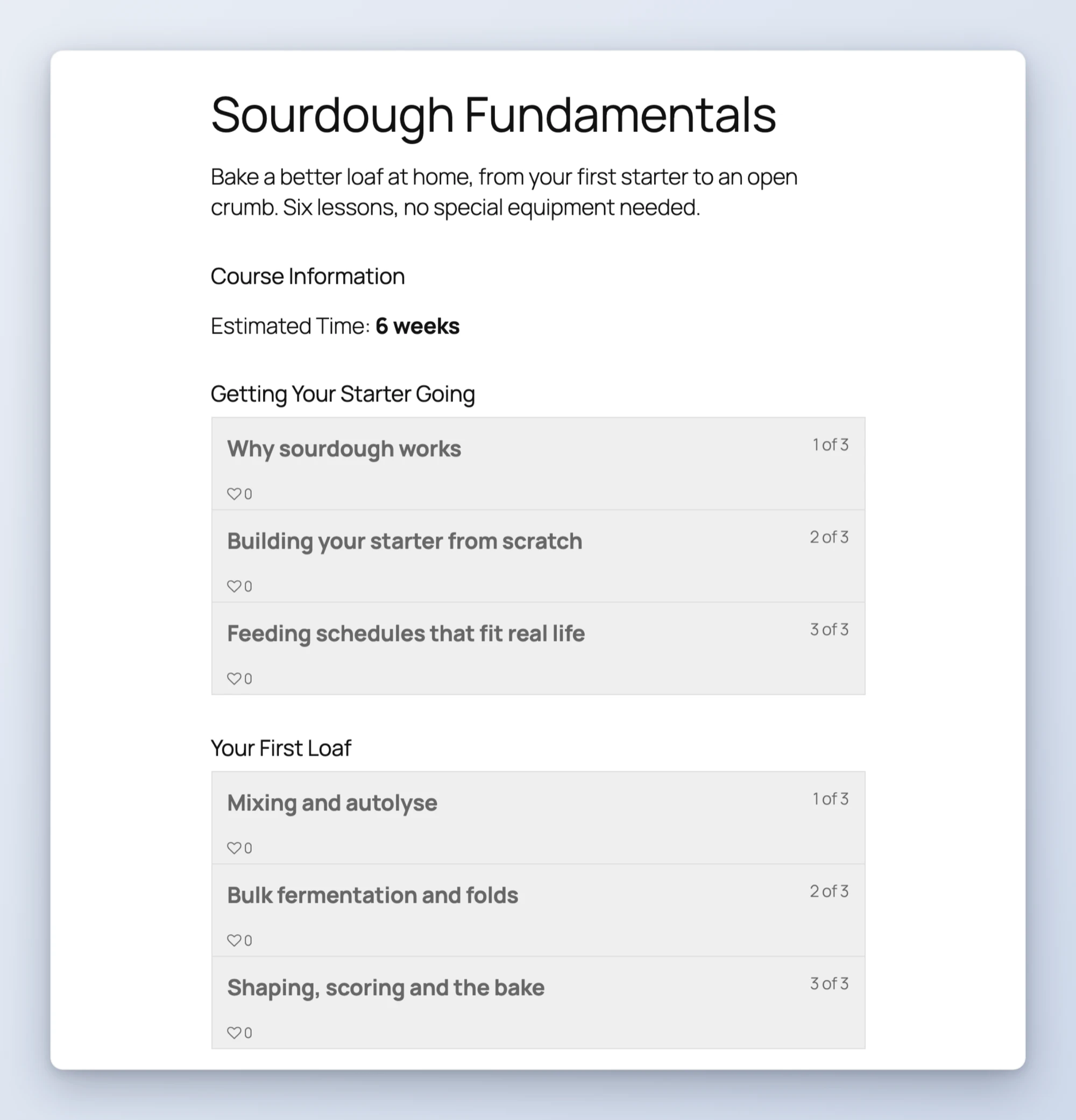
- Build an online course from an outline, or from nothing but a topic, and get the whole skeleton as drafts
- Turn a document into a course so the manuscript or training manual you already wrote becomes lessons
- Enroll a list of students in one pass, matching people against accounts they already have
- Set up pricing and payment plans by describing them in a sentence, installments included
- Get a progress report for any course, with per-student completion and totals
- Find the students who stopped and get a personal re-engagement email drafted for each one
- Launch a membership that bundles your courses and unlocks them all on join
- Reset a drip schedule across a whole course without opening every lesson
Picture the Monday after a launch. Instead of opening the reporting screen and filtering it by hand, you ask who is behind in the course, get the roster back with percentages, and have the follow-up emails drafted before your coffee is cold.
Who this is for
- Course creators with a backlog. The material exists, in a doc or a book or a workshop handout. The course does not, because building it is an afternoon of clicking.
- Anyone running cohorts. Enrollments arrive as spreadsheets, and progress questions arrive constantly.
- People selling memberships. Pricing plans and course bundles are several screens for what is really one decision.
How to get started
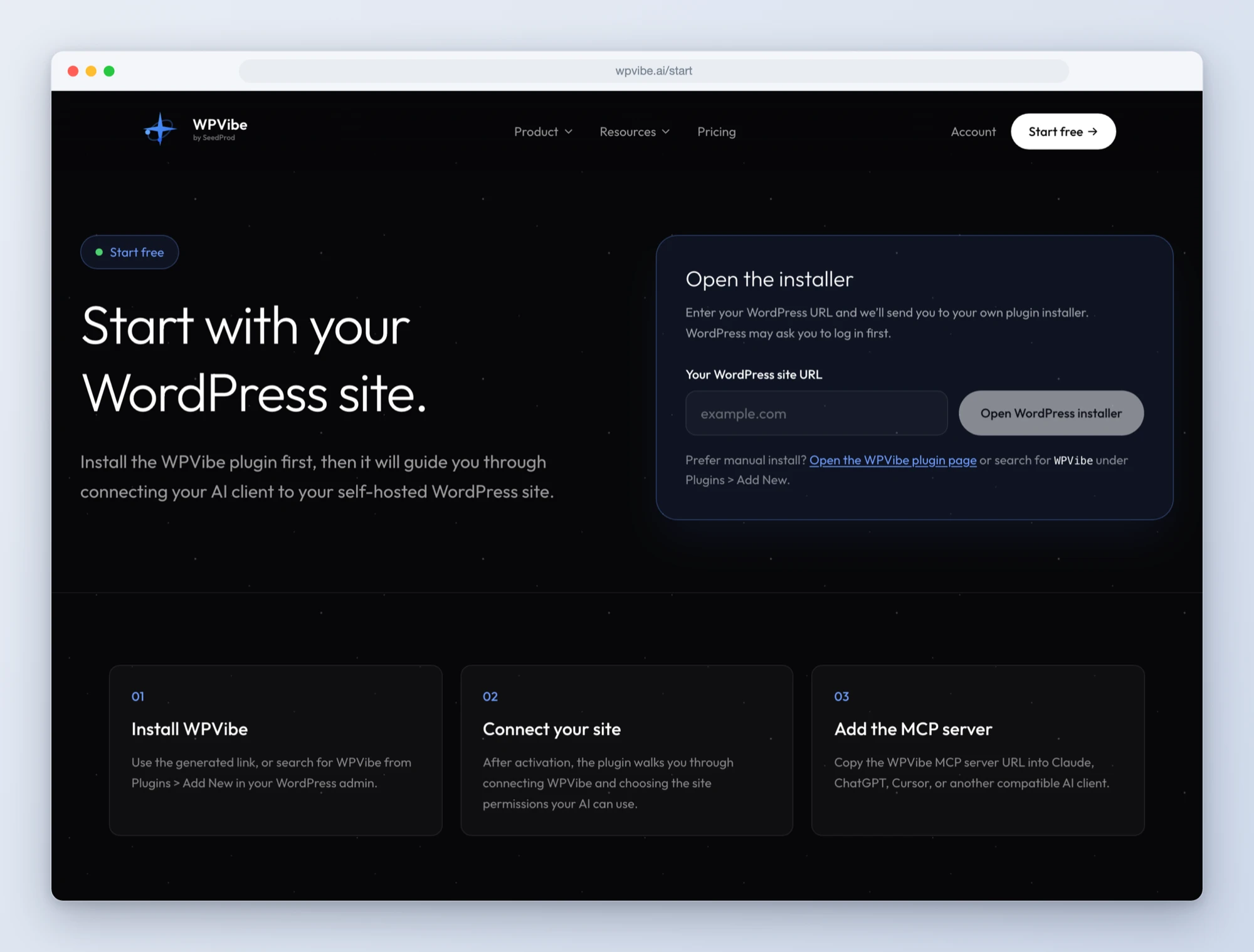
Step 1: Install the free WPVibe plugin
Add the WPVibe plugin to the site running LifterLMS, and make sure LifterLMS is on 10.1 or newer.
Step 2: Connect the AI you already use
Claude, ChatGPT, Cursor and others. One click to authorize, about thirty seconds, and no passwords ever go in the chat.
Step 3: Ask for what you want
Open a LifterLMS recipe, paste the prompt, fill in your own details. Or watch the short walkthrough first, then paste the prompt. Courses and lessons are created as drafts, so nothing reaches your students until you have read it and published it yourself.
Why these are worth trusting
Here is the part we think actually matters, and it is the reason this took a day instead of an hour.
Writing a prompt that works when you already know the answer is easy. So after we built these, we handed each recipe to a fresh AI assistant that knew nothing about LifterLMS beyond what the plugin describes, and logged every place it got stuck.
Every single recipe had a flaw. Three would have failed silently, which is the worst way to fail. One would have tried to create duplicate accounts for customers who already had one. One would have reported that nobody was falling behind in your course, every time, forever. One would have built a membership whose gate did not actually exist, so it looked right and let everybody in.
We fixed all of it, then had different assistants re-run the fixes to confirm. That is what we mean when we say a recipe is tested. Not that it worked once on our machine, but that somebody who knew nothing could follow it and get the right result.
The eight recipes are backed by a LifterLMS skill inside WPVibe, so the same knowledge applies even when you skip the cookbook and just ask for what you want.
Built with the LifterLMS team
LifterLMS is the first partner in Works with AI, our program for plugins that are verified to work well with AI assistants. Credit where it is due: their team built the abilities support in 10.1, and built it carefully. Destructive operations like deleting a course are marked as such, so WPVibe stops and asks you to approve them in your browser before anything happens.
One honest limitation while it is fresh: quizzes and assignments are not yet available to AI assistants, so those still get built by hand. The LifterLMS team has told us they are working on it.
All eight recipes live on the LifterLMS page. Prefer a walkthrough first? We recorded each recipe end to end in this LifterLMS with AI playlist. If you run courses on WordPress, start with the progress report. It is the one that tends to change how people think about the rest.
John and the WPVibe team
P.S. WPVibe is free to start and works with the AI plan you are already paying for, so there is no second AI subscription to buy. Connect your site and try the first recipe.